
Turn Any Picture Into Video with an AI Video Generator from Image
An AI video generator from image takes a single, static picture and turns it into a living, breathing video clip. The AI essentially studies your image, figures out what’s in it, and then intelligently adds motion, depth, and other atmospheric effects. It’s how you can turn a frozen moment into a short, cinematic story.
From Still Photo to Living Scene: The Magic of AI Animation
Have you ever stared at a beautiful photograph and wished it could move? Maybe you imagined the steam rising from a coffee cup, the subject's hair gently blowing in the wind, or a city skyline slowly beginning to twinkle as night falls. That desire to breathe life into still frames is exactly what AI video generation is all about.
This isn't just about adding a cheap effect; it's a genuine shift in how we can tell visual stories. It gives powerful tools to social media managers, digital artists, and creators of all kinds. You no longer need to be a VFX wizard with complex animation software. Now, you can inject motion and narrative into a picture with just a few clicks and a well-written prompt.
This guide is your hands-on walkthrough for doing just that. We'll go through the entire process, from prepping your image for the AI to crafting prompts that bring your creative vision to life.
Why Animating Images Is the New Normal
The ability to bring a single image to life is no longer some niche, high-tech skill. It's quickly becoming a go-to method for making content that actually grabs people's attention. The tech is fast, easy to access, and unlocks a ton of creative ideas that used to be completely out of reach.
Here’s why it’s catching on so fast:
- It's incredibly fast. What used to take a professional animator hours or even days can now be done in minutes. Seriously.
- You can experiment freely. AI lets you try out different visual ideas on the fly. You can test out various motion styles and effects without sinking a ton of time into it.
- It tells a better story. Adding motion brings an emotional weight to an image, letting you tell a richer story or show off a product in a way a static photo just can't.
This isn't just a fun gimmick; it's a real movement in digital media. The numbers back it up, too. The global AI video generator market was valued at USD 534.4 million and is expected to hit USD 2,562.9 million by 2032. That’s a huge jump, and it shows how central this tech is becoming. In fact, if you look into the [latest AI video trends](https://www.marketsandmarkets.com/market-reports/generative-ai-market-6 generative-ai-market-html), you'll see that nearly 49% of marketers are already using AI to slash their production costs by up to 80%.
Tools like Auralume AI are making this process dead simple. They pull together several of the best AI models into one place, giving you the flexibility to pick the right engine for whatever you’re trying to create. It's time to stop thinking of this as some futuristic concept. It’s a practical skill you can start using today to completely change how you create and share your work.
Getting Your Image Ready for Animation
The final quality of your AI-generated video hinges almost entirely on the quality of the image you start with. It's a classic "garbage in, garbage out" scenario. An AI video generator from image is an incredible tool, but it can't work magic on a poor-quality file. Giving it a clean, sharp canvas is the single most important thing you can do for a great result.
Think of it like cooking. Even the best chef in the world can't make a gourmet meal with stale ingredients. Your source image is your main ingredient, so make sure it's a good one. This means starting with a high-resolution file is non-negotiable. A blurry or pixelated input will only ever produce a blurry, artifact-riddled video. The AI needs clear data to understand the scene and intelligently add motion.
Start with a High-Quality Foundation
Before you even dream up a prompt, your first job is to vet the source file itself. A sharp, well-defined image gives the AI model the best possible chance to create believable and compelling motion.
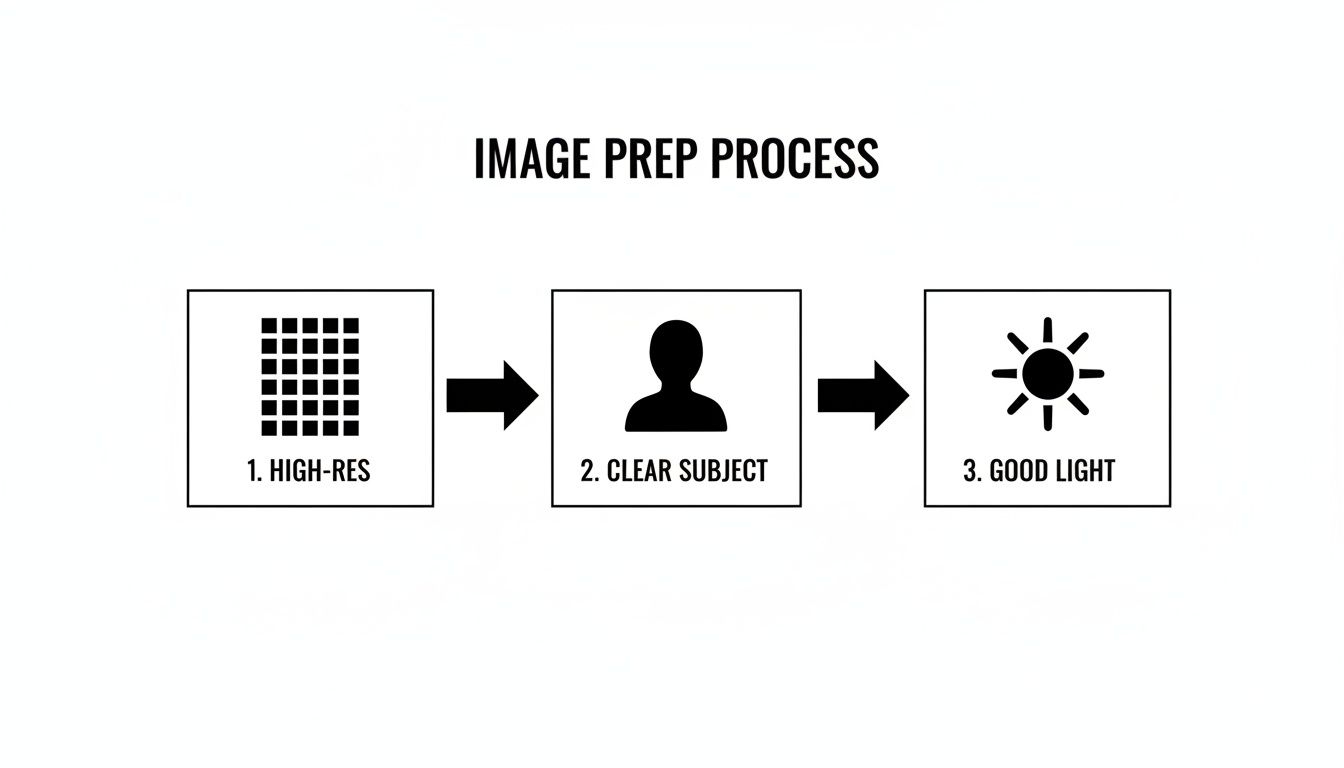
Here’s what I always look for in a starting image:
- High Resolution: Don't even bother with anything less than 1080p (1920x1080 pixels). Honestly, 4K is even better. Larger images contain so much more detail for the AI to grab onto and work with.
- Good Lighting: Images with balanced lighting—clear highlights and defined shadows—tend to produce much more dynamic and interesting results. If an area is completely blown out (pure white) or crushed (pure black), the AI will struggle to see any detail there.
- Sharp Focus: The main subject must be in crisp focus. If your subject is even slightly blurry, the resulting animation will feel soft and amateurish.
But what if your image isn't quite there? Don't worry, you can often save it. Many platforms, including Auralume AI, have built-in upscaling tools. Running your image through an AI upscaler first can dramatically improve its resolution and sharpness. I’ve used this trick countless times to rescue a great photo that was just a bit too small for video.
Isolate Your Subject for Better Control
From my experience, the best images for AI animation have a clear, distinct subject. When the main point of interest really stands out from the background, the AI has a much easier time understanding what should move and what should stay relatively still.
A cluttered background can be a real headache. If there are too many competing elements, the AI might generate distracting or just plain weird movements where you don't want them. For example, if you're animating a product shot for an e-commerce brand, it'll work best against a simple, clean backdrop.
Pro Tip: Use a shallow depth of field when you take your photos (that blurry background effect). It not only looks professional but also serves as a direct instruction to the AI: "Hey, focus the animation right here on the sharp part!"
Imagine a photo of someone standing in a dense, busy forest. The AI might get confused trying to separate the person from the trees, leading to an animation where everything warps and swims together. Now, picture that same person against an open sky or a simple wall. The AI gets a much clearer directive, and you get a much cleaner result.
Composition and a Few Final Tweaks
The way your image is composed also plays a huge part. A well-composed shot naturally guides the viewer's eye and gives you a roadmap for potential camera movements. Thinking about things like the "rule of thirds" or leading lines in your original photo can spark great ideas for your prompt later on.
Before you upload, I recommend a quick pre-flight check.
- Crop It Right: Crop the image to your target aspect ratio first. If you want a 16:9 video for YouTube or a 9:16 clip for Reels, do that before you animate. This ensures the AI generates motion within the correct frame from the get-go.
- Color Correct: A little tweak to the brightness, contrast, and saturation can make a world of difference. A vibrant, well-balanced image simply gives the AI a richer starting point.
- Spot Removal: Get rid of any distracting dust spots, sensor specks, or minor blemishes. These tiny flaws can become glaringly obvious once the image starts moving.
Taking these few extra minutes to prep your image is what separates a wobbly, amateur-looking clip from a smooth, cinematic result. A clean, high-res, and well-composed image is your ticket to unlocking what these incredible AI tools can really do.
Choosing Your AI Model and Crafting the Perfect Prompt
Alright, your image is prepped and ready to go. Now comes the fun part—stepping into the director’s chair. This is where you take your creative vision and translate it into clear instructions for the AI. It really boils down to two key decisions: picking the right AI model for the job and writing a prompt that guides the animation with precision.
Think of different AI models as specialists. Some are incredible at creating dramatic, photorealistic motion, while others are masters of artistic, painterly styles. Using a platform that gives you access to multiple models, like the ones on Auralume AI, is a huge advantage. You’re not stuck with one particular "look"; you can choose the perfect tool for your specific image.
Selecting the Right AI Model for Your Image
Choosing an AI model isn’t just a technical decision; it's a creative one. The model you pick fundamentally shapes the final video's mood, style, and motion. To make the best choice, you have to know what each one is good at.
For instance, one model might be known for its ability to generate subtle, lifelike movements, making it perfect for animating a portrait. Another might excel at sweeping camera work and dramatic effects, which is just what you need to turn a landscape photo into a cinematic fly-through.
The table below breaks down some of the different model types you'll encounter and what they're best suited for. This should help you match your image to the right AI.
Choosing the Right AI Model for Your Image
| AI Model | Best For | Key Strengths | Example Use Case |
|---|---|---|---|
| Photorealistic Model | Real-world photos, portraits, product shots | Generates believable physics, natural lighting, and subtle motion. | Making steam gently rise from a coffee cup or adding a subtle breeze to a person's hair. |
| Stylized/Artistic Model | Digital paintings, illustrations, abstract art | Creates painterly effects, fluid transitions, and imaginative motion that complements the source art. | Animating brush strokes in a Van Gogh-style painting or creating a dreamlike flow in an abstract image. |
| Cinematic Motion Model | Landscapes, cityscapes, architectural photos | Excels at dynamic camera movements like zooms, pans, and simulated drone shots. | Turning a static photo of a mountain range into a dramatic fly-over shot. |
| Character Animation Model | Images with clear human or animal subjects | Focuses on creating natural, subtle movements in living subjects like blinks, slight head turns, or breathing. | Bringing a still portrait to life with a gentle, thoughtful expression. |
Having the freedom to experiment is key. If one model’s output doesn’t quite hit the mark, a platform with options lets you regenerate with a different one in a single click. Sometimes, this leads to an amazing result you never would have expected.
How to Think Like a Director in Your Prompts
Your prompt is your script, storyboard, and directorial notes all rolled into one. A vague command like "make the car move" will probably give you a generic, wobbly animation. A great prompt, on the other hand, gives the AI specific instructions on how things should move, what the atmosphere should feel like, and how the camera should behave.
To get cinematic results, you have to use the language of cinema.
Starting with a solid image like the one described above gives the AI the best possible canvas to work from when it interprets your prompt.
Mastering Prompt Engineering for Motion
Effective prompting is an art, but it's one you can get good at quickly by focusing on three distinct layers: the camera, the subject, and the environment.
1. Define the Camera Movement
This is almost always the most important part of your prompt. Don't just say "move." Be specific about the camera action.
- Instead of: "Zoom in."
- Try: "Slow, cinematic dolly zoom towards the mountain peak."
- More examples: "Gentle pan left across the horizon," or "Dramatic drone shot flying over the city."
2. Describe the Subject's Motion
Next, tell the AI exactly what you want the main subject to do. The more detail, the better.
- Instead of: "Animate the person."
- Try: "The woman's hair billows gently in the wind as she looks toward the ocean."
- More examples: "Subtle steam swirls and rises from the coffee mug," or "The neon sign flickers intermittently."
3. Add Atmospheric and Environmental Effects
Finally, bring the whole scene to life with details about the environment and lighting. This is what adds mood and depth.
- Instead of: "Make it look nice."
- Try: "Golden hour light filters through the leaves, casting long shadows."
- More examples: "Heavy rain streaks down the window pane," or "Soft, ambient fog drifts across the valley floor."
When you put all these elements together, you get a powerful, descriptive prompt. For example: "Slow pan right, revealing a serene lake as gentle ripples move across the water's surface, with morning mist rising in the background." This level of detail gives the AI exactly what it needs to work with.
Many tools are making this process even easier. The Auralume AI Prompt Wizard, for instance, can help you flesh out your ideas. You can give it a basic concept, and it will suggest more descriptive language and cinematic terms, essentially coaching you toward professional-level prompts. Your choice of model and a well-crafted prompt are the two things that will make the biggest difference in turning your static picture into something truly special.
Refining and Enhancing Your AI-Generated Video
That moment when your first AI video clip renders is pretty exciting, but I've learned from experience that it's rarely the final product. Think of it as a really good first draft. The real magic, the stuff that separates amateur-looking animations from polished, professional content, happens in the refinement stage.
You might think this means firing up complicated video editing software, but that's not always necessary. Many platforms, like Auralume AI, have started building essential enhancement tools right into their workflow. This is a huge time-saver, letting you handle upscaling and basic edits without having to export and re-import your work.
This is where you sharpen the details, nail the timing, and really make sure the final video matches what you had in your head.
Upscaling Your Video for Ultimate Clarity
One of the single most effective things you can do is upscale your video. Most AI generators will kick out a clip in a standard resolution like 1080p, which is perfectly fine for a lot of uses. But if you want that ultra-crisp, high-end feel for a big screen or a premium Instagram feed, upscaling to 4K makes a world of difference.
Modern AI upscaling isn't just stretching the image. It intelligently analyzes the video frame by frame, adding new detail to sharpen edges and clean up any fuzziness or small artifacts that snuck in during the generation process.
Here’s a common scenario I see all the time:
- An artist animates a beautiful digital painting for their online portfolio. The initial animation looks good, but when they go full-screen on their monitor, the edges feel a bit soft and pixelated.
- By running it through a built-in AI Video Upscaler, the tool sharpens the fine brushstroke details and boosts the resolution. The result is a pristine 4K loop that looks absolutely stunning on any device.
The difference is often night and day. An upscaled video doesn't just look more professional; it also stands up much better against the heavy compression algorithms on platforms like YouTube and Instagram, making sure your audience sees your work at its best.
Simple Edits for a Professional Finish
Beyond just the resolution, a few quick edits can totally change the pacing and feel of your clip. AI videos are typically short, often just 4-10 seconds, so learning to trim and combine them is a powerful skill for building a more complete story.
Here are a couple of essential edits to master:
- Trimming for Impact: Let's be honest, not every second of a generated clip is pure gold. Trimming off the start or end lets you pinpoint the most dynamic and impactful moments of the animation.
- Stitching Clips Together: If you've generated several animations—say, for different product features—you can easily stitch them together into one cohesive ad. This is also great for creating a quick showreel or a longer narrative from multiple short clips.
Adding the Final Touches with Sound
The visuals are just one part of the equation. The right soundtrack, a few well-placed sound effects, or a voiceover can completely transform the emotional impact. Think ambient music for a sweeping landscape or a satisfying "click" for a product reveal—audio is what makes the experience feel complete.
And if you’re adding any kind of narration or dialogue, audio quality is non-negotiable. Bad audio can instantly cheapen an otherwise incredible video. It's worth learning how to remove background noise for crystal-clear audio in both video and audio content to give your projects that polished, studio-quality sound.
By combining sharp, upscaled visuals with thoughtful edits and clean audio, you take a basic output from an ai video generator from image and turn it into a finished piece. It’s these final touches that give your work a professional edge and make it ready to grab an audience's attention.
Real-World Examples and Creative Inspiration
The best way to really get the power of an ai video generator from image is to see what it can actually do. The theory and how-to steps are one thing, but seeing how people are using this stuff in the wild is where the real lightbulbs go off. Let's look at a few practical examples of how professionals are turning their static images into something much more engaging.
Think of these as launchpads for your own ideas. You can easily adapt these workflows for your brand, a personal project, or your social media feed. It shows just how powerful—and accessible—this tech has become.
For Social Media Marketers: The Coffee Shop Reel
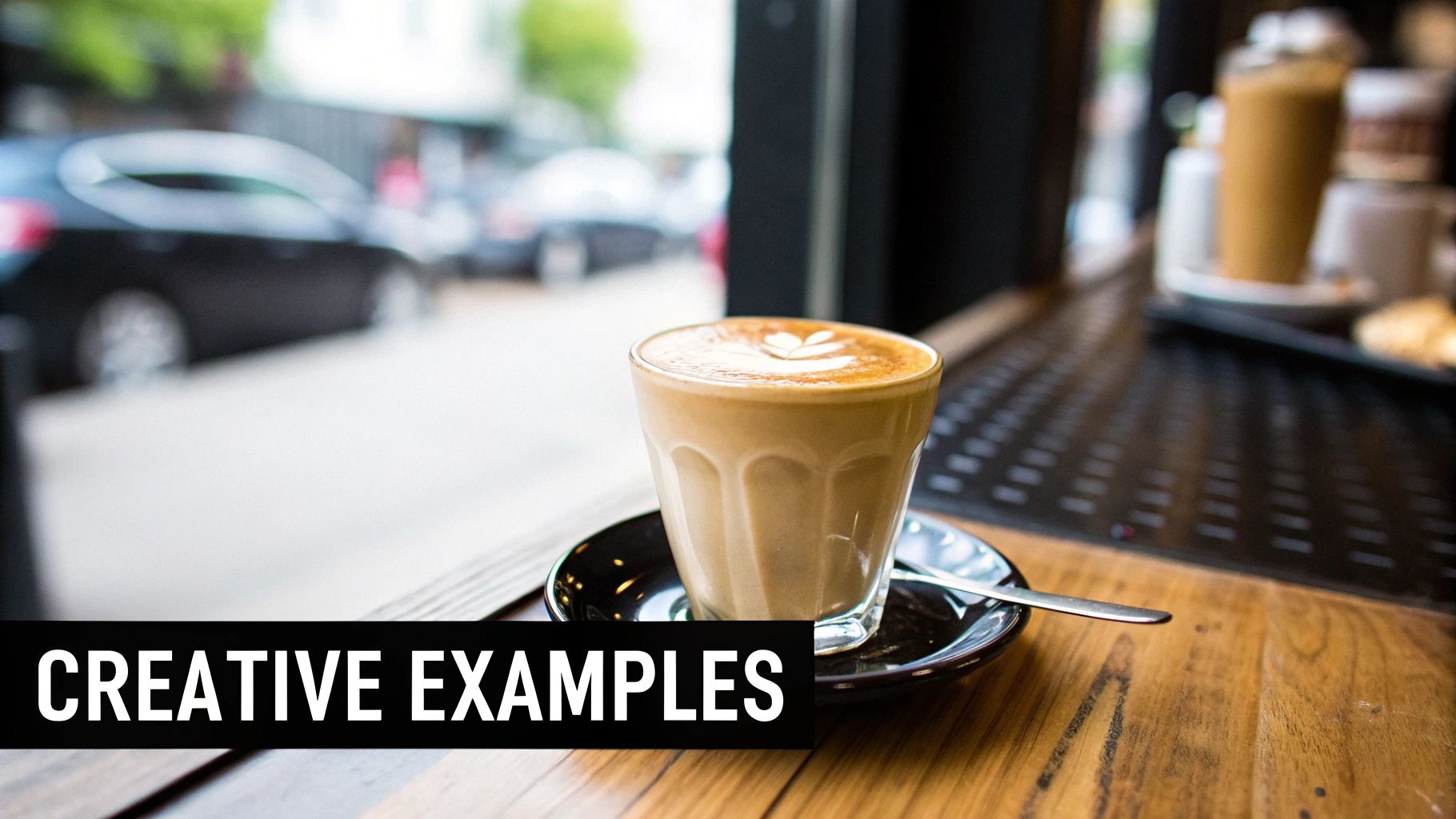
We’ve all seen it: a local coffee shop posts a gorgeous, high-res photo of their signature latte. The foam art is pristine, the lighting is perfect. It’s a great photo, but on a busy Instagram feed, it’s just another photo.
Now, what if that shop’s social media manager uploads that same picture to a tool like Auralume AI? With a simple but carefully crafted prompt, they can bring it to life.
- Prompt Idea: "Subtle steam gently swirls and rises from the latte. Slow zoom in on the cup. Golden morning light glimmers on the wooden table."
In a few moments, what was a static image is now a mesmerizing 5-second video. The gentle drift of the steam makes the coffee feel hot and fresh. This little clip is perfect for an Instagram Reel or Story, and it's infinitely more likely to stop someone mid-scroll than the original picture ever was.
For Authors and Creatives: Animating a Character Portrait
Let's say a fantasy author is gearing up for a book launch. They've invested in a stunning piece of character art—a portrait of their main hero. To build some hype, they want to give their audience a peek at this character in a more dynamic way.
Using an AI video generator, they can animate that portrait with subtle, lifelike details that hint at the character’s personality.
- Prompt Idea: "The character’s eyes slowly blink, and their gaze shifts slightly to the right. Her silver hair drifts gently as if in a light breeze. A single, magical ember floats past in the foreground."
The result is a clip that suddenly feels alive. This animated portrait can be shared across social media to introduce the character, woven into a book trailer, or featured on the author's website. It forges a much deeper connection with the audience than a flat image ever could.
This approach flips the script on promotional material. It’s no longer just an announcement; it’s an immersive teaser that gives followers a real feel for the story's world and its inhabitants, firing up their imagination before the book even drops.
For Real Estate Professionals: A Dynamic Property Showcase
A real estate agent has a folder full of professional photos of a beautiful home, but they need something more dynamic for a virtual tour or a Zillow listing. One standout photo shows a sun-drenched living room, but a still image can’t truly capture that warm, inviting atmosphere.
The agent can take that one photo and generate a video that shows off the home’s incredible natural light.
- Prompt Idea: "Sunlight streams through the window, slowly moving across the wooden floor. Dust motes gently float in the light beams. Camera slowly pans left across the room."
This short clip accomplishes something a photo simply can't—it shows the passage of time and the beautiful, shifting light within the space. It helps potential buyers feel what it would be like to stand in that room, making the property far more attractive. These little animated snippets can be stitched together to create a compelling virtual tour that blows standard slideshows out of the water.
The creative runway here is massive. To get a better sense of where all this is heading, it’s worth exploring the future of AI in content creation and how it’s changing marketing. These tools aren't just for one niche; they’re for anyone who needs a static image to tell a bigger, more engaging story.
Your Questions Answered: Making AI Video From Images
As you start turning static images into video, you're going to have questions. It's totally normal. Getting a handle on a few common points will save you a ton of headaches and help you get the results you want, faster.
Let’s go through some of the most frequent things people ask when they're first using an ai video generator from image. Think of this as the practical advice I wish I had when I started.
How Much Control Do I Actually Have Over the Animation?
This is the big one. Your control really boils down to two things: the quality of your image and the precision of your prompt. A sharp, high-res photo with a clear subject gives the AI a clean slate to work from, leading to much more predictable and cleaner animation.
Your prompt is where you become the director. Specific commands like "slow pan left" or "cinematic zoom out" steer the camera, while descriptive phrases like "leaves rustling gently" tell the objects in the scene what to do. You can't set keyframes like in After Effects, but you absolutely can guide the outcome by tweaking your prompts. I often find myself running a few variations, changing the phrasing or even switching AI models to nail the exact speed, style, and focus I have in my head.
Can I Use These AI Videos for Commercial Projects?
Generally, yes. Most reputable platforms, including Auralume AI, give you full commercial rights to the videos you create. That means you can use them in marketing, on social media, or for any business project without extra licensing fees.
The real catch is this: you must have the rights to the original image you started with. Stick to your own artwork, photos you’ve taken yourself, or stock images you’ve properly licensed. Grabbing a random copyrighted image from a Google search is a recipe for legal trouble.
Before you build a huge campaign around a video, it’s always a good idea to spend two minutes scanning the terms of service of the AI tool you're using. It’s a simple check that ensures you’re in the clear.
What Are the Biggest Mistakes People Make?
I see the same few mistakes over and over: using a low-quality starting image, writing lazy prompts, and expecting perfection on the first try. A blurry, pixelated input will only ever give you a blurry, artifact-riddled video. Garbage in, garbage out—it’s as simple as that.
The same goes for prompts. A command like "make it look cool" is useless to an AI. Give it something to work with. Be specific: "A gentle breeze makes the cherry blossom petals drift slowly across the screen from left to right."
Think of the process as a series of experiments, not a one-shot deal.
- Your first render is just a draft, a starting point.
- Get ready to refine your prompt's language and details.
- If one AI model isn't giving you the right vibe, don't hesitate to try another.
Leaning into this back-and-forth process is really the secret to getting consistently great results.
Ready to bring your own images to life? Auralume AI has all the tools you need—from multiple AI models to a helpful Prompt Wizard—to turn any picture into a cinematic story in seconds. Start creating for free today at https://auralumeai.com.