
Your Guide to Using an AI Video Maker From Text
An AI video maker from text is a tool that takes your written ideas—anything from a simple sentence to a full script—and automatically turns them into a complete video with visuals, music, and effects. For marketers, creators, and businesses, these tools are quickly becoming the go-to alternative to complicated, time-consuming editing software. The best part? You can create professional-looking videos in just a few minutes, no technical skills required.
Why AI Video Makers Are Changing the Game
The world of content creation is moving faster than ever. Platforms like YouTube, TikTok, and Instagram have an insatiable appetite for video, creating a serious challenge for anyone trying to keep up. Just a few years ago, making a single, polished video meant juggling expensive gear, mastering complex software, and dedicating days or even weeks to the project. Now, that entire process is being squeezed into a few clicks.
This shift isn't magic; it’s built on some seriously impressive technology. Two key components work together behind the scenes to make it all happen:
- Large Language Models (LLMs): Think of these as the director. They read your text prompts, understand the context and mood you're going for, and figure out the story you want to tell.
- Diffusion Models: These are the cinematographers. They take the director's vision from the LLM and generate the actual video clips, pixel by pixel, to bring your description to life.
When you combine them, you get a powerful system that can translate a simple phrase like "a cinematic drone shot of a lone hiker on a misty mountain at sunrise" into a stunning visual. This is just one piece of the much larger puzzle of AI-powered content creation, and it's completely changing how we think about producing digital media.
The Real-World Impact on Content Production
The shift from traditional to AI-driven video production is more than just a convenience—it's a fundamental change in workflow and efficiency.
| Factor | AI Video Maker From Text | Traditional Video Production |
|---|---|---|
| Time | Minutes to hours | Days, weeks, or even months |
| Cost | Low (often subscription-based) | High (equipment, crew, locations) |
| Skills Required | Minimal; basic writing skills | Specialized (directing, editing, sound) |
| Scalability | High; generate many variations easily | Low; each video is a major project |
| Accessibility | Anyone with a computer | Professionals and well-funded teams |
This table really highlights the core advantage: AI makes video creation accessible, fast, and affordable.
We’re already seeing this play out in the real world. Social media managers can now generate a dozen different video ads in the time it once took to create a single one, letting them test and optimize campaigns on the fly. Corporate trainers are turning dense, boring manuals into engaging explainer videos without ever needing to book a studio or hire a production crew.
This isn't just a niche tool for tech enthusiasts; it's a massive market shift. The global AI video generator market was valued at USD 534.4 million in 2024. It’s expected to explode to USD 2,562.9 million by 2032, growing at an impressive 19.5% each year.
That kind of growth tells you everything you need to know. This technology is leveling the playing field, making it possible for anyone—from solo creators to large businesses—to produce high-quality video content without breaking the bank.
Crafting Prompts That Deliver Cinematic Results
When you're working with an AI video maker from text, your prompt is everything. It’s not just a suggestion—it's your script, your director's notes, and your cinematographer's shot list, all wrapped into one powerful instruction. A lazy prompt will almost always give you generic, uninspired visuals. But a truly well-crafted one? That can turn a simple idea into something breathtaking.
Think of it like this: you wouldn't just tell an actor to "be sad." You'd give them a backstory and motivation to draw from. The same principle applies here.
The trick is to stop thinking in basic descriptions and start thinking in layers. Don’t just state your subject; build a world around it. Give the AI specific details to guide its creative process. This is exactly what Auralume AI is designed to work with—rich, descriptive language.
The Core Elements of a Powerful Prompt
No matter what kind of scene you're building, every great prompt needs to control four key elements. Once you get the hang of these, you’ll have much finer command over the final video.
- Subject and Action: First, define who or what is the star of your shot and what they're actually doing. Be specific. "A woman walking" is a start, but "a young woman in a red coat walking quickly through a rain-slicked city street" tells a story.
- Setting and Environment: Ground your subject in a tangible place. What time of day is it? What's the weather like? "A forest" becomes "a dense redwood forest at dawn, with thick fog clinging to the ground and rays of light breaking through the canopy." See the difference?
- Mood and Atmosphere: How do you want the scene to feel? Use stylistic keywords to set the tone. Words like serene, chaotic, nostalgic, futuristic, or dreamlike can completely change the vibe.
- Cinematic Details: This is where you get to play director. Think about camera angles, lighting, and even film styles. Adding phrases like "drone shot," "close-up shot," "golden hour lighting," or "filmed on 35mm film" gives the AI professional-level instructions to work from.
By layering these elements, you’re not just describing a picture; you're building a world. A detailed prompt reduces the AI's guesswork, leading to results that are 80% closer to your original vision on the first try, saving you credits and time.
Practical Prompting Examples
Let's look at a couple of real-world scenarios to see how this plays out.
Scenario 1: High-Energy Marketing Ad
- Basic Prompt: A person running with new sneakers.
- Advanced Prompt: Dynamic low-angle shot of an athlete's futuristic sneakers pounding the pavement, kicking up splashes of water in slow motion, vibrant neon city lights reflecting on the wet ground, energetic and motivational mood.
The advanced prompt nails the shot angle, action details (slow motion, water splashes), lighting, and mood. The result is a far more compelling clip you could actually use in an ad.
Scenario 2: Quiet Narrative Moment
- Basic Prompt: An old man reading a book.
- Advanced Prompt: Close-up on an elderly man's weathered hands turning the page of a leather-bound book, soft morning light streaming through a dusty window, motes of dust dancing in the sunbeam, a sense of quiet nostalgia and peace, shallow depth of field.
In this case, the focus shifts to intimate details—the hands, the light, the dust. Using a camera term like "shallow depth of field" tells the AI exactly how to create that emotional, focused shot.
If you ever get stuck, Auralume's built-in Prompt Wizard is a fantastic helper. It can suggest keywords and different structures to help you elevate your text into a powerful set of instructions for the AI.
Choosing the Right Models and Visual Styles
A great prompt is a fantastic start, but it needs the right engine to really bring your vision to life. Inside a powerful ai video maker from text like Auralume AI, you aren't stuck with a one-size-fits-all output. You get access to a whole library of different generation models, each with its own personality and strengths. This is where you really start to dial in your video's aesthetic.
For example, one model might be a wizard at creating hyper-realistic product shots, complete with crisp details and perfect lighting—a marketer's dream. Another might specialize in dreamy, stylized animations, perfect for a kid's story or a quirky explainer video. The trick is to think about the mood you're after and pick the model that fits the job.
Having this kind of control is more important than ever. Video is absolutely king online, with projections showing it will make up a massive 82% of all global internet traffic by 2025. A number like that really drives home why tools like this are becoming essential for anyone trying to get noticed. You can find more insights on the rise of text-to-video AI and what it means for creators.
Aligning Your Visuals with Reference Images
So you've picked your model, but what if you need the AI to be even more specific? This is where reference images come in, and honestly, they're a total game-changer for keeping your visuals consistent. This is especially true for branded content or any kind of narrative project.
You just upload an image that has the style, color scheme, or even character design you're trying to nail. The AI looks at your reference and uses it as the main inspiration for the video clip it creates.
- For Marketers: Grab a still from your latest campaign. This ensures every video ad you create feels like it belongs to the same family.
- For Creators: Working on an animated character? Upload a single character sheet to help the AI keep their features consistent from scene to scene.
- For Filmmakers: Storyboarding a scene and want to capture a specific vibe? Upload a still from a classic film to mimic its unique lighting or cinematic feel.
Think of a reference image as your visual anchor. It tells the AI, "Don't just listen to my words; make it look and feel like this." This simple step dramatically reduces the need for trial-and-error prompting.
Blending AI Clips with Your Own Assets
At the end of the day, the most professional videos often mix AI-generated scenes with your own brand assets. Auralume is built for this, making it simple to drop in your logos, text overlays, or even existing video clips you've already shot.
This is where the project truly becomes yours. You could kick things off with an AI-generated shot of a futuristic city, then smoothly cut to a real-life video of your product in action, and finish with a branded call-to-action screen. By combining the raw speed of AI generation with the genuine feel of your own brand, you get a polished, cohesive video that really stands out.
Polishing Your Clips: Upscaling and Refining for a Pro Finish
Getting those first generated clips is a huge win, but it's the final polish that separates a cool AI experiment from a genuinely professional video. This is where you'll transform the raw outputs into something cohesive and ready to share. Thankfully, Auralume has the tools you need built right in.
The first move toward that high-quality look is almost always upscaling. Most AI models spit out videos at a standard, lower resolution to keep generation times reasonable. That's fine for a quick preview, but on a bigger screen, that footage can look a little soft or even pixelated. This is where an upscaler is a game-changer.
When to Use Auralume’s Upscalers
Auralume gives you dedicated Image and Video Upscalers that intelligently boost resolution and sharpen details. It's not just making the video file bigger; the AI actually adds new, plausible detail without introducing weird visual artifacts.
Think of it like a digital restoration of a classic movie. The AI looks at every frame, figures out what's missing, and fills in the blanks to give you a much crisper result.
- For YouTube & Web Content: If you're creating videos for platforms where people expect at least HD quality, upscaling to 1080p is pretty much non-negotiable. A blurry video can instantly make your work look amateurish.
- For Shots with Fine Detail: Got a scene with intricate textures, text, or complex patterns? Upscaling makes sure all those little details pop instead of turning into a mushy blur.
- Before You Start Editing: Here's a pro workflow tip: upscale your raw clips before you bring them into a video editor for final assembly. This ensures you're working with the best possible source material from the get-go.
My Two Cents: Don't just blindly upscale everything. For a quick, punchy video on TikTok, the native resolution might be perfectly fine, and you'll save on credits. Always think about where the video will ultimately live.
Creating a Smooth, Consistent Flow
One of the trickiest parts of using an ai video maker from text is getting all those separate clips to feel like they belong together. Hard cuts between scenes can be really jarring for the viewer.
The key here is visual consistency. If you used a specific art style or reference image for one clip, try to carry that through to the next related scene. This alone will do most of the heavy lifting.
Simple transitions can also work wonders. Don't overdo it with flashy effects; a simple cross-dissolve or a quick fade-to-black is often all you need to gently guide the viewer from one shot to the next.
Finally, let's talk about getting your video out into the world. The export settings matter. Each social platform has its own preferences for things like format and compression, and getting it right makes a huge difference.
| Platform | Recommended Resolution | Aspect Ratio | Best For |
|---|---|---|---|
| YouTube | 1080p or 4K | 16:9 (Horizontal) | Long-form content, tutorials |
| Instagram Reels | 1080p | 9:16 (Vertical) | Short, engaging clips |
| TikTok | 1080p | 9:16 (Vertical) | Trending, viral-style videos |
| 1080p | 1:1 (Square) or 16:9 | Professional announcements, ads |
Dialing in the right export settings in Auralume ensures your video looks sharp and performs well, wherever you post it. It's the last, crucial step to making a real impact.
Real-World Workflows for Creators and Marketers
Theory is one thing, but seeing how a tool like Auralume AI works in the real world is where it all clicks. Let's walk through a couple of practical scenarios that show how creators and marketers are already putting this technology to work. These aren't just hypotheticals; they're proven blueprints you can steal for your own projects.
From Blog Post to YouTube Video
Imagine you’re a travel blogger who just published a fantastic article, "My Top 10 Hidden Gems in Kyoto." In the past, creating a companion YouTube video would mean a week of filming and editing. Now, you can do it in under an hour.
-
Script Adaptation: First, you’ll want to pull out the key points. Condense each of the ten locations from your blog into a single, punchy sentence. For example, the point about Otagi Nenbutsu-ji Temple becomes a prompt: "Discover the serene beauty of the Otagi Nenbutsu-ji Temple, with its 1,200 unique stone statues."
-
Scene Generation: Next, feed each sentence into Auralume. This is where you get to play director. Add specific cinematic keywords to get the exact vibe you want, like "drone shot, morning light" or "close-up on moss-covered statue, shallow depth of field." Generate a 5-7 second clip for each of your ten locations.
-
Assembly and Voiceover: Once you have your clips, download them all. You can drop them into any simple video editor, arrange them in order, and record a voiceover based on your original blog post. Just like that, you have a stunning travel video that brings your words to life, ready to go.
A Social Media Ad Campaign in Minutes
Now, let's switch gears to a marketer running a social media ad campaign for a new brand of eco-friendly sneakers. The goal is to quickly A/B test a few different visual concepts to see what the audience responds to.
This kind of rapid, iterative testing is exactly why AI is becoming so common in content creation. By 2025, it's expected that 52% of AI users will be using it for video generation. That’s not surprising when you consider that video makes up a staggering 82% of all internet traffic.
To get started, the marketer dreams up two completely different ad concepts:
- Concept A (Urban Energy): The prompt here is all about dynamic city life. Think: "Dynamic shot of eco-friendly sneakers on city pavement, energetic motion blur, vibrant street art in the background."
- Concept B (Nature Escape): This one leans into the shoe's sustainable roots. The prompt might be: "Slow-motion shot of sneakers walking on a lush forest trail, golden hour sunlight filtering through trees, serene and peaceful."
Auralume can generate multiple variations for each concept in just a few minutes. The marketer can then run both ads, see which one gets better engagement and clicks, and put their budget behind the winner. For those just starting out, exploring free AI tools for social media content creation can also be a great way to experiment without commitment.
The entire process boils down to a simple, three-stage journey.
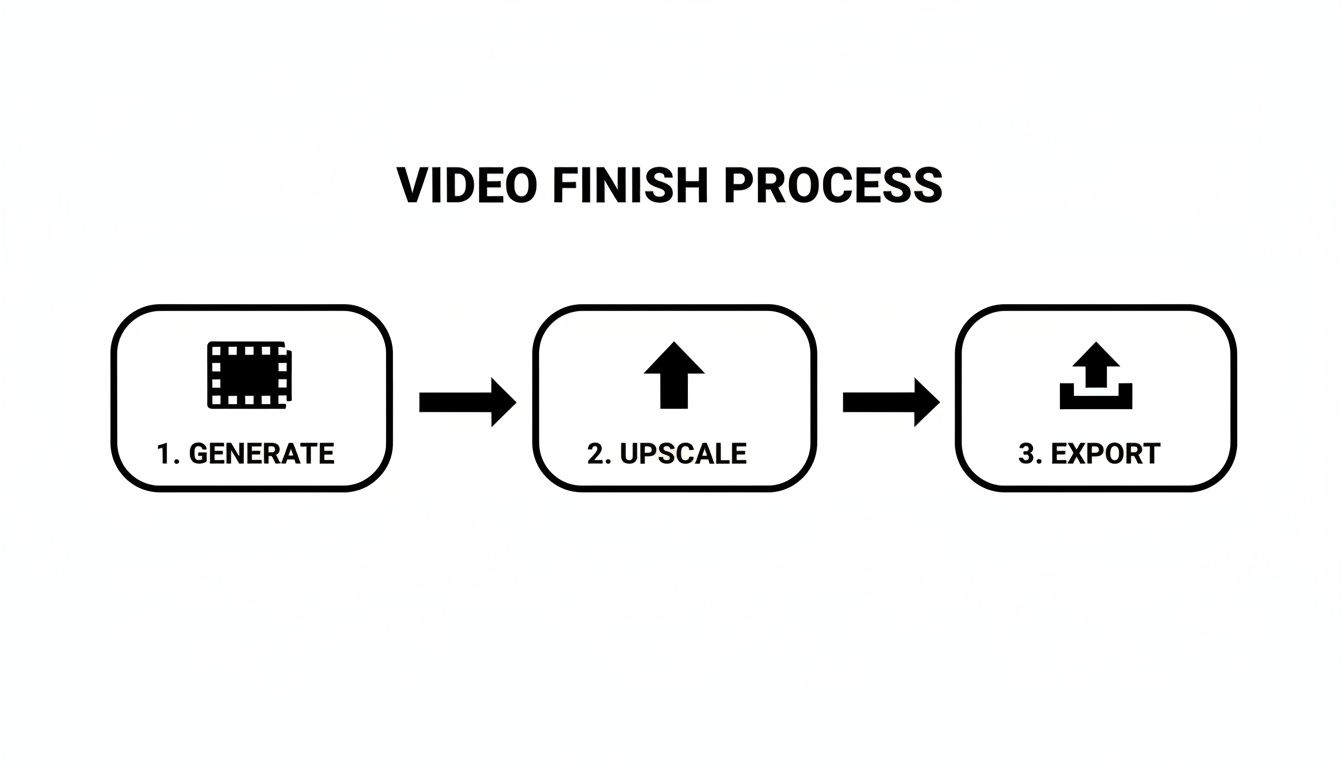
This workflow—Generate, Upscale, Export—is the heart of what makes Auralume so efficient. It empowers anyone to produce polished video content, freeing you up to focus on the big-picture creative strategy instead of getting bogged down in tedious production tasks.
Common Questions About AI Video Makers
As you start playing around with an AI video maker from text, you're bound to have some questions. This space is changing fast, and getting a handle on the practical stuff—like cost, commercial rights, and what these tools can't do yet—is crucial for getting the most out of them. Let's dig into some of the things people ask most often.
How Much Does an AI Video Maker From Text Cost?
Pricing models differ from tool to tool, but most, including Auralume AI, run on a credit system. Think of it like an arcade: a quick, simple clip might only cost a few credits, but a longer, more detailed scene in high definition will naturally use up more.
- Pay-As-You-Go: This is perfect if you only need a video here and there. You just buy a pack of credits and spend them whenever you need to.
- Subscriptions: If you're creating content consistently, a monthly or yearly plan almost always offers better value, giving you a fresh batch of credits at a lower per-credit cost.
The real story here is the massive cost savings. A traditional video shoot can run into thousands of dollars for a single project. AI brings that cost down to a tiny fraction of what you'd normally pay.
Can I Use My AI-Generated Videos Commercially?
For the most part, yes. When you're on a paid plan with a platform like Auralume AI, you're usually granted full commercial rights to whatever you create. That means you're good to go using them for your business.
This could be for things like:
- Running ads on social media
- Creating product marketing videos
- Developing corporate training content
- Sprucing up your website
It’s always a good idea to double-check the platform's specific terms of service, though. Keep an eye out for any rules about generating content that looks a lot like existing copyrighted work or real people, just to make sure you're staying on the right side of things.
Being able to create commercially-ready videos is a huge reason these tools are taking off. It gives businesses of any size the power to produce professional-grade marketing material without the old-school barriers of huge budgets and complex logistics.
What Are the Current Limitations of AI Video Makers?
While the progress has been mind-blowing, the technology still has its limits. Knowing what they are helps you work around them and get better results.
One of the biggest hurdles right now is character consistency. Getting an AI to create the exact same person, with the same face and clothes, across several different scenes and angles can be a real challenge.
You might also notice that very complex or fast-paced actions can sometimes look a bit... off. The AI is still getting the hang of real-world physics and motion. Similarly, you can't just feed it a 10-page script and expect a perfect long-form video just yet.
Because of this, the best approach is to generate a series of shorter, targeted clips and then stitch them together in a standard video editor.
How Do I Make My AI-Generated Videos Unique?
This is where your creativity comes in. The AI is a tool that gives you incredible raw footage, but it's your vision that makes it stand out.
First, get really specific with your prompts. Don't just say "a person walking." Instead, add stylistic details, specify camera angles, and describe the environment. You can also upload your own reference images to guide the AI, which is a great way to keep things consistent with your brand's look and feel.
The final, and most important, step is post-production. This is what truly separates your work from everyone else's. Combine the AI footage with your logo, custom text, a great soundtrack, and maybe a professional voiceover. That's how you turn a generic AI clip into a polished video that is unmistakably yours.
Ready to transform your text into stunning, cinematic videos? Auralume AI gives you the tools to bring your ideas to life in seconds. Start creating for free today!