
How to Create Video Ads That Convert
Making a video ad that genuinely works comes down to a few key things: knowing who you're talking to, grabbing their attention in the first three seconds, and having the right tools to bring your idea to life. The best ads out there nail this blend, mixing a sharp strategy with visuals that feel right for the platform they're on. And thankfully, getting this done is faster and easier than it's ever been.
Your Modern Playbook for High-Impact Video Ads
Let's be honest, video isn't just a part of marketing anymore—it is marketing. It's not a "nice-to-have" option; it's the main event in any solid digital strategy. The stats don't lie. Creating video ads is now standard practice for 89% of businesses, and it's paying off. A huge 81% of consumers say they've bought something after watching a brand's video. If you're curious, you can explore more insights on video marketing trends to see just how big this shift is.
This guide is designed to get you past the old-school, slow-moving production methods. We'll walk through the whole process, from a spark of an idea to a full-blown launch. You can forget about needing a massive budget or a film crew. Today, it’s all about smart strategy, quick execution, and picking the right tech.
The Pillars of a Winning Strategy
Before you even think about generating a single frame of footage, you need to lay the groundwork. To create video ads that actually convert, you have to build them on a solid foundation. These pillars are simple, but they're absolutely critical for getting noticed.
-
Audience First: Really get to know them. What keeps them up at night? What are they trying to achieve? Your ad needs to connect with their actual problems and desires, not just list your product’s features.
-
The Three-Second Hook: We live in a world of endless scrolling. You have a tiny window—literally seconds—to make someone stop. Your opening needs to be impossible to ignore, whether it's visually stunning, emotionally charged, or just plain fascinating.
-
The Right Tools for the Job: This is where things get exciting. Modern tools, especially AI platforms like Auralume, have completely leveled the playing field. They let you create cinematic, professional-quality footage without needing pricey equipment or a film degree.
This simple workflow shows how these pieces fit together when you're building a video ad from scratch.
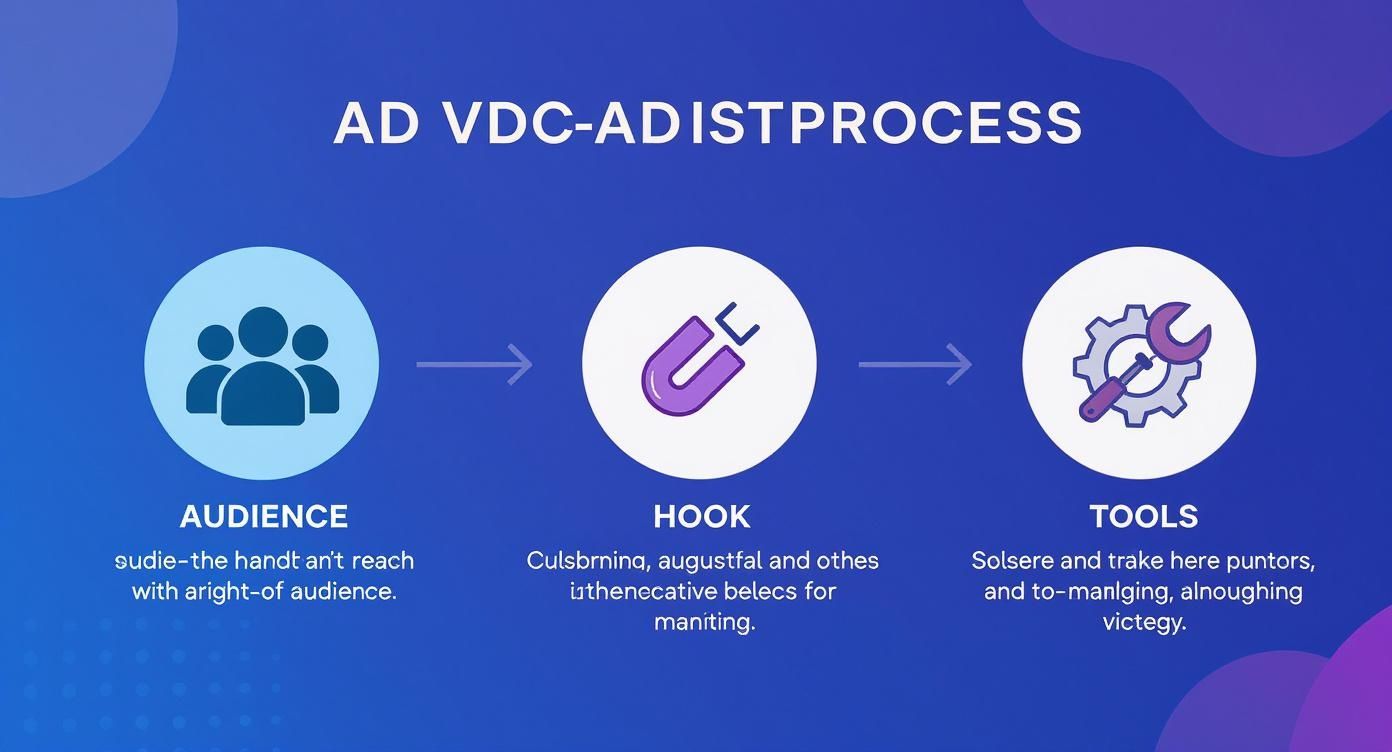
As you can see, it all starts with a human connection (Audience), gets their attention fast (Hook), and then uses technology to bring the vision to life (Tools).
A high-performing video ad is more than just pretty pictures; it's a carefully constructed sequence of elements designed to guide a viewer from curiosity to action. The table below breaks down these essential parts.
Core Components of a Successful Video Ad
| Component | Purpose | Key Objective |
|---|---|---|
| Hook | Grab attention immediately | Stop the scroll and create intrigue within the first 3 seconds. |
| Problem/Benefit | Connect with the viewer's needs | Show you understand their pain point or desire. |
| Solution/Demo | Introduce your product or service | Clearly demonstrate how you solve the problem. |
| Call-to-Action (CTA) | Tell the viewer what to do next | Drive a specific action, like "Shop Now" or "Learn More". |
| Branding | Build brand recognition | Ensure your logo or brand name is visible and memorable. |
Each of these components plays a crucial role. Nailing them means you're not just making a video; you're creating a powerful marketing asset.
The biggest mistake marketers make is focusing on production value before they've nailed the message. A perfectly shot ad with a weak or confusing message will always fail. Start with strategy, always.
With this strategic foundation in place, you're ready to dive into the nitty-gritty of scripting, production, and getting your ad in front of the right people.
Building the Creative Foundation Before You Film
The most crucial part of making a great video ad happens long before you generate a single frame of footage. This initial planning phase is where you lay the strategic groundwork that turns a forgettable clip into something that actually converts. It’s all about clarity, not complexity.
Before you do anything else, you need to nail down your one key message. What is the single most important thing you want your audience to remember when the ad is over? Fight the temptation to list every single feature and benefit. A focused message is a powerful one.
For example, a company selling a productivity app shouldn’t drone on about all 50 of its features. Instead, their one key message could be: "Get back two hours of your day, every day." It's specific, benefit-driven, and incredibly easy to grasp.
Scripting Your Ad for Maximum Impact
Once your core message is locked in, you can start scripting. You don’t need to be a professional screenwriter for this. The trick is to lean on proven frameworks that are built for persuasion and clarity. Think of them as a reliable roadmap for your story.
Two of the most effective models I’ve seen are Problem-Agitate-Solve (PAS) and Hook-Story-Offer (HSO).
- Problem-Agitate-Solve (PAS): This classic framework is direct and incredibly effective. You start by identifying a pain point your audience knows all too well, then you poke at that problem to make it feel urgent. Finally, you present your product as the obvious solution.
- Hook-Story-Offer (HSO): This one is fantastic for forging an emotional connection. You grab their attention with a powerful hook, tell a relatable story that shows the product's value in action, and then wrap up with a clear, compelling offer.
Let's imagine how a sustainable coffee brand might use these.
-
PAS Example:
- Problem: "Tired of that bitter, store-bought coffee that upsets your stomach?"
- Agitate: "So you're left feeling groggy and even a little guilty about the mountain of plastic pods piling up."
- Solve: "Our organic, shade-grown coffee gives you a perfectly smooth taste in compostable packaging. Enjoy a better brew for you and the planet."
-
HSO Example:
- Hook: A stunning, sun-drenched shot of a coffee farm nestled in the mountains.
- Story: A quick, cinematic journey from bean to cup, highlighting the dedicated farmers and the sustainable process.
- Offer: "Experience coffee that actually does good. Get 20% off your first order today."
From Script to Screen: A Simple Visual Plan
With a solid script in hand, it's time to think visually. This doesn't mean you need to be an artist—you just need a plan. Putting together a simple shot list and storyboard ensures your final video is cohesive and actually delivers on the script's promise.
A shot list is nothing more than a checklist of every single shot you need. Go through your script scene-by-scene and jot down the visual you imagine. For that coffee ad, a shot list might look like this:
- Wide shot: Misty mountain coffee farm at sunrise.
- Close-up: Hands sorting vibrant red coffee cherries.
- Medium shot: A happy customer smiling while sipping a fresh cup at home.
A storyboard just takes this a step further. You can use simple stick figures or even AI-generated images to quickly sketch out each shot. This visual guide gets everyone on the same page and helps you see if the story flows logically before you start generating any footage.
A great script and a clear shot list are the blueprints for your ad. Skipping this step is like trying to build a house without a plan—it will be messy, expensive, and likely to fall apart.
Tailoring Your Message for Different Platforms
Finally, always remember that not all platforms are created equal. Your core message can stay the same, but how you deliver it needs to adapt to what users expect on each channel. To keep a pulse on what’s working, it's always a good idea to research current ad creative trends.
- TikTok & Instagram Reels: These platforms are all about fast-paced, trend-aware content. Your hook has to hit in the very first second. Think quick cuts, bold text overlays, and using popular audio to feel native to the feed.
- YouTube: You have a bit more breathing room here for storytelling. A slightly longer, more narrative-driven ad (like the HSO model) can do incredibly well, especially in pre-roll spots where viewers are more patient.
- Facebook & Instagram Feed: Ads here should be visually polished and get to the point, but they can be a little less frantic than Reels. Since many users scroll with the sound off, clear on-screen text and captions are absolutely non-negotiable.
By investing time in this creative foundation, you’re setting yourself up for a much smoother and more successful production. You’ll head into the next phase with a clear, actionable plan that’s already optimized for performance.
Generating Your Ad Footage with AI
This is where the magic happens—turning your strategic plan into visuals that actually stop the scroll. In the old days, this meant booking studios, renting gear, and dealing with a mountain of logistics. Now, we can skip all that and create stunning, bespoke video clips straight from an AI. It's about taking back creative control without the traditional overhead, letting you churn out a whole library of high-quality footage in a tiny fraction of the time.
Forget any preconceived notions that AI-generated video looks robotic or cheap. The secret to getting incredible results is all in how you talk to the AI model. This is the art of prompt framing: translating your shot list into descriptive text the AI can actually understand and bring to life. A well-crafted prompt is what separates a flat, generic clip from something that feels truly cinematic.
Think of yourself as the director. You’re guiding the AI to produce footage that perfectly captures the mood and message you’ve planned out.
Mastering the Art of the Prompt
A good prompt is so much more than a simple description. It’s a detailed recipe blending style, mood, action, and composition. The goal is to paint a vivid picture with your words, giving the AI a clear blueprint to follow.
Let's break down what makes a prompt powerful:
-
Subject and Action: Get specific about who or what is in the shot and what they're doing. Instead of "a woman drinking coffee," try something like, "a young woman with curly brown hair, smiling warmly as she sips a latte from a large ceramic mug." Specificity is everything.
-
Setting and Environment: Where is this happening? Is it a "cozy, sunlit cafe with worn wooden tables" or a "sleek, minimalist kitchen with polished marble countertops"? This context grounds your scene and tells a story.
-
Cinematic Style: This is your chance to play cinematographer. Use terms like "cinematic," "photorealistic," "4K," "soft natural lighting," or "dramatic side lighting." You can even call out camera angles like "close-up," "wide shot," or a "slow, dynamic panning shot" to give the AI precise instructions.
-
Mood and Emotion: How should the shot feel? Words like "serene," "energetic," "nostalgic," or "uplifting" are cues that guide the AI's choices on color, light, and motion.
Pro Tip: Your first prompt is almost never your best one. Generate a clip, see what you like and what you don't, and then go back and tweak the prompt. Add more detail, switch up the lighting cues, or specify a different camera move. This back-and-forth is how you dial in professional-grade results.
Choosing the Right AI Model for Your Vision
Not all AI video models are built the same. Some are incredible at generating hyper-realistic human motion, while others excel at creating stunning, abstract visuals. This is why using a platform that offers a variety of models, like the suite available through Auralume AI, is a game-changer. It gives you the freedom to pick the perfect tool for every single shot on your list.
The model you choose has a direct impact on the final aesthetic of your ad.
- For a product ad showing realistic use-cases, you’ll want a model known for its photorealism and coherent human movement.
- For a brand ad focused on evoking an emotional response, you might lean into a model that produces a more artistic or cinematic style.
Don't be afraid to run the same prompt through a few different models. You'll often get surprisingly varied (and useful!) results, which is a fantastic way to A/B test different visual styles in your ad without any extra filming.
From Prompt to Perfect Shot: An Example Workflow
Let's walk through a real-world example. Imagine you're making an ad for a new, high-end skincare serum. Your shot list calls for a clip that feels luxurious, clean, and serene.
The basic idea: A bottle of serum on a bathroom counter.
That's a start, but it's bland. It has no emotion, no style. Let's build a prompt that really sells it.
The enhanced prompt: "A photorealistic, cinematic close-up shot of a sleek glass serum bottle resting on a white marble countertop. Soft, morning sunlight streams through a nearby window, creating gentle reflections on the bottle. A single, fresh eucalyptus leaf rests beside it. The camera slowly pushes in, emphasizing the product's luxury and natural ingredients. 4K, serene and calming mood."
See the difference? This prompt gives the AI specific directions on:
- Composition: Close-up, push-in camera movement.
- Lighting: Soft, morning sunlight.
- Setting: White marble, eucalyptus leaf.
- Mood: Serene and calming.
- Quality: Photorealistic, 4K.
By following this kind of structured process—clarifying your message, building a detailed shot list, and then crafting iterative prompts—you can generate an entire library of custom footage efficiently. This doesn't just save a ton of time and money; it opens up a whole new world of creative freedom for making video ads that genuinely stand out.
Alright, you’ve got your pile of custom-generated footage. The heavy lifting is done. Now comes the fun part: heading into the editing suite to stitch those raw clips into a compelling ad that actually converts. This is where your scripted story finally leaps off the page and comes to life.
First things first, let's assemble a rough cut. Just drag your clips onto the timeline in the order you planned them. Don't get bogged down in perfecting every little transition just yet. The goal here is to lay the narrative groundwork and get a feel for the rhythm and flow. Does the story hang together? Is the pacing right? This initial pass will tell you a lot.
From Rough Cut to Polished Ad
With the basic story in place, it’s time to start refining. In video ads, pacing is everything. You need to hold attention without rushing the key moments. I find a good rule of thumb is to keep most shots under three seconds, especially for fast-paced platforms like TikTok and Instagram Reels.
This is also the perfect time to give your AI-generated footage a little boost. Even the best clips can benefit from some sharpening. Running them through an AI upscaler will increase the resolution, making sure your video looks crisp and professional on any screen, from a tiny phone to a huge monitor. It’s a small step that adds a serious layer of quality.
From here, you can start layering in the other crucial elements:
- Sound Design: Don't just slap a song on it. Pick a music track that genuinely matches the ad's mood. Then, add subtle sound effects—a whoosh here, a click there—to make the visuals feel more real and engaging.
- Text & Graphics: Most people watch social videos with the sound off. Your on-screen text isn't just decoration; it's doing the heavy lifting. Use bold, clear text to hammer home your key message and, most importantly, your call to action.
- Color Grading: A quick color correction pass can work wonders. Adjusting the colors to be consistent across all your clips makes the entire ad feel more cohesive, professional, and on-brand.
Optimize for Every Single Platform
You can't just export one video and call it a day. Each platform is its own world with unique rules and user behaviors. Getting the technical specs right isn't just a box-ticking exercise; it's vital for engagement.
Consider this: vertical HD (1080x1920) uploads have shot up by 51% as mobile viewing continues to dominate. And the use of captions? It has skyrocketed by an incredible 572% since 2021, proving just how essential sound-off viewing has become. Short-form video now even makes up 15% of U.S. mobile search results—a massive leap from just 5% two years prior. It’s clear these formats are no longer optional.
For platforms like Facebook, knowing the essential Facebook ad sizes for video is critical if you want your ad to display properly and make an impact.
Don't treat platform specifications as an afterthought. An ad in the wrong aspect ratio looks unprofessional and gets ignored. Cropping and re-framing your video for each platform should be a standard step in your final checklist.
To make this easier, here's a quick-reference guide to the key technical specs for today's most popular social media platforms.
Video Ad Specifications for Major Platforms
| Platform | Recommended Resolution | Aspect Ratio | Max Length |
|---|---|---|---|
| YouTube (In-Stream) | 1920x1080 | 16:9 | 3 mins |
| Facebook/Instagram Feed | 1080x1350 | 4:5 | 2 mins |
| Instagram/Facebook Reels | 1080x1920 | 9:16 | 90 secs |
| TikTok | 1080x1920 | 9:16 | 3 mins |
This table should serve as your go-to cheat sheet before you hit export.
Once you’ve tailored your edits for each platform, the final step is to export. I always recommend using a high-quality setting, like an H.264 codec with a variable bitrate, to get the best possible balance between visual quality and manageable file size. With your polished, platform-perfect files ready to go, you can finally shift your focus from creation to distribution.
Measuring What Works: A/B Testing and Analytics
https://www.youtube.com/embed/eiIhTbFP0ls
Launching your ad isn't the finish line—it's the starting gun. The real work begins the moment your creative goes live, and that's when data takes over from intuition. This is how you turn a good ad into a great one that actually makes you money.
Think of your ad platform's analytics dashboard as your mission control. It’s packed with insights telling you exactly how people are reacting to your ad. The trick is to ignore the noise and focus on the numbers that directly impact your business goals.
How to A/B Test Your Video Ads (Without Getting Overwhelmed)
A/B testing, or split testing, sounds more complicated than it is. The core idea is simple: create a couple of variations of your ad, but only change one single thing at a time. This is the only way to know for sure what actually made a difference.
The biggest mistake I see people make is changing too much at once. If you switch up the hook, the call-to-action, and the background music, you’ll have no clue which change was responsible for the results. Be methodical. Be patient.
Here are the elements that usually give you the most bang for your buck when testing:
- The First Three Seconds: Your hook is everything. Test two totally different opening shots or on-screen text overlays to see which one stops the scroll most effectively.
- The Thumbnail: This is your ad’s first impression. Pit a clean product shot against a candid lifestyle image, or try one with a person's face. You might be surprised what grabs more attention before the video even plays.
- The Call-to-Action (CTA): What do you want them to do? Test different instructions. “Shop Now” might perform very differently from “Learn More” or “Get 20% Off.” A small wording tweak here can have a huge impact on your conversion rates.
The Metrics That Actually Matter
It’s easy to get lost in a sea of data. To really improve your ads over time, you need to zero in on a few key performance indicators (KPIs) that tell you the real story.
Ultimately, you want people to watch your ad and then take action. These are the metrics that tell you if you're succeeding:
- View-Through Rate (VTR): This is the percentage of people who watched your entire ad (or at least a big chunk of it). A high VTR is a great sign that your creative is genuinely engaging.
- Click-Through Rate (CTR): This tells you what percentage of viewers actually clicked on your ad. A strong CTR means your offer and CTA are hitting the mark and compelling people to act.
- Cost Per Acquisition (CPA): This is the big one—the bottom-line metric. It tells you exactly how much you're spending to get a single customer. The main goal of all your optimization efforts is to drive this number down.
One of my favorite tools is the audience retention graph. It shows you the exact moment viewers are dropping off. If there’s a massive dip at the five-second mark, you know your hook needs work. If people are leaving right before the end, your CTA might be the problem.
By consistently running small A/B tests and keeping a close eye on these core metrics, you create a powerful feedback loop. Every campaign—whether it’s a home run or a strikeout—gives you data to make your next ad smarter and more profitable.
Don't Skip the Final Check: Legal and Branding Essentials
Alright, you've done the hard creative work, and your video ad is almost ready to go live. Before you hit that "publish" button, there's one last checkpoint that a lot of creators rush past—and it can absolutely tank your campaign. We need to talk about making sure your ad is legally sound and perfectly on-brand.
Skipping this isn’t just risky; it's like building a beautiful house on a shaky foundation. All your creative effort could be wasted.
Staying on the Right Side of the Law
The single most common legal mistake I see is using assets without the proper license. Grabbing a popular song or a cool stock clip you found online might seem harmless, but it can get your ad yanked down in a heartbeat. Worse, it could land you in legal hot water.
Always, always secure the rights for anything you didn't create from scratch. Pay close attention to these areas:
- Music and Audio: Royalty-free music services are a lifesaver here, but read the fine print. Make sure your license specifically covers commercial use in advertising. A standard social media license often isn't enough.
- Footage and Images: If you're mixing in stock footage with your AI-generated clips, double-check that the license allows for promotional or advertising use. Some are for "editorial use only."
- Talent and Likeness: This is a big one. If you feature any real people—even for a split second—get a signed model release form. This is absolutely non-negotiable and protects you from future claims.
Is It Really Your Brand?
Beyond the legal stuff, your ad has to feel like it came from you. Brand consistency is what builds trust over time. When an ad looks and sounds completely disconnected from your website or your other marketing, it creates a weird, disjointed experience for your audience.
Here’s a quick mental checklist to run through:
- Logo: Is your logo there? Is it clear but not obnoxious? Stick to your own brand guidelines for where and how big it should be.
- Colors: Weave your brand's color palette into the text overlays, graphics, and even the video's color grade. It’s a subtle but powerful way to build recognition.
- Fonts: Don’t get fancy with fonts. Use the same ones you use everywhere else. It keeps everything looking cohesive and professional.
- Vibe: Read the room. Does the script, the music, and the overall feel match your brand's personality? Whether you're playful, serious, or super inspirational, the ad needs to reflect that.
Think of it this way: following these guidelines isn't just about avoiding trouble. It's about reinforcing who you are. Every ad is another chance to make your brand more memorable and trustworthy.
Playing by the Platform's Rules
Finally, remember that you're playing in someone else's sandbox. Every ad platform has its own rulebook.
Making a wild claim like "the best coffee in the world" or using a misleading "before and after" shot is a fast track to getting your ad rejected. Big players like Meta (for Facebook and Instagram) and Google (for YouTube) have incredibly detailed advertising policies. It's genuinely worth your time to skim them.
They have specific rules about sensitive topics, the kind of language you can use, and how you handle user data. A quick review before you launch can save you from that painful cycle of rejection, editing, and resubmitting. This final polish is what turns a good video into a professional and effective marketing tool that can actually drive growth.
Answering Your Top Video Ad Questions
Jumping into video ad creation can feel like stepping into a whole new world, and it's natural to have a few questions. Let's walk through some of the things that come up most often, whether you're just starting out or have been at this for a while.
What's This Going to Cost Me?
Budget is almost always the first question, and the answer is usually a pleasant surprise. You can forget about needing a Hollywood-sized budget. In fact, we’ve seen a massive shift where authentic, almost user-generated style content consistently outperforms those glossy, high-production ads. It just feels more real.
Using AI to generate your footage drops those costs even further. Suddenly, you're not paying for camera crews, location scouting, or expensive gear. Your biggest investment becomes your creativity.
How Long Should My Ad Be?
There's no golden rule here because it all comes down to the platform and what you're trying to achieve.
- For places like TikTok and Instagram Reels, keep it snappy. Aiming for 15-30 seconds is the sweet spot.
- On YouTube pre-roll, you've got a bit more breathing room for a story, but you absolutely must hook them in the first five seconds. If you don't, they're hitting that "skip" button without a second thought.
How Do I Know If It's Actually Working?
This is the big one. It's easy to get distracted by vanity metrics like view counts, but those don't pay the bills. You need to focus on the numbers that directly tie to business results.
The two metrics I live by are Click-Through Rate (CTR) and Cost Per Acquisition (CPA). Your CTR tells you if people find your ad interesting enough to click, while your CPA shows exactly what you’re paying to land a new customer. These are the numbers that let you make smart decisions based on real data, not just gut feelings.
Think of your first ad as a baseline, not a masterpiece. The real goal is to get something out there, see what your audience responds to, and start iterating. The secret to a killer video ad strategy isn't getting it perfect the first time—it's the relentless cycle of testing and improving.
How Can I Make My Ads Stand Out?
In a sea of content, the key is to be incredibly specific. Vague claims and generic promises just get ignored. Pick one powerful, tangible benefit and build your entire ad around it.
When you pair a crystal-clear message with visually striking, AI-generated footage, you have a potent formula for stopping the scroll. It's about being different and direct.
Ready to create stunning, scroll-stopping video ads in seconds? Auralume AI gives you the power to turn simple text prompts into cinematic footage, animate still images, and upscale your content to perfection.
Start generating your first video ad for free at Auralume AI.