
How to Make Videos with AI Your Complete Creation Guide
Creating a video with AI isn't some black-box magic. It's a process, and like any creative process, it breaks down into a few core stages. You start with a clear idea, turn that into a script, use an AI model to bring the visuals to life, and then pull it all together in the edit.
The real beauty here is speed. This workflow can turn a simple concept into something you can share in a fraction of the time it would take with traditional video production.
Your Starting Point for AI Video Creation
Welcome to a completely new way of thinking about video. For a long time, creating compelling visual stories meant expensive gear, complex software, and a whole lot of time. That's changing. Learning how to make videos with AI opens the door for marketers, artists, and storytellers of all kinds to produce high-quality content right from a text prompt or a still image.
This guide is designed to be a practical roadmap. We're not going to get bogged down in abstract theory; instead, we'll walk through the entire workflow, from initial concept to a polished, shareable video.
The diagram below gives you a high-level look at the fundamental stages.
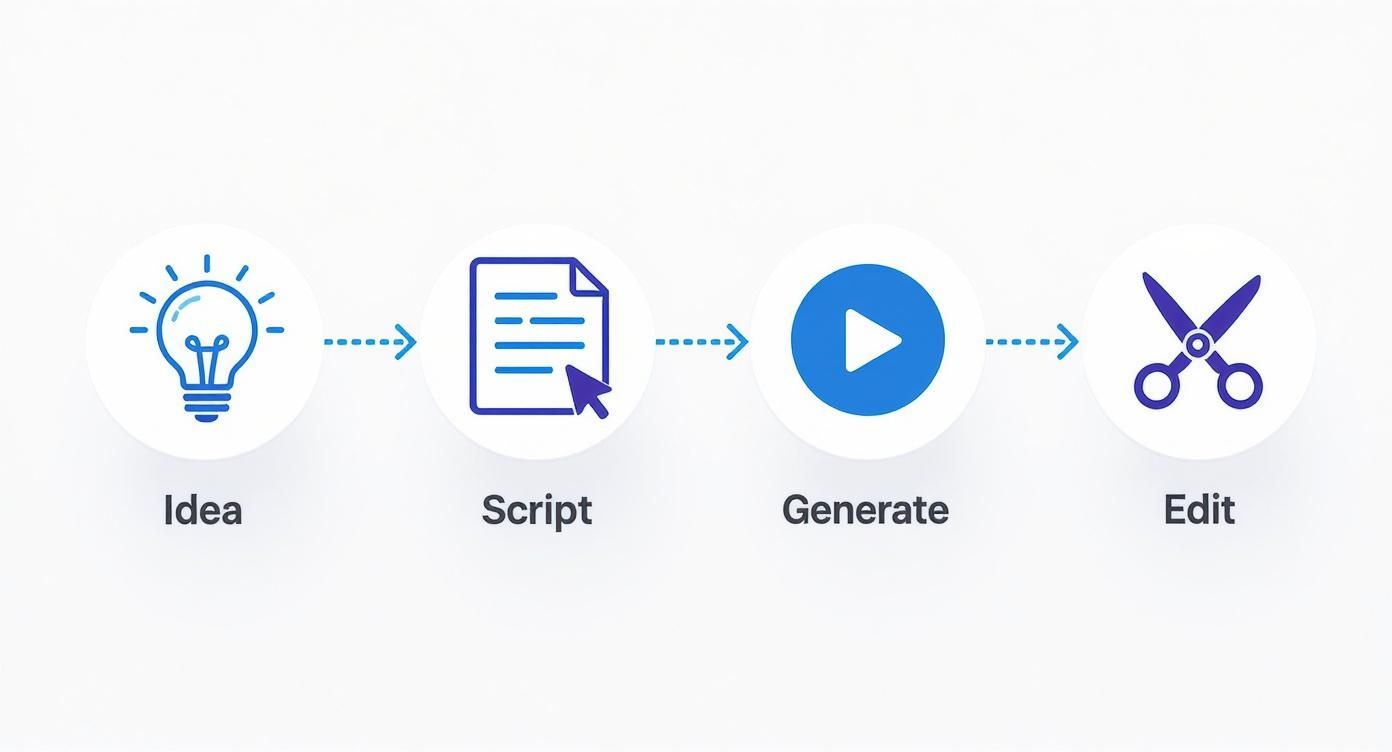
As you can see, a successful AI video project starts long before you write your first prompt. The real work begins with solid planning and a tight script.
Understanding the AI Video Landscape
This technology is moving at a breakneck pace. The global AI video generator market was valued at USD 614.8 million not long ago, but it's projected to hit an incredible USD 2,562.9 million by 2032. This isn't just hype; that kind of growth points to a massive, real-world demand for more efficient ways to create content for marketing, education, and entertainment.
Before you jump in, it’s helpful to know where this type of content fits in the bigger picture. Understanding the strategic differences between user-generated and AI-generated content can help you decide when and how to use these tools for the biggest impact. Getting a handle on the distinctions between UGC vs AIGC will give you a solid foundation.
Below is a quick overview of the essential stages we'll be covering, boiling the entire process down to its core actions and goals.
Core AI Video Creation Workflow at a Glance
| Stage | Key Action | Objective |
|---|---|---|
| 1. Concept & Script | Define the video's purpose, audience, and message. Write a scene-by-scene script. | Create a clear blueprint to guide the entire production process. |
| 2. Generation | Select AI models and tools. Craft detailed prompts to generate visual clips. | Produce all the raw visual assets needed to tell the story. |
| 3. Editing & Sound | Assemble clips, add music, sound effects, voiceover, and graphics. | Combine all elements into a cohesive and engaging final narrative. |
| 4. Final Touches & Export | Upscale for quality, color correct, and export the video in the right format. | Polish the final video and prepare it for distribution on specific platforms. |
This table serves as our map for the journey ahead, outlining each critical phase from start to finish.
The most important thing to remember is that your job will not be taken by AI. It will be taken by a person who knows how to use AI.
This is the key takeaway. Mastering these tools isn't just about learning a new piece of software; it's about gaining a strategic advantage in how you create and communicate. This guide is your first step toward building that expertise.
Turning Your Vision into a Workable Script
Before you ever touch an AI video generator, you need a solid foundation. That starts with a clear concept and, more importantly, a detailed script. I've learned this the hard way: an AI tool is only as good as the instructions you feed it. A vague idea will get you a jumbled, confusing mess of a video. A sharp, clear script, on the other hand, is the blueprint the AI needs to build something great.
Think of it like this: the AI has no idea about your story's subtext, emotion, or the brilliant idea you have in your head. It only understands what you tell it, literally. Your script is the bridge between your creative vision and the specific, command-line instructions the machine requires. Getting this right is probably the most critical part of learning how to make videos with AI that actually work.
Brainstorming for AI Generation
Here's the thing about the current crop of AI tools—not all video concepts are created equal. Most platforms generate very short clips, usually somewhere between 4 to 16 seconds. This means that trying to create a long, continuous scene with two characters having a deep conversation is just asking for a headache.
Instead, you need to think in terms of quick cuts and visual variety. Brainstorm ideas that can be broken down into a series of short, distinct moments. A good rule of thumb is to focus on concepts that you can describe in simple, visual language.
Some ideas that work really well are:
- Product montages: A series of quick, stylish shots showing a product from multiple angles or in different settings.
- Explainer snippets: Visualizing a single, key concept with simple animations or imagery, one scene at a time.
- Surreal or abstract scenes: AI is fantastic at creating dreamlike visuals that would be incredibly difficult or expensive to shoot in real life.
- Historical reenactments: You can bring moments from the past to life without needing to rent costumes or build elaborate sets.
A well-structured script does more than just tell a story—it's your secret weapon for prompt engineering. Every scene description you write is basically a pre-made prompt, which saves a ton of time and makes sure all your clips feel like they belong together.
Crafting an AI-Friendly Script
With a solid concept in hand, it’s time to start writing. Scripting for AI is a little different from traditional screenwriting. You have to be almost obsessively descriptive, focusing on the visual details that will eventually become your prompts. A great way to speed this up is to work with a text-based AI like ChatGPT or Gemini.
You can give it a simple outline and let it help you flesh out the details for each scene. For instance, you don't just want to write "a man walks in a forest." You need something much, much richer.
Example Prompt for a Scriptwriting AI:
"Write a three-scene script outline for a 15-second social media ad for a new coffee brand called 'Dawn Patrol.' The tone should be adventurous and inspiring. Scene 1: A breathtaking sunrise crests over a jagged mountain peak. Scene 2: An extreme close-up of dark-roast coffee beans being ground in a grinder. Scene 3: A person in a flannel jacket sips from a mug on a scenic overlook, steam rising in the cool morning air."
From there, you can take what the AI gives you and refine it into a detailed shot list. Get specific. Think about camera angles, lighting, color palettes, and the overall mood for every single shot. This level of planning might feel like overkill, but it's what directly translates into high-quality, coherent AI-generated clips. This is the real backbone of the whole process.
Choosing Your Tools and Mastering the Prompt
Okay, with a solid plan and script ready, it's time to dive into the fun part: picking your AI video generator and learning the art of the prompt. This is where your vision starts to become a reality. Think of it this way: the platform you choose is your camera, and your prompts are how you direct the scene. Your skill in communicating with the AI will make or break the final result.
First things first, you need to select the right tool for the job. The market for various AI video tools is exploding, and new models pop up all the time, but a few have really distinguished themselves. Each has its own personality and strengths.
- Runway: I often turn to Runway when I need more than just a simple text-to-video clip. It's packed with a whole suite of "magic tools" for things like animating still images, pulling subjects off backgrounds, and even motion tracking. It’s a genuine workhorse for versatile creators.
- Pika: If you're going for a more stylized, artistic, or even surreal look, Pika is fantastic. It's known for producing really vibrant, almost illustrative visuals. Its user community, especially on Discord, is also a goldmine for inspiration and troubleshooting.
- Sora by OpenAI: While most of us are still waiting to get our hands on it, Sora has completely reset expectations for what's possible. It excels at generating longer, more coherent scenes with incredible realism and a deep understanding of complex prompts. It’s the one to watch for serious, narrative-driven work.
Just look at what these high-end models can do.
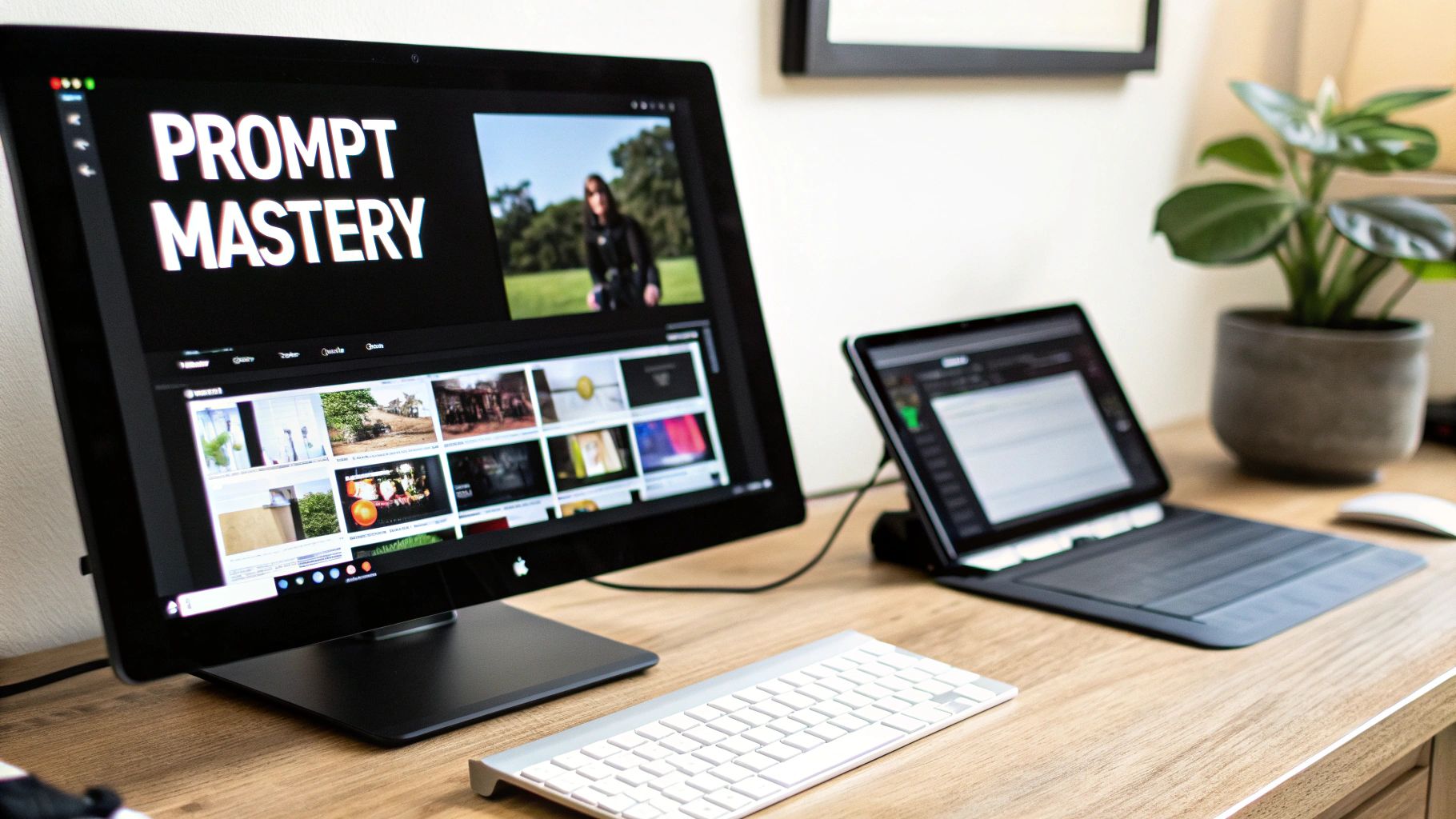
The level of detail here—the textures, the way the light hits different surfaces—is all born from a text description. This really drives home just how crucial a well-crafted prompt is for getting the look you want.
The Anatomy of a Powerful Prompt
Honestly, getting good at AI video is really about getting good at writing prompts. A great prompt isn't just a command; it's a detailed recipe you're giving the AI. If you're vague, you'll get vague, generic results. If you're specific and descriptive, you get magic.
I've found that the best prompts usually nail these five elements:
- Subject: Who or what is the star of the shot? (e.g., a majestic golden eagle)
- Action: What are they doing, specifically? (e.g., soaring through the air)
- Setting: Where is this happening? Paint a picture. (e.g., over a misty mountain range during a vibrant sunrise)
- Style & Mood: What's the vibe? (e.g., cinematic, hyper-realistic, dramatic lighting)
- Camera Work: How should we see it? (e.g., dynamic aerial drone shot, tracking the eagle)
See the difference? A weak prompt like "eagle flying" becomes something powerful: "Cinematic, hyper-realistic aerial drone shot tracking a majestic golden eagle soaring through the air over a misty mountain range during a vibrant sunrise, dramatic lighting."
Here’s a pro tip I live by: Don’t be afraid to be overly descriptive. The more detail you feed the AI—from the color palette and time of day to the lens type—the less it has to guess. This is the single biggest key to getting consistent, intentional results.
Streamlining Your Workflow with Smarter Tools
Once you get the hang of it, you can start looking for ways to work faster. Some platforms let you access multiple AI models from one place, so you can pick the perfect engine for each specific shot without jumping around.
A feature I’ve found incredibly useful is the Prompt Wizard. It takes your basic idea and automatically fleshes it out into a more detailed, effective prompt. It's a fantastic way to learn what works and to speed things up. You can see tools like this integrated into platforms like https://www.auralumeai.com/, and they can seriously accelerate your workflow.
The impact of this newfound efficiency is hard to overstate. Creators are now producing content at a pace that was unimaginable a few years ago. Some platforms enable the creation of 10 to 50 videos per day—a volume that would have required a team weeks to produce traditionally. This speed is fueling the content fire, with an estimated 25 million videos uploaded to TikTok daily and another 3 million hitting YouTube. It's a whole new world for creators.
Assembling and Refining Your AI-Generated Clips
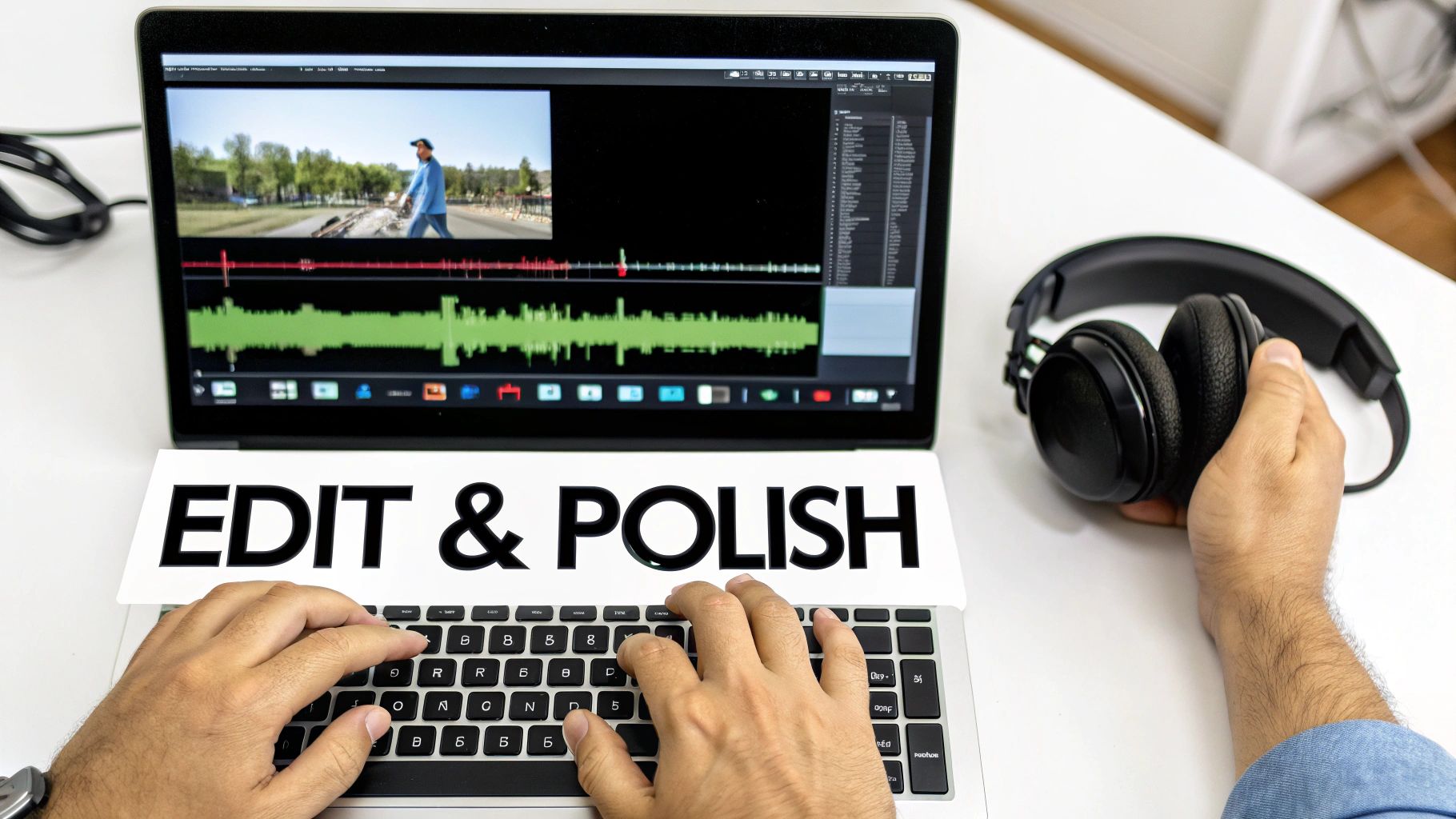
So, you’ve wrangled the AI and now have a folder full of raw clips. That's a huge step, but the real creative work starts now. This is the post-production phase, where you get to transform those disjointed outputs into a cohesive story. It's where your human touch makes all the difference.
Your first move is to get everything into a video editor. It doesn't matter if you're a pro using Adobe Premiere Pro or working with a more accessible tool like CapCut; the initial job is the same. Drop your clips onto the timeline, arranging them according to your script or storyboard to build out the basic skeleton of your video.
Tidying Up Your AI Footage
Once you have a rough sequence, you'll quickly see that AI-generated footage has its quirks. This is where you'll spend a good chunk of your editing time, cleaning things up. The most common task is simply trimming. AI tools often add a few weird frames or an odd little motion at the start or end of a clip. Be ruthless—cut them out to keep your pacing sharp and clean.
You'll also need to keep an eye out for common AI artifacts:
- Flickering: This can be a subtle shimmer or an aggressive flash that pulls the viewer out of the experience. Sometimes a quick cut or a well-placed transition can mask minor flickers.
- Inconsistent Characters: Even with locked-down prompts, a character's face or clothing might shift slightly between shots. Your job is to pick the best takes and arrange them to make these changes less jarring.
- Unnatural Motion: Look for movements that feel robotic or where the physics just seem… off. Trimming these moments is key to making the final product feel more organic and believable.
I've learned from experience that it's always better to generate a few extra variations of each shot. Having options in the editing suite is your best defense against being stuck with a clip that has a distracting, unfixable flaw.
Enhancing with Audio and Sound Design
A silent video is just a slideshow. Sound is what breathes life into your project. The first layer is usually music. Find a track that sets the right mood—maybe something upbeat for a social media ad or a more atmospheric piece for a cinematic scene.
Next, start layering in sound effects (SFX). The subtle whoosh of a camera pan or the specific clink of a coffee mug adds a layer of realism that AI just can't generate yet. Finally, think about a voice-over. You can record your own narration or even use an AI voice generator to guide the viewer and provide essential context.
The impact of AI on video production is massive, and it's not just about clip generation. The global AI video market, which includes these powerful editing and audio tools, was valued at USD 11.2 billion and is projected to explode to USD 246.03 billion by 2034. This growth shows how deeply integrated AI is becoming at every stage. You can dig into the specifics by checking out the full report on the AI video market.
Polishing with Color and Upscaling
The final touches are what will truly elevate your video. Start with color grading. Applying a consistent grade across all your clips makes them feel like they belong in the same visual world. This can be as simple as using a preset filter (a LUT) or as complex as manually tweaking brightness, contrast, and saturation for each shot.
And for the final step: upscaling. If your AI generator output clips at 1080p, you'll want to push them to 4K for a truly professional finish. AI video upscalers can work wonders here, sharpening details and cleaning up noise. This last bit of polish ensures your hard work pays off with a crisp, high-quality video that looks great on any screen.
You've put in the hours, dialed in your prompts, and stitched together a video you're proud of. But all that work is for nothing if it doesn't reach an audience. The final sprint—exporting and distribution—is where your AI creation leaves your timeline and meets the real world.
Getting this last part right is critical. A bad export can instantly downgrade a beautiful video into a pixelated mess, and a thoughtless distribution plan is like shouting into the void. Let's make sure your hard work actually gets seen.
Nail Your Export Settings
Before your video can go anywhere, you have to render it. This isn't just a "click and wait" step; it’s about packaging your video perfectly for its destination. Every social platform has its own quirks and preferred specs, and if you ignore them, their compression algorithms will have a field day with your footage.
The big three settings you need to pay attention to are resolution, frame rate, and bitrate.
- Resolution is all about clarity. Are you aiming for a crisp 1080p or a stunning 4K?
- Frame Rate (fps) dictates how smooth the motion looks. 30 fps is a safe bet for most online content, though 60 fps can look silky smooth for certain styles.
- Bitrate is the data rate of your video. A higher bitrate generally means better quality but also a much larger file.
Mismatched settings can lead to everything from ugly compression artifacts to outright upload failures. To save you the headache, here’s a cheat sheet I use for my own projects.
Recommended Export Settings for Major Social Platforms
This quick reference guide will help you optimize your video settings to ensure you're getting the highest possible playback quality on the biggest platforms.
| Platform | Recommended Resolution | Frame Rate (fps) | Recommended Bitrate (Mbps) |
|---|---|---|---|
| YouTube | 3840 x 2160 (4K) | 24, 30, or 60 | 35-45 (for 4K SDR) |
| 1080 x 1920 (Vertical) | 30 | 10-15 | |
| TikTok | 1080 x 1920 (Vertical) | 30 or 60 | 10-15 |
Getting these right ensures your video looks as good on their platform as it does on your computer.
Pro Tip: I always upload to YouTube in 4K, even if my source footage was only 1080p. Why? YouTube often grants 4K uploads access to its more efficient VP9 codec faster, which results in a noticeably cleaner look with fewer compression artifacts, even when viewed at lower resolutions.
Build a Distribution Plan That Works
With your perfectly rendered video file in hand, don't just throw it online and hope for the best. A little strategy goes a long way. This is about making your content discoverable and working smarter, not harder.
First, focus on the fundamentals: a great title and description. For a platform like YouTube, this is your SEO battleground. Think like your viewer. What terms would they search for to find your video? Weave those keywords into your title and description naturally.
Now, think about how to squeeze every last drop of value from your main video. A single two-minute explainer can fuel your content calendar for a week if you repurpose it correctly.
- Snip out the most compelling 15-second hook and format it as a vertical clip for an Instagram Reel or TikTok.
- Take a key scene, crop it into a square, and share it on LinkedIn or Facebook with a text post.
- Grab a powerful quote or statistic from the video and turn it into a simple, shareable graphic for Twitter.
This isn't about spamming; it's about meeting people where they are and respecting how they consume content on different platforms. It’s the final, and most important, piece of the puzzle for making AI videos that actually get results.
Got Questions About Making AI Videos? We've Got Answers.
As you dive into creating videos with AI, you’re bound to hit a few snags and have some questions. It’s a new frontier, after all. Getting a handle on what this tech can (and can’t) do right now is key to setting yourself up for success.
Let's clear up some of the most common questions creators are asking.
What Are the Biggest Hurdles with AI Video Right Now?
While the pace of improvement is staggering, AI video generation isn't magic... yet. The biggest challenge you'll face is consistency. Getting a character to look exactly the same from shot to shot—same face, same clothes, same background—is a real struggle. It often takes a ton of re-rolls and creative prompt engineering to nail it.
You'll also notice that complex movements, especially with hands or objects, can get a little... weird. They can look distorted or just plain unnatural. Another thing to keep in mind is clip length. Most tools are built for short bursts, generating clips that are typically 4 to 16 seconds long. This forces you to think like an editor, planning your video as a series of short, connected scenes.
Finally, don't even bother trying to generate specific text or logos directly in the video. The results are almost always gibberish. Knowing these limitations from the start helps you plan projects that play to the AI's strengths instead of fighting its weaknesses.
Can I Use Characters Like Spider-Man or Styles from Famous Artists?
This is a tricky one, and you need to tread carefully, especially if you're making something for your business.
Prompting for copyrighted characters (e.g., "a video of Spider-Man swinging through New York") or mimicking the unique style of a living artist is a legal minefield. The terms of service on most AI platforms are clear: don't create content that infringes on someone else's intellectual property.
For any commercial project, the only safe bet is to be original. Instead of asking for "the style of Hayao Miyazaki," describe it. Try something like, "whimsical, painterly anime style with soft, naturalistic lighting and lush, overgrown scenery." This gets you the vibe you want without stepping on any legal toes.
For personal projects you're not planning to sell, the risk is obviously lower. But it's always smart to understand the basics of copyright law. When it comes to business, originality is your best policy.
So, How Much Is This Going to Cost Me?
The price tag can swing wildly, from completely free to hundreds of bucks a month. The good news is that nearly every major AI video tool, including Runway, Pika, and Kaiber, offers a free trial or a handful of free credits. This is perfect for getting your feet wet and seeing what's possible without spending a dime.
Once you burn through your free credits, you’ll typically be looking at a subscription or a pay-as-you-go credit pack. Monthly plans can start around $10 and go up to $100 or more, depending on how many videos you want to make, whether you need premium features, and how fast you want them.
But let's put that in perspective. Even on a paid plan, creating with AI is a fraction of the cost of traditional video production, which can easily cost thousands for even a short project. This incredible cost-efficiency is exactly why so many creators and small businesses are jumping on board.
Ready to stop wondering and start creating? Auralume AI puts the industry's best AI video models into a single, straightforward platform. Our built-in Prompt Wizard helps you get cinematic results without the frustrating guesswork, letting you bring your vision to life in minutes.