
How to Optimize Videos for YouTube for Real Growth
Optimizing your YouTube videos is a game that's won or lost long before you ever press the record button. It’s all about a smart, strategic approach that starts with understanding your audience, structuring your content to keep them hooked, and planning your delivery so every second counts. This is the bedrock that separates channels that take off from those that never quite find their footing.
The Real Work of YouTube Optimization Starts Before You Record
Most creators think YouTube optimization is just a checklist you run through after a video is made. You know the drill: brainstorm a clever title, cram keywords into the description, and hunt for the perfect tags. While all that stuff matters, the real heavy lifting—the work that actually moves the needle—happens in pre-production.
The goal isn't just to make a video; it's to make a video people genuinely want to watch from start to finish.
Think about it from YouTube’s perspective. Their number one priority is keeping people on the platform for as long as possible. When your video helps them do that by holding a viewer's attention, the algorithm rewards you. That’s why watch time and average view duration are absolute gold. A video with high retention is a signal to YouTube that your content is valuable, which tells the algorithm to push it out to a much wider audience.
Before we dive into the nitty-gritty, it's helpful to understand the big picture. Successful YouTube optimization really boils down to three core pillars that work together.
Core YouTube Optimization Pillars
| Pillar | Primary Goal | Key Actions |
|---|---|---|
| Pre-Production | Maximize Audience Retention | Research viewer intent, structure content for engagement, and script a compelling narrative. |
| Production & Post | Create a High-Quality Viewing Experience | Ensure clear audio, visually engaging edits, and a professional look to hold attention. |
| Post-Upload (SEO) | Drive Discoverability | Craft clickable thumbnails, write search-friendly titles and descriptions, and use tags effectively. |
Each pillar builds on the last, but it all starts with a solid foundation laid in the pre-production phase.
Ground Your Video in Solid Keyword Research
First things first: you have to figure out what your audience is actually searching for. Keyword research isn't about finding the most popular, generic topics. It's about uncovering the specific questions, pain points, and curiosities that your viewers type into the search bar.
A great place to start is YouTube’s own search bar autocomplete—it’s a direct window into what people are looking for. For instance, instead of a broad topic like "gardening," you'll probably find people are searching for things like "how to grow tomatoes in a small space." That specific phrase is a clear signal of a need you can build a video around.
Structure Your Content for Retention
Once you've locked in your topic, the next step is to outline your video with a single, obsessive goal: keeping people watching. This is way more than just a list of talking points.
A winning video structure almost always includes:
- An Irresistible Hook: You have about 5-10 seconds to earn the viewer's attention. Start with a bold promise, a relatable problem, or something that sparks intense curiosity.
- A Clear Roadmap: Quickly tell people what they're about to see. This sets expectations and gives them a reason to stick around for the good stuff.
- Value-Packed Content: This is where you deliver on your hook. Break down your information into easy-to-follow, digestible chunks.
- A Compelling Call to Action (CTA): Don't just end the video. Tell your audience exactly what you want them to do next—subscribe, watch another video, or drop a comment.
This entire pre-production flow, from research to hook, is a deliberate process.
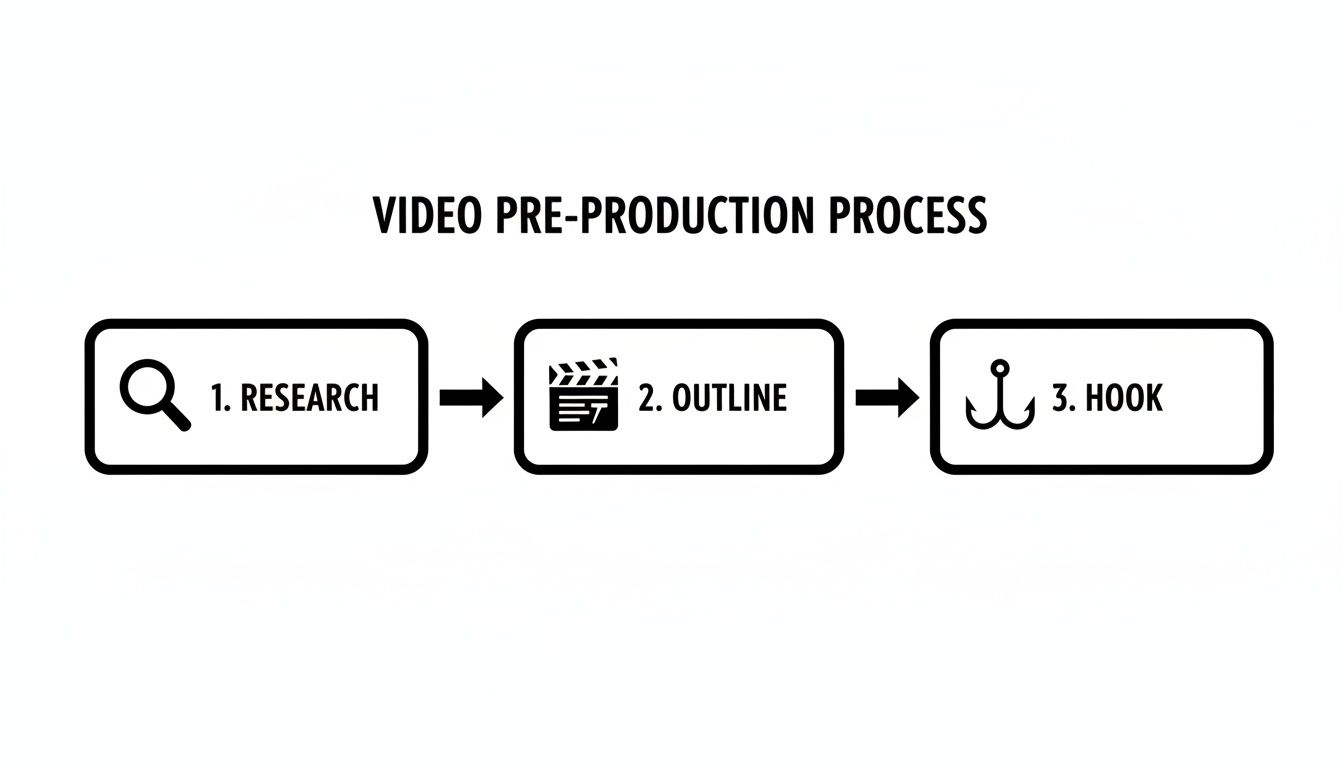
As you can see, a successful video is built layer by layer, not just thrown together.
Scripting Is Not Just for Professionals
Look, you don't need a perfectly polished, word-for-word script. But trying to record a video with nothing more than a vague idea in your head is a surefire way to end up rambling. Even a simple bulleted list keeps you focused, ensures your message is clear, and stops you from going off on tangents.
A good script or outline prevents those awkward pauses and makes sure you cover every key point you discovered during your research.
A well-structured script is your secret weapon for maximizing audience retention. It helps you deliver information efficiently, build a story that flows, and keep your energy high—all things that make people want to keep watching.
The financial side of the platform underscores just how much sustained viewing matters. In 2024, YouTube’s ad revenue hit an estimated $36.1 billion, a massive number fueled by viewer engagement. This is why it’s critical to match your video's length to what your audience expects—short, punchy music videos versus 20-minute deep dives on educational topics. For a closer look at growing your channel, there are many strategies to grow a YouTube channel fast that all begin with this kind of foundational planning.
Mastering Production to Keep Viewers Watching

With your plan locked in, it's time to face the next big challenge: creating a video that actually grabs people and holds their attention. This is where your production and editing choices become critical. Every decision you make here directly impacts audience retention, which is arguably one of the most powerful signals you can send to the YouTube algorithm.
A lot of new creators think they need a studio full of expensive gear to succeed. That's a myth. While high-end equipment is nice, it’s not the make-or-break factor. What truly matters is mastering a few fundamentals that create a professional-feeling experience and show respect for the viewer's time.
Honestly, your delivery and audio quality are far more important than shooting in 8K.
Prioritize Crystal-Clear Audio
If there's one thing that will kill your retention rate instantly, it's bad audio. Think about it—viewers might forgive slightly grainy footage, but they will absolutely not tolerate audio that's muffled, echoey, or hard to understand. It’s just too frustrating, and it's a top reason people click away in the first minute.
You don't need a soundproof booth to get this right. Investing in a decent external microphone is one of the single best upgrades you can make for your channel. Whether it’s a USB mic for your desk or a simple lavalier that clips to your shirt, the difference is night and day.
Always, always do a quick sound check before you hit record. Just record a few seconds of you talking and listen back with headphones. You’ll be surprised at what you hear—the hum of the AC, traffic outside—that you can easily eliminate before you start.
Edit with Pace and Purpose
Editing is where you turn raw footage into a compelling story. The goal is to build and maintain momentum, making sure there are no dead spots that give viewers an excuse to leave. Good editing isn't about flashy, over-the-top effects; it's about smart, strategic pacing.
Here are a few techniques I rely on to keep retention high:
- Cut Out the Fluff: This is non-negotiable. Be ruthless. Get rid of awkward pauses, filler words like "ums" and "ahs," and any moment you lose your train of thought. This keeps the energy up and the content tight.
- Use Jump Cuts: A simple jump cut—slicing out a small part of a clip to "jump" forward—is a fantastic tool. It re-engages the viewer's eye and makes your delivery feel much faster and more dynamic.
- Incorporate B-Roll: Constantly cutting away from your main talking head shot is key. Show relevant clips, images, or screen recordings that illustrate what you're talking about. This visual variety is essential to prevent your video from feeling static and boring.
A well-edited video feels effortless to watch. It guides the viewer's attention, emphasizes key information, and respects their time by getting straight to the point. This seamless experience is fundamental to optimizing videos for YouTube success.
Modern tools can also seriously speed up your workflow. For instance, generating dynamic visuals or finding the right B-roll can be a massive time-sink, but AI can simplify it. To see what I mean, check out how you can create videos from ideas using Auralume AI.
Enhance with Simple Graphics and Sound
You don’t have to be a motion graphics wizard to add a professional sheen to your videos. A few simple on-screen elements can make a huge difference in comprehension and engagement.
Try adding these into your next video:
- Text Overlays: Use these to call out key terms, display important stats, or summarize a point. It’s a great way to reinforce your message for everyone, especially visual learners.
- Simple Animations: A subtle zoom-in on your face when you’re making an important point can add emphasis and pull the viewer in. It’s a small touch that has a big impact.
- Sound Design: A little bit of non-distracting background music and a few subtle sound effects can set the entire mood. It makes your video feel complete and polished. Just make sure the music never overpowers your voice.
Ultimately, great production is about creating an experience that feels intentional. When you combine crisp audio with purposeful editing and simple visual aids, you build a video that holds attention, skyrockets your watch time, and tells YouTube that your content is the real deal.
Getting Your Video Found: The Upload and SEO Game
You've poured your energy into creating a great video, editing it to perfection. Awesome. But now comes the part that determines if anyone actually sees it. The upload process isn't just a final step; it's where you directly tell the YouTube algorithm what your video is about and who it's for.
Think of it this way: your title, description, and tags are your video's resume. They provide the clues the algorithm needs to match your content with the right viewers. If you skimp on this part, it's like painting a masterpiece and then sticking it in a dark closet. Let's make sure your work gets seen.
Write Titles People Actually Want to Click
Your video title has to do two things at once: nail the keywords people are searching for and be interesting enough to grab their attention. It's a delicate balance. A title stuffed with keywords but completely void of personality will just get lost in the noise of search results.
I always start with the main keyword, getting it as close to the front of the title as I can. YouTube gives more weight to the words at the beginning. From there, you can build on it by adding a hook—a promise of value, a hint of curiosity, or an unexpected twist.
For instance, "iPhone 15 Camera Tips" is technically accurate, but it's boring. It blends in.
Now, consider this: "iPhone 15 Camera Tricks You Didn't Know Existed (Pro-Level Photos)." This version has the keyword right up front, promises insider knowledge, and clearly states the benefit. That's a title that earns the click.
Use Your Description for More Than Just a Few Sentences
The video description is probably the most under-used piece of real estate on YouTube. It's so much more than a spot for a quick summary. When used right, it’s a powerful tool for both the algorithm and your viewers.
The main goal here is to give YouTube a detailed rundown of your video's content. I always begin with a punchy, 2-3 sentence summary that naturally includes the primary keyword. This is the snippet people see before clicking "Show more," so it’s prime real estate for both SEO and for hooking the viewer.
After that initial summary, flesh it out:
- Go Deeper on Key Topics: Write a few short paragraphs explaining the main points you cover. This is the perfect place to work in your secondary keywords and related phrases without sounding robotic.
- Add Chapters with Timestamps: Break up your video into logical sections. This is a huge win for user experience and helps Google show "key moments" from your video directly in its search results.
- Link to Your Stuff: Drop in links to your website, social media, or other resources you mentioned. It’s an easy way to drive traffic and build a community beyond YouTube.
Pro Tip: Your description is your secret weapon for giving YouTube context. I aim for at least 250 words of detailed, keyword-rich text. This gives the algorithm a ton of information to work with, helping you rank for a much wider variety of search terms.
Add Tags to Cover All Your Bases
Tags might not have the same weight they used to, but they still have a job to do. They help YouTube understand the nuances of your content and can connect your video to trending topics or even common misspellings of your keywords.
A solid tagging strategy is all about variety. Here's my approach:
- Specific Tags: The very first tag should always be your main keyword (e.g., "how to optimize videos for youtube").
- Broad Tags: Next, add some general category tags that describe the wider topic (e.g., "youtube seo," "video marketing").
- Variant Tags: Finally, think about how else someone might search for this. Add a few alternate phrasings (e.g., "youtube video optimization tips," "rank youtube videos").
There's no need to go crazy here. A set of 5-10 super-relevant tags is far more effective than 50 random ones. The goal is to provide clarity, not confusion. Nailing this metadata is your first and best shot at connecting with the people who are out there looking for exactly what you've created.
Designing Thumbnails and Titles That Demand Clicks
Think of your video's title and thumbnail as its digital billboard. On a crowded YouTube homepage or a long list of search results, you get a split second to make an impression. If that combo doesn't immediately grab someone's attention and make them curious, all the work you poured into the video itself might as well be invisible.
This pairing is your single most powerful lever for boosting your click-through rate (CTR), a metric the YouTube algorithm watches like a hawk. A high CTR sends a loud and clear signal to YouTube: "Hey, people find this video's packaging relevant and compelling."
The Art and Science of a High-CTR Thumbnail
A great thumbnail isn't just a random still from your video. It’s a carefully crafted advertisement that tells a story and makes a promise. It's the visual hook that stops the scroll. After creating thousands of these, I've found the most effective ones all nail a few key elements.
These are the core principles I come back to every single time:
- Human Connection: We are hardwired to look at faces. A crisp, high-quality shot of a person showing a strong, relevant emotion—surprise, joy, intense focus—creates an instant bond.
- Vibrant, High-Contrast Colors: Your thumbnail has to pop, especially on a tiny phone screen. Use bright, saturated colors that fight for attention against YouTube's neutral interface. I'm talking bold yellows, electric blues, and deep reds.
- Big, Bold, Simple Text: If you use text, keep it to three or four powerful words, max. Use a thick, clean font that’s dead simple to read, and always give it a high-contrast outline or background so it leaps off the image.
- A Clear Focal Point: Someone should know what your video is about in less than a second. Whether it's a person, a product, or a concept, the main subject needs to be front-and-center, large, and uncluttered.
Your thumbnail's real job is to create a "curiosity gap." It should pose a question in the viewer's mind that can only be answered by clicking play. This isn't about being deceptive; it's about creating a compelling invitation.
How to Write Titles That Actually Get Clicked
While the thumbnail is the initial eye-catcher, the title is what seals the deal. A powerful title confirms the thumbnail's promise and adds another layer of intrigue or a clear statement of value.
For instance, a title like "How to Edit Photos" is functional, but totally forgettable. It gets the job done, but it doesn't sell the video.
A much stronger approach is something like: "5 Pro Photo Editing Tricks (That Pros Don't Want You to Know)." This title immediately states the benefit, uses a number for easy mental packaging, and adds a touch of exclusivity that sparks curiosity.
The synergy here is what really drives discoverability. We've seen from countless platform analyses that even a small lift in CTR—say, from a mediocre 2% to a solid 3.5%—can massively multiply your video's impressions. YouTube tests your content with a small audience first; when it sees positive signals like a good CTR, it pushes your video to more and more people. You can learn more about how the YouTube algorithm works and how it interprets these signals.
A Practical Workflow for Titles and Thumbnails
Whatever you do, don't treat your title and thumbnail as an afterthought slapped on at the end. I brainstorm them right at the beginning, during the pre-production phase when I'm first outlining the video idea.
Here’s a simple process you can steal:
- Brainstorm 5-10 Title Variations: Just get them all down. Try different angles—how-to guides, numbered lists, intriguing questions, and benefit-driven headlines. Don't filter yourself yet.
- Sketch 3-5 Thumbnail Concepts: Think visually. What one image best captures the core promise of your video? Can you show a dramatic before-and-after? A clear problem and solution? A surprising result?
- Test the Pairings: Now, look at your best title and thumbnail options together. Do they reinforce each other? Do they create that curiosity gap without being misleading? Even better, show them to a friend and ask, "Which one would you click on?" This little feedback loop is one of the most valuable things you can do.
What to Do After You Hit Publish

Hitting "Publish" isn't the finish line—it's the starting gun. Your optimization work isn't over; in many ways, it's just beginning. The first few hours after your video goes live are absolutely crucial because they send powerful signals to the YouTube algorithm about your content's quality.
This critical window is what many creators call the "golden hour." During this period, YouTube tests your video with a small segment of your audience. If you get strong initial engagement—views, likes, and especially comments—the algorithm takes that as a sign that you have a hit on your hands, and it starts showing your video to a much wider audience.
Capitalize on the First Hour
So, what should you do? First off, be present. Don't just publish and walk away. Sticking around to interact with your early viewers can give your video a serious initial boost that can snowball into much greater reach.
The single best thing you can do is respond to comments as they roll in. When people see you're actively engaging in the conversation, it encourages others to chime in. All of that activity is a fantastic engagement signal for the algorithm.
A great little trick is to pin a particularly insightful or thought-provoking comment. Not only does this reward a loyal viewer, but it also sets a positive, engaging tone for the entire comment section.
Of course, a big part of this is launching your video when your audience is actually online and ready to watch. Figuring out the best time to upload a YouTube video is a game-changer for capturing that initial wave of viewers.
Promote Smart, Not Hard
YouTube is the main stage, but you need to get the word out on other platforms to drive that initial traffic. The key is to do this thoughtfully, not just spamming links everywhere. You have to tailor the message to the platform.
- Email Newsletter: These are your die-hard fans. Send them an email with an eye-catching thumbnail from the video and a personal note about why you think they'll love it.
- Social Media: Don't just drop a link. Create a short, punchy clip for Instagram or X (formerly Twitter). Pull out a compelling quote or a behind-the-scenes shot that makes people curious enough to click.
- Online Communities: If your video solves a specific problem, share it in relevant subreddits or Facebook groups. Frame it as a helpful resource, not as self-promotion, and you'll get a much better reception.
This multi-channel approach helps you tap into different audiences and funnels valuable external traffic to your new video, which is another great signal for the algorithm.
Use Your Own Content to Keep People Watching
Once you start building a library of videos, you can use YouTube's own tools to keep people on your channel longer. Two of the most powerful features for this are playlists and YouTube Shorts.
A well-curated playlist is like creating a mini-series for your viewers. Group related videos together so that when one ends, the next one automatically starts. This can dramatically increase a viewer's session time on your channel, which YouTube absolutely loves.
YouTube Shorts are another goldmine for promotion. You can create a 30-60 second vertical clip that teases the best part of your longer video. This is a fantastic way to grab the attention of a massive new audience on the Shorts shelf and funnel them directly to your main content.
Finally, never forget about mobile. By 2025, it's estimated that 63% of all YouTube watch time will happen on a phone. Creators who design for mobile—using big, readable text and considering vertical formats—often see better results. In fact, some platforms report that vertical videos have 90% higher completion rates. It's a small shift in thinking that can make a huge difference in your reach.
Your Top YouTube Optimization Questions, Answered
Even when you've got a solid plan, you're bound to run into specific questions as you get deeper into optimizing your YouTube videos. Let's tackle some of the most common ones I hear, with straight-to-the-point answers to help you sharpen your strategy.
Getting these little details right can be the thing that separates a video that takes off from one that gets lost in the noise.
How Often Should I Update Old Video Metadata?
I recommend setting aside time to review your library of older, underperforming videos every 6-12 months. Things change fast on YouTube. New keywords pop up, search trends shift, and the title that worked last year might be completely invisible today. A simple thumbnail refresh or a tweaked title can give that video a whole new life.
Don't try to update everything at once. Zero in on videos with solid watch time but a terrible click-through rate. That's a classic sign that the content itself is good, but the packaging—the title and thumbnail—is letting it down. A few small changes here can bring in a surprising amount of new traffic without you having to film a single new thing.
Don't let your old content just sit there. Periodically auditing and updating your video metadata is one of the highest-leverage activities you can do to breathe new life into your channel and maximize your existing assets.
Think of it as a low-effort, high-reward part of your channel maintenance.
Does Video Quality Really Matter for YouTube SEO?
Absolutely, but maybe not in the way you think. "Quality" is about much more than just resolution. Sure, a crisp 1080p or 4K video looks nice, but the algorithm cares way more about things that keep viewers watching. From YouTube's perspective, quality is defined by the viewer's experience.
This boils down to a few key elements:
- Crystal-Clear Audio: Bad audio is a retention killer. If people can't understand you, they will leave almost instantly.
- Good Lighting: Your audience needs to see what you're showing them, whether it's your face or a product.
- Stable Footage: Shaky, dizzying footage is just plain hard to watch and makes people click away.
The YouTube algorithm is designed to reward videos that hold a viewer's attention. A professional-feeling video, even one shot on a phone, will always perform better than a 4K video with awful audio. Why? Because it provides a better user experience, and that's the most powerful ranking signal of all.
What Is More Important: The Title or The Thumbnail?
This is the classic chicken-and-egg question of YouTube. The real answer? They're equally important because they don't work in isolation. They are a team. A killer thumbnail is wasted without a title that builds curiosity, and a brilliant title gets ignored if the thumbnail is bland.
The thumbnail is the visual hook. It’s what stops someone from scrolling through their feed. It uses color, emotion, and imagery to grab their attention in a split second.
The title then swoops in to seal the deal. It provides context, creates intrigue, and makes a clear promise about the value the viewer will get from watching. When they work together perfectly, the click becomes almost irresistible.
Ready to turn your ideas into stunning videos in seconds? Auralume AI combines the power of leading AI video models with an intuitive Prompt Wizard, making it easy to generate cinematic content for your YouTube channel. Stop spending hours on production and start creating more.