

How to Plan Social Media Content Like a Pro
To get social media content planning right, you need a clear game plan that bridges the gap between what your business wants to achieve and what your audience actually cares about. This means getting crystal clear on your goals, digging deep to understand your audience, and taking an honest look at your current performance to see what's already clicking.
Once you have that figured out, you can build a content calendar that doesn't just fill a schedule but consistently delivers value around core themes your followers love.
Building Your Strategic Foundation
Before you even think about drafting a single post, you have to lay the groundwork. Great content planning isn't about throwing things at the wall to see what sticks or jumping on every new trend. It's a strategic process. You need to define success on your own terms and know exactly who you're talking to.
Without this foundational work, you’ll just be creating noise—content that feels random and fails to grab anyone's attention, let alone drive business results.
A great starting point is learning the ins and outs of developing a robust social media strategy that truly supports your bigger business goals. This ensures every video, image, and caption you create serves a distinct, measurable purpose.
Define Your Social Media Goals
Your social media goals need to be more than just fuzzy aspirations. Vague wishes like "get more followers" won't get you very far. Instead, tie them directly to tangible business outcomes.
Here’s what that looks like in practice:
- Boost Brand Awareness: Instead of just "more eyes," aim to increase your post reach by 20% this quarter.
- Drive Website Traffic: Don't just hope for clicks. Set a specific goal to improve your click-through rate (CTR) from social media by 15%.
- Generate Leads: Target a concrete number of new email sign-ups or demo requests from your next campaign.
- Increase Community Engagement: Work toward a 10% lift in meaningful interactions like comments and shares.
When you set these kinds of clear benchmarks, your social media stops being a side-show and becomes a measurable, powerful part of your marketing engine.
Understand Your Target Audience
You can't create content that resonates if you don't have a clue who you're creating it for. This goes way beyond surface-level demographics. You need to build out detailed personas of your ideal customers.
What are their biggest pain points? What gets them excited? Where do they actually spend their time online, and what kind of content genuinely makes them stop scrolling? Knowing the answers is non-negotiable.
This infographic really drives home just how massive and engaged the global social media audience is—and why a targeted approach is the only way to win.
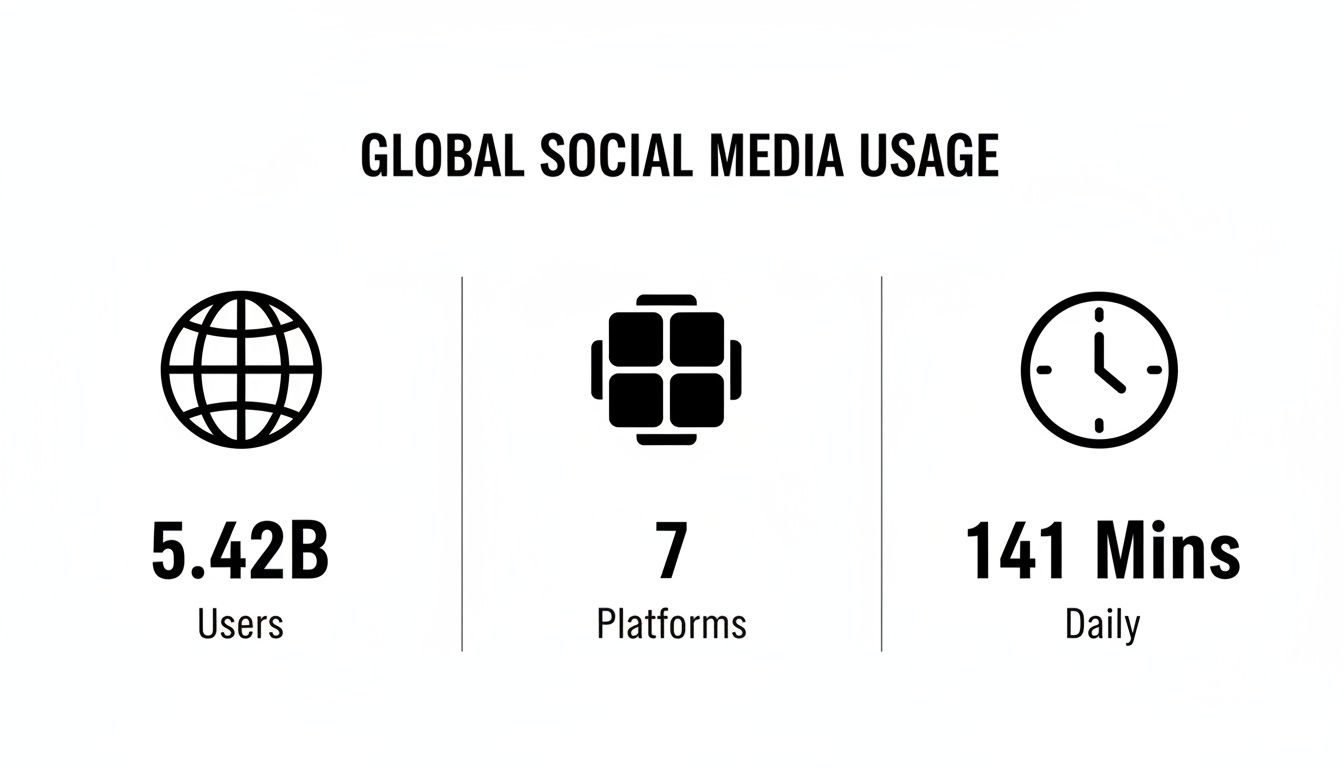
These stats are staggering. With 5.42 billion users out there, you can’t afford to be generic. Your audience is active, but their attention is fragmented. The average person spends 141 minutes a day on social media, which gives you a huge opportunity to connect—if you’re showing up with something they actually want to see. A focused, audience-first plan is the only way to cut through all that noise.
Defining Your Core Content Pillars

Alright, you've got your goals locked in and a solid picture of who you're talking to. Now for the fun part: deciding what you’re actually going to talk about day in and day out. This is where we move from high-level strategy to the real, tangible topics that will fill your feed.
The goal here is to stop posting randomly. We're going to build a system that ends the "what should I post today?" panic for good. The solution? Content pillars.
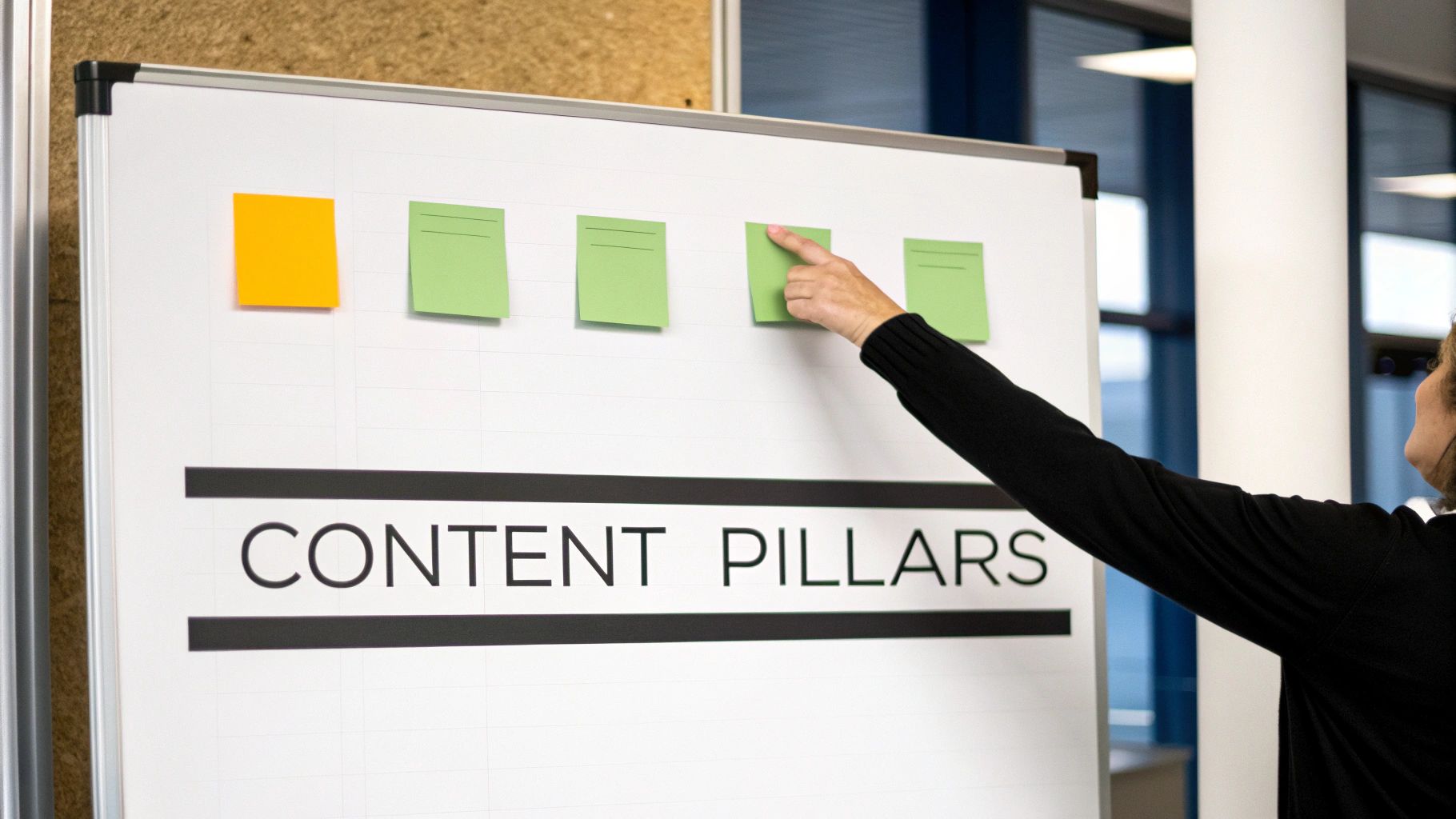
Think of these as the 3-5 core themes your brand will become known for. They're the main subjects in your playbook, the guardrails that keep every single post relevant, focused, and reinforcing what makes you an expert. This structure is what turns casual scrollers into a loyal community that knows exactly what to expect from you.
How to Brainstorm Your Content Pillars
The sweet spot for your pillars is where your expertise overlaps with what your audience genuinely cares about. You want to pinpoint topics where you can provide real value that also ties back to what you sell, without being overly salesy.
A great way to start is by asking a few foundational questions:
- What are we uniquely good at? Think about your team's core knowledge. What can you share that no one else can?
- What does our audience constantly ask about? Dive into your DMs, email inquiries, and comment sections. What are the recurring questions and pain points?
- What problems does our product really solve? Forget the features for a second and focus on the outcome. How do you make your customer's life better or easier?
Once you map out the answers, you’ll see patterns and themes begin to form. These are the building blocks for your pillars. For instance, a company like Auralume AI, which is all about creating cinematic video with AI, wouldn't just talk about their software. Their pillars would be much broader, blending technical skills with creative inspiration.
Real-World Example: A brand like Auralume AI could build their strategy around these pillars:
- Creative AI Workflows: Breaking down the step-by-step process of turning a simple idea into a stunning video.
- Creator Monetization Strategies: Sharing actionable advice on how to use high-quality video to build a business or brand.
- Visual Storytelling Techniques: Teaching the classic principles of what makes a narrative compelling, now supercharged with AI tools.
- Behind the Tech: Pulling back the curtain on AI video generation in a way that's easy for anyone to understand.
See how these are broad enough to fuel endless ideas, but specific enough to keep everything on-brand? That's the goal.
Turning Pillars Into Actionable Content Ideas
With your 3-5 pillars defined, the next step is to break them down into smaller sub-topics and content ideas. This is how you transform your big-picture strategy into a practical, day-to-day plan that actually fills your content calendar.
For each pillar, start brainstorming all the different angles you could take and formats you could use.
Pillar: Creative AI Workflows
- Sub-Topics:
- Tutorial: How to animate your logo in 60 seconds flat.
- Case Study: A deep dive into how a YouTuber doubled their views using AI-generated B-roll.
- Listicle: 5 killer prompts for creating cinematic product shots for your next ad campaign.
- Q&A: Answering the top questions about mixing AI footage with your real-world camera shots.
Following this method ensures you always have a deep well of on-brand ideas to pull from. You can sit down and plan content for weeks or months at a time, simply by picking from your lists. This kind of structured ideation is what separates a stressful, last-minute social media effort from an efficient and consistently valuable one.
Creating a Realistic Content Calendar and Workflow
So, you've got your strategy locked in and your content pillars are ready to go. Now for the fun part: turning those brilliant ideas into a real, functioning system. This is where a well-thought-out content calendar and a repeatable workflow separate the pros from the people who are constantly scrambling.
An idea is just an idea until you map out how to bring it to life. Your calendar is that map. It ensures your content pillars get the attention they deserve and your posting schedule is actually something you can stick to. It brings order to the creative chaos.
Let's be clear, this isn't about building a rigid, soulless schedule. It's about creating a flexible framework that frees you from the daily "what do I post today?" panic.
Choosing the Right Tools for the Job
The best tool is the one your team will actually use. It's easy to get lured in by a platform with a million features, but that can be just as paralyzing as having no system at all. Your decision should really come down to your team size, budget, and how many people need to sign off on content.
Here’s a quick rundown of what most teams use:
- Simple Spreadsheets (Google Sheets, Excel): Perfect for solo creators or small teams. They're free, you can customize them to death, and they give you a great birds-eye view of your month.
- Project Management Tools (Trello, Asana, Notion): These are fantastic when you have multiple people involved. You can use cards or tasks to track each post from "Idea" to "Drafting" to "Scheduled," assign owners, and set deadlines.
- Dedicated Social Media Schedulers (Planable, Buffer, Hootsuite): These are the powerhouses. They combine visual calendars, direct scheduling, team collaboration, and even client approval workflows. Considering that 58% of B2C businesses don't have a documented content strategy, a tool like this can be a game-changer for getting everyone on the same page.
Key Takeaway: Start simple. You can always upgrade to a more sophisticated tool later. The goal here is consistency, not complexity.
The Power of Batching Your Content
If there's one productivity hack I swear by, it's content batching. Instead of trying to create a new post from scratch every single day, you block out dedicated time to create a week's or even a month's worth of content at once.
It sounds simple, but it saves an unbelievable amount of time by cutting down on context-switching. You get into a creative zone and stay there, which almost always leads to better, more thoughtful work.
A typical batching day might look something like this:
- Ideation (1 Hour): Look at your content pillars and brainstorm specific ideas for the next week or two.
- Scripting & Caption Writing (2 Hours): Write out all your captions, video scripts, and any other text you'll need. Get it all done in one go.
- Visual Creation (3 Hours): This is your production block. Shoot all your photos, record your video clips, design graphics, or fire up a tool like Auralume AI to generate a batch of cinematic video assets.
- Scheduling (1 Hour): Plug everything into your scheduling tool, pair the visuals with the captions, and set them to go live.
Boom. In a single focused session, you've handled your content for the entire week. This shifts your workflow from reactive to proactive, freeing up mental space to actually engage with your audience and think about the bigger picture.
Establishing a Sustainable Workflow
A workflow is just the official path your content takes from a rough idea to a published post. Documenting this process is critical, especially as your team grows. It eliminates confusion and makes sure nothing gets missed.
Your workflow should clearly define each stage and who's responsible.
To give you an idea, here’s a simple content calendar that maps out how different pillars and themes can be balanced throughout the week.
Sample Weekly Content Calendar Theme
This table illustrates how you can plan your content to touch on different pillars and utilize various formats, ensuring a diverse and engaging feed.
| Day | Platform (Instagram/TikTok) | Platform (LinkedIn/Blog) | Content Pillar Focus | Auralume AI Asset |
|---|---|---|---|---|
| Monday | Motivational Quote Graphic | Deep-dive article on industry trends | Pillar 1: Industry Leadership | Short animated quote video |
| Tuesday | Behind-the-scenes video | How-to guide expanding on the video | Pillar 2: Education & How-To | Cinematic B-roll for BTS video |
| Wednesday | User-Generated Content repost | Case study on a successful client | Pillar 3: Community & Social Proof | Customer testimonial video |
| Thursday | "Ask Me Anything" Stories | Blog post answering top questions | Pillar 2: Education & How-To | Q&A video with animated text |
| Friday | Fun team/product highlight Reel | Company culture blog post | Pillar 4: Brand & Culture | Dynamic product showcase video |
By having a predictable rhythm like this, your team knows what’s expected each day, and your audience learns what kind of value they can expect from you. It transforms your social media plan from a chaotic scramble into a well-oiled machine.
Using AI to Create High-Impact Social Videos
Let's face it: video is the undisputed king of social media. But traditional video production? It’s a beast—slow, expensive, and often a logistical nightmare for teams that need to move fast. This is where things get really interesting. AI video generators have officially moved from science fiction to a practical, everyday tool for creating stunning, cinematic content at scale.
This completely changes the game. You can now go from a spark of an idea to a finished video in minutes, not weeks. Forget coordinating shoots or wrestling with complex editing software. Now, you can spin up high-impact social videos from a simple text prompt, a static image, or a basic concept.
From Text Prompt to Polished Promo
The real magic of AI video creation lies in its simplicity. You start with a descriptive prompt—a sentence or two explaining the scene, the mood, and the action you envision. The AI model takes that text and generates a completely unique video clip that brings your idea to life. The technical barriers to creating beautiful video have just crumbled.
Imagine you’re a small e-commerce brand launching a new line of sustainable activewear. A traditional ad shoot would involve finding a location, hiring models, booking a camera crew, and then spending days in post-production. With an AI tool, your prompt could be as simple as this:
A dynamic, slow-motion shot of a woman jogging through a misty forest at sunrise, wearing sleek, dark green leggings. The mood is serene yet powerful. Cinematic, 4K, realistic style.
In seconds, you have a professional-grade clip ready for your Instagram Reels or TikTok campaigns. This isn’t just about saving time or money; it’s about unlocking creative freedom. You can test a dozen different visual concepts for a single campaign without spending a dime on production, letting you pour your budget into what actually drives results.
Animating Static Content for Maximum Engagement
Another fantastic application is breathing life into your existing static assets. Every single brand has a folder packed with high-quality photos, graphics, and logos just waiting for their moment. AI tools can transform these still images into dynamic, scroll-stopping videos perfect for any social feed.
Think about these common scenarios:
- Product Shots: Take a crisp photo of your product and animate it with a subtle zoom, add floating particles, or make the background gently shift.
- Event Flyers: Turn that flat event graphic into a short, animated invitation with moving text and shimmering effects that grab attention.
- Team Photos: Add a gentle parallax effect to a team headshot for a much more polished and engaging LinkedIn post.
This technique is incredibly effective for breaking through the noise. It adds a layer of professional polish and movement that makes your content feel more premium and captures attention far better than a simple image ever could.
A Practical Workflow with Auralume AI
Tools like Auralume AI are built to make this whole process feel intuitive. They often bring together several of the best AI models under one roof, giving you the flexibility to choose a visual style—from photorealistic to illustrative—that perfectly matches your brand.

Having everything in one place simplifies planning and batching your creative assets. Many platforms include features like a "Prompt Wizard" that can guide you, automatically optimizing your text descriptions to ensure you get professional results without having to become a prompt engineering guru.
Here’s what a quick workflow might look like for creating a short promo video for a local coffee shop:
- Generate the Main Scene: Start with a simple prompt like,
"Close-up shot of espresso pouring into a ceramic mug, steam rising, warm coffee shop lighting, cinematic." - Animate the Logo: Upload your shop’s logo (as a PNG) and use an image-to-video feature to add a subtle animation, like a gentle pulse or a slow fade-in.
- Create Some B-Roll: Generate a few more supporting clips. Try prompts like
"Happy customers chatting at a wooden table"or"Barista creating latte art, top-down view." - Upscale for Quality: Run your clips through an AI upscaler to make sure everything is crisp, clear, and ready for high-resolution screens.
- Assemble and Post: Drop these short clips into a simple editing app, add some trending audio, and you've got a unique, high-quality video ready to go.
This entire process could easily take you less than 30 minutes. If you're looking to really level up your social content, you can also explore various AI-powered marketing tools that can streamline your entire workflow.
By weaving AI into your social media plan, you’re doing more than just making things efficient; you’re giving yourself a massive creative advantage. You can produce more content, experiment with new visual styles, and react to trends faster than ever before. For any team looking to create professional video without the headache and cost, checking out an all-in-one platform like https://www.auralumeai.com/ can be a huge step forward.
How to Measure Performance and Refine Your Plan
Putting content out there is a huge part of the job, but it's really just the beginning. The real growth happens when you start paying close attention to what your audience is telling you with their clicks, shares, and comments. This is where you pivot from just making content to truly optimizing it.
Think of it as a feedback loop. You look at what worked (and what didn't), figure out the "why" behind it, and use that knowledge to make your next batch of content even better. This is what separates a decent strategy from a dominant one.
KPIs That Actually Tell You Something
Before you even open an analytics dashboard, you have to know what you’re looking for. The metrics you decide to track need to tie directly back to the goals you set earlier. If they don't, you’re just swimming in data without a destination.
It’s so easy to get fixated on vanity metrics like your follower count. Instead, your energy is better spent on Key Performance Indicators (KPIs) that prove you're building a real connection and making an impact.
- Brand Awareness: Keep an eye on reach (the number of unique people who saw your content) and impressions (how many times it was seen in total). If these are climbing, your brand is getting in front of more eyes.
- Engagement: Likes are nice, but they're passive. The real gold is in shares, saves, and comments. These actions mean someone found your content so valuable they had to pass it along, save it for later, or start a conversation.
- Website Traffic: Your click-through rate (CTR) is the hero here. It shows you what percentage of people who saw your post were compelled enough to click your link. This tells you how effective your call-to-action really is.
- Conversions: This is the bottom line. Are people actually filling out your lead forms, downloading your guides, or making purchases? These are the metrics that connect social media activity to business results.
Focusing on these KPIs gives you a much sharper picture of what's driving real results versus what's just making noise.
Making Sense of Your Analytics
Every social platform has its own analytics, and they are packed with useful information. Don't let the charts and numbers overwhelm you. Your job is to play detective—look for patterns and always ask, "Why did that happen?"
Block out time on your calendar at least once a month (weekly is even better) to do a performance review. Lay out your data and start looking for the standouts.
What was your absolute best-performing post this month? Was it a video? A behind-the-scenes look? A client story? Don't just identify what it was; dig deep into why it hit home. This is the single most important question you can ask.
On the flip side, find your worst-performing post. What was it about? What format did you use? Understanding what your audience tunes out is just as powerful as knowing what they love. It’s how you stop making the same mistakes over and over.
Turning Insights Into Action
Data doesn’t mean a thing until you do something with it. Every performance review you conduct should end with a concrete list of takeaways that will shape your content moving forward. This is how you sharpen your strategy over time.
Your action items might look something like this:
- Double Down on Winners: "The quick tutorial Reels we posted got incredible feedback. Let’s ramp up from one to three Reels per week and lean into more 'how-to' ideas."
- Rethink Platform Focus: "LinkedIn is driving 3x more qualified traffic to our site than Twitter. We're going to shift 20% of our effort from Twitter to creating more in-depth content for LinkedIn."
- Refine Content Pillars: "Our 'Creative AI Workflows' pillar consistently gets the most shares and saves. Let's brainstorm five new sub-topics under that pillar for next month."
- Optimize Timing: "Our Instagram engagement spikes between 6 PM and 9 PM on weekdays. We're moving our posting schedule to hit that prime window instead of posting in the afternoon."
This cycle of measuring, learning, and adjusting is what fuels sustainable growth. It ensures your social media plan isn't a static document but a living strategy that gets smarter and more effective with every single post.
Common Questions About Social Media Content Planning
Even the most seasoned social media pros hit a few common roadblocks when mapping out their content. Let's tackle some of the questions I hear all the time, so you can move forward with confidence.
Think of this as your go-to cheat sheet for turning a good plan into a great one that actually gets results.
How Often Should I Post on Social Media?
This is the age-old question, isn't it? The truth is, consistency will always beat frequency. You're far better off posting three amazing pieces of content a week than seven mediocre ones just to hit a quota.
Chasing some magic number is a surefire way to burn out. Instead, figure out a realistic rhythm you can stick to. For a fast-paced platform like Instagram or TikTok, aiming for 3-5 quality posts a week is a solid starting point. On a network like LinkedIn, 2-3 well-thought-out posts can make a much bigger impact.
The real goal is to show up for your audience reliably. Dive into your analytics to see when your followers are actually online and engaging. Let your own data guide you, not some generic industry benchmark.
What Is the Best Way to Find New Content Ideas?
Staring at a blank content calendar can be intimidating, but inspiration is everywhere if you know where to look. Your best source? The very people you're trying to reach.
Start with your content pillars and break them down into more specific sub-topics. Once you have that foundation, go where the conversations are already happening.
- Become a Community Lurker: Jump into subreddits, Facebook Groups, or Quora threads related to your field. What questions pop up again and again? Every single one is a content idea waiting for you.
- Keep an Eye on Trends: Tools like Google Trends are fantastic for spotting what's currently capturing people's attention, helping you create content that feels timely and relevant.
- Just Ask!: Seriously, don't overthink it. A simple poll on Instagram Stories asking, "What's your biggest struggle with [your topic]?" can give you a dozen new ideas straight from the source. Their answers are pure gold.
How Can I Make My Content Planning More Efficient?
Getting more efficient isn't about doing less; it's about working smarter. The single biggest change you can make is to embrace batch creation.
Stop trying to create content every single day. Instead, block off a few hours once a week or a full day once a month to shoot all your videos, write your captions, and design your graphics. This "assembly line" approach helps you find a creative groove and keeps your branding consistent.
Also, lean on templates for your graphics and create simple frameworks for your captions. This removes a ton of decision-making and frees up mental energy. Finally, identify what’s eating up most of your time. For a lot of us, it's video. This is where AI tools can be a game-changer, turning a simple idea into a polished video in minutes and giving you back hours of your day.
Ready to take the biggest time-suck out of your content workflow? With Auralume AI, you can generate stunning, cinematic videos from a simple text prompt or even a static image. Stop wrestling with complicated editing software and start creating high-impact social content that looks incredible. Explore the platform and get your first video credits today.