
Style Transfer AI A Guide to Transforming Your Visuals
Ever wondered if you could teach a computer to paint like Van Gogh? Not just mimic his famous “Starry Night,” but to genuinely understand its swirling brushstrokes, its vibrant colors, and its emotional energy? That’s the magic behind style transfer AI. It’s a technology that learns the artistic soul of one image and applies it to the subject of another, creating something completely new.
What Is Style Transfer AI and How Does It Work
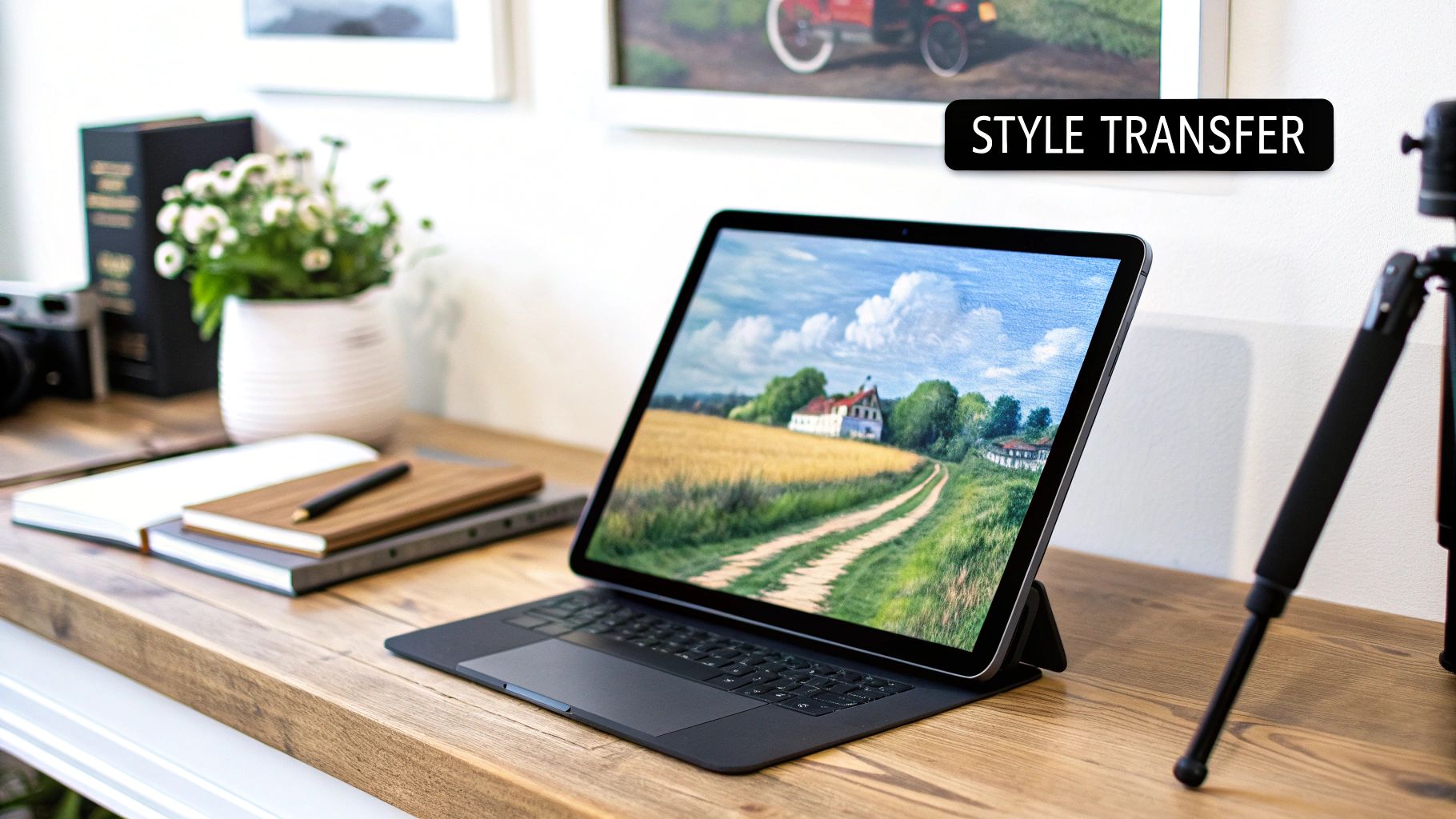
Think of style transfer AI as a digital alchemist. It takes two key ingredients: a "content" image (say, a photo of your dog) and a "style" image (like a Picasso painting). The AI then gets to work, intelligently separating the what from the how. It identifies the core subject in your photo—your dog—while extracting the stylistic DNA from the painting, like its textures, color palette, and patterns.
The final result is a brand-new creation: your dog, but reimagined with the bold lines and fractured perspectives of cubism. This is far more than a simple filter or an overlay. The algorithm actually rebuilds your dog's picture, pixel by pixel, following the artistic rules it learned from Picasso.
More Than Just an Artistic Toy
While it might sound like a fun creative experiment, style transfer has serious real-world applications. Its ability to apply a complex aesthetic in seconds is a game-changer for how creators and businesses think about visual media. As a key part of the broader world of AI-powered content creation, this technology really shines because of its unique power to transform visuals.
The numbers back this up, too. The global AI image generation market, which is the engine driving style transfer, is expected to reach $1.3 billion by 2025. We're already seeing 62% of marketing professionals use AI-generated visuals in their campaigns, and many graphic designers are using style transfer to speed up their creative process by blending historical art with modern layouts.
Style transfer isn't about copying an artist's work. It's about learning their visual language—the brushstrokes, color choices, and textures—and then using that language to say something new.
From indie artists sketching out ideas to major film studios creating visual effects, people are finding all sorts of uses for this tool. Platforms like Auralume AI are designed to put this incredible power right at your fingertips, letting you produce stunning, unique visuals without needing to be a master painter yourself.
How Does an AI Learn to Paint?
So, how does an AI actually pull this off? It’s not magic—it's more like a clever balancing act, a negotiation happening inside the machine's "brain." Think of it like the AI has two highly specialized art critics whispering in its ear, each with a very different priority.
One is the Content Critic. This one is a stickler for the subject matter. If you start with a photo of your dog, its only job is to make sure the final image still looks like your dog. It’s laser-focused on preserving the original shapes, lines, and the overall structure. No exceptions.
Then you have the Style Critic. This critic couldn't care less about the dog; it’s all about the aesthetic. It studies the textures, the color palette, the brushstroke patterns, and the general vibe of the style image—say, a Monet painting.
The AI's challenge is to create a new image that makes both of these demanding critics happy at the same time.
The Original Method: Neural Style Transfer
The technique that kicked this whole thing off is called Neural Style Transfer (NST). You can think of NST as a patient, classical painter. It takes your photo and meticulously adjusts it, pixel by pixel, to absorb the style's characteristics. As you can imagine, this is a pretty intensive process.
To do this, the AI calculates two kinds of "loss," which is just a fancy word for error:
- Content Loss: Measures how far the new image has strayed from the original photo.
- Style Loss: Measures how different the new image's textures and patterns are from the style artwork.
The AI then gets to work, trying to minimize both of these error scores simultaneously. It runs through this process hundreds, sometimes thousands, of times until it lands on that sweet spot. The result is usually a stunning, high-quality piece of art, but it comes at a cost—it can take several minutes just to generate a single image.
Evolving for Speed and Creativity
NST was a game-changer, but its slow pace made it useless for things like real-time video filters. That limitation was the catalyst for a wave of new, more nimble approaches to style transfer AI.
A huge leap forward came with Adaptive Instance Normalization (AdaIN). Instead of that slow, iterative painting process, AdaIN is a speed demon. It directly tweaks the statistical properties of the content image (like its mean and variance) to instantly match the style image. This is efficient enough to power the kind of creative filters you see all over social media, applying styles to video on the fly.
At its core, style transfer AI is a negotiation. The algorithm is constantly asking itself, "How much can I change this pixel to match the style before it stops looking like the original subject?"
Another incredibly powerful approach uses Generative Adversarial Networks (GANs). GANs are fascinating because they pit two AI networks against each other. There's a "Generator" that creates the stylized images, and a "Discriminator" that tries to tell the fake art from the real deal. This constant competition pushes the Generator to produce unbelievably convincing and often brand-new styles.
More recently, Diffusion Models have stormed onto the scene and become a dominant force. These models have a unique method: they start with a canvas of pure static and gradually refine it into a detailed, coherent picture that perfectly blends the content and style. They are the go-to for creating exceptionally high-fidelity and intricate results, really pushing the boundaries of what's possible.
Comparing Major Style Transfer AI Techniques
If you've ever dipped your toes into style transfer AI, you've probably realized that not all tools are built the same. Getting the result you want—whether it's a quick filter for a video or a gallery-worthy art piece—comes down to picking the right underlying technology. Each method has its own personality, its own strengths and weaknesses. It's less about which one is "best" and more about which one is best for your specific project.
Think of the original Neural Style Transfer (NST) as the classical master painter. It’s meticulous and incredibly patient, analyzing and recreating a style, pixel by painstaking pixel. This process is slow, but the results are often stunningly detailed. If you're aiming for a single, high-fidelity piece of art and aren't in a rush, NST is a fantastic choice.
On the complete opposite end of the spectrum, you have techniques like AdaIN (Adaptive Instance Normalization). These are the quick-sketch artists of the AI world, built for pure speed. AdaIN powers many of the real-time filters you see on social media apps, applying a style almost instantly. It's incredibly efficient, though it sometimes sacrifices the deep artistic nuance you'd get from a slower method.
Pushing Creative and Technical Boundaries
Then we get to the more experimental approaches. Generative Adversarial Networks (GANs) are like the avant-garde artists of the group. A GAN can dream up entirely new, sometimes surreal styles that don't strictly exist in the style image. They operate through a clever "cat-and-mouse" game between two neural networks, which often leads to unique and unpredictable visuals. If your goal is to push creative boundaries and discover something new, GANs are your playground.
Finally, we have the current heavyweights: Diffusion Models. These are the photorealistic masters of the modern era. Diffusion models work by systematically adding noise to an image and then learning how to reverse the process, resulting in incredibly detailed and coherent outputs. For projects that demand breathtaking quality, intricate textures, and a polished, professional finish, diffusion is often the go-to solution.
This infographic gives a great visual breakdown of how these models fundamentally think, constantly balancing the original image's structure with the new artistic flair.
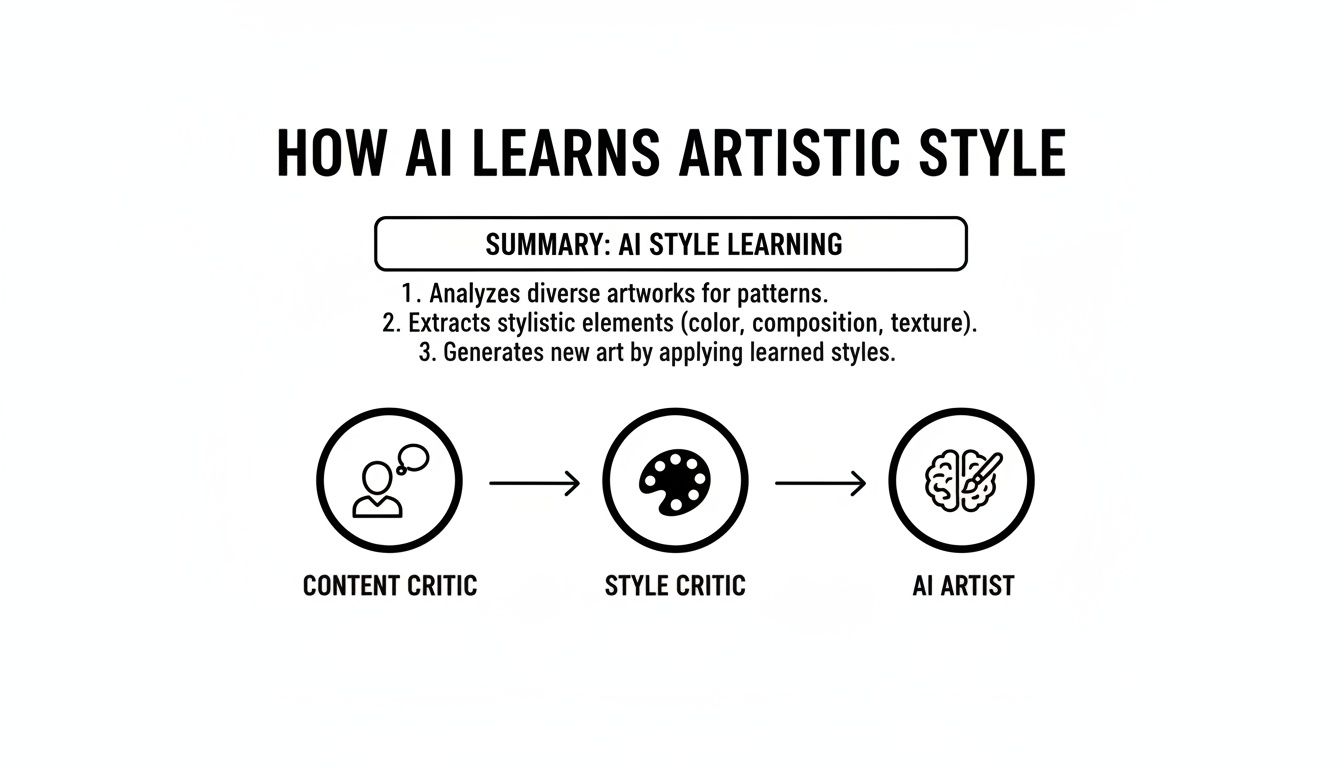
You can see the AI's internal "Content Critic" and "Style Critic" in a constant negotiation. This push-and-pull is at the heart of every technique, whether it’s the slow refinement of NST or the competitive dynamic inside a GAN.
Choosing the right style transfer technique is like picking the right paintbrush. A fine-tipped brush is great for detail, while a broad one is better for bold strokes. Your creative goal determines which tool you should use.
To help you decide which approach fits your needs, let's lay them out side-by-side.
A Practical Comparison of Style Transfer AI Methods
This table breaks down the four primary style transfer techniques, comparing their performance, quality, and ideal use cases to help you choose the right tool for your project.
| Technique | Speed | Output Quality | Style Control | Best For |
|---|---|---|---|---|
| Neural Style Transfer | Slow | Very High | High | Single, high-quality artistic images where detail is paramount. |
| AdaIN | Very Fast | Good | Moderate | Real-time video filters and quick style application in apps. |
| GANs | Fast | High | Variable | Creating novel and experimental styles that go beyond the source. |
| Diffusion Models | Moderate | Exceptional | High | Photorealistic and highly detailed professional-grade images. |
Ultimately, there's no single "best" style transfer AI—only the one that aligns with your creative intent. By understanding what each method brings to the table, you can move beyond just clicking a button and start making informed choices, whether you're creating a quick social media graphic or a meticulously crafted piece of digital art.
Bringing Style to Motion with Video Style Transfer
Taking an artistic style and applying it to a single, static image is one thing. Making it work across a moving video is a whole other beast.
If you just run a style filter on every frame of a video clip, you’ll likely end up with a chaotic, flickering mess. The textures, brushstrokes, and colors will jump around erratically from one frame to the next, creating a jarring effect that completely shatters the illusion.
The core issue here is a lack of temporal consistency. For a stylized video to look right, the artistic elements need to move naturally with the objects in the scene. A painterly texture on someone’s jacket, for instance, has to stick to that jacket as they walk—not repaint itself every millisecond.
Solving the Flicker Problem
To get around this, developers figured out how to make the style transfer AI aware of motion. One of the key techniques behind this is called optical flow, which is essentially an algorithm that studies consecutive frames to figure out how objects are moving. It tracks the direction and speed of every pixel.
By understanding this motion, the AI can apply the style consistently over time. It basically "locks" the artistic patterns onto the moving objects, ensuring the flourishes follow the action. This creates a stable, cohesive look where the style feels like it's truly part of the world you’re watching.
"The true test of video style transfer is not just applying a look, but maintaining that look's integrity across time. When done right, it transforms a simple recording into a piece of living, breathing art."
The creative doors this opens are incredible. A simple city tour can become a living impressionist painting, with brushstrokes gliding along with passing cars. A fight scene can be reimagined as a dynamic comic book, where the ink lines and halftones stick perfectly to the characters through every punch and kick.
What This Means for Creators
For anyone making content, this technology is a game-changer for visual storytelling. Not long ago, achieving these kinds of effects demanded painstaking frame-by-frame animation from a highly skilled VFX artist. Now, platforms like Auralume AI are putting that power into more hands.
For creators, video style transfer offers some huge advantages:
- Unique Visual Identity: You can develop a signature aesthetic that makes your content instantly recognizable and helps you stand out.
- Enhanced Storytelling: The style itself can become a narrative tool, amplifying a scene's mood to feel dreamy and painterly or gritty and graphic.
- Production Efficiency: It gives you a shortcut to achieving complex, high-end looks without the massive time investment and budget they used to require.
Style Transfer Applications in Fashion, Film, and Marketing
Beyond the world of experimental art, style transfer AI is proving to be a serious commercial tool. It's making a real impact in industries where a strong visual identity isn't just a bonus—it's everything. For creators in fashion, film, and marketing, this technology is speeding up workflows and opening doors to visual styles we've never seen before.
Think about it from a fashion designer's perspective. Instead of waiting days for physical samples, a designer can now instantly wrap a new fabric pattern around a digital garment. They can test out a complex embroidery style or generate an entire collection's worth of concepts from a single mood board. What once took weeks of sketching can now be explored in an afternoon.
Driving Engagement and Innovation
In marketing, the name of the game is grabbing attention. Style transfer gives brands a way to create campaigns with a visual signature that's impossible to ignore. Imagine a car commercial that adopts the brushstrokes of a Van Gogh painting or a social media campaign that turns a standard photoshoot into a series of gritty, graphic novel-style images.
This isn't just a gimmick—it's a market on the rise. The AI-generated fashion space, fueled by style transfer and other generative tools, is expected to skyrocket from USD 2.91 billion in 2025 to a staggering USD 75.9 billion by 2035. Fashion houses are leading the charge, using this tech to accelerate design and even create personalized clothing lines at a massive scale.
Style transfer AI is becoming the bridge between a designer's abstract idea and a concrete visual. It allows for rapid iteration, turning "what if" scenarios into tangible concepts in seconds.
The technology also has very practical uses, like serving as an AI-powered virtual fashion stylist. Shoppers can see exactly how different patterns and cuts would look on them, making for a far more engaging and personal online shopping trip.
From Pre-Production to Final Cut
The influence of style transfer stretches deep into the film and gaming industries, especially during the crucial visual development stage.
- Rapid Prototyping: Art directors can generate concept art on the fly. They can apply the distinct style of a painter or another film to early 3D models, quickly locking in the project's look and feel.
- Special Effects: It's perfect for creating surreal dream sequences or otherworldly landscapes, seamlessly blending fantastical textures with live-action footage.
- Character Design: Artists can experiment with dozens of costume textures on a character model without the painstaking process of repainting each one by hand.
By automating tasks that used to be incredibly time-consuming, style transfer AI frees up creators to think bigger. They can spend less energy on tedious execution and more on the creative vision that truly sets their work apart.
A Practical Guide to Using Style Transfer AI
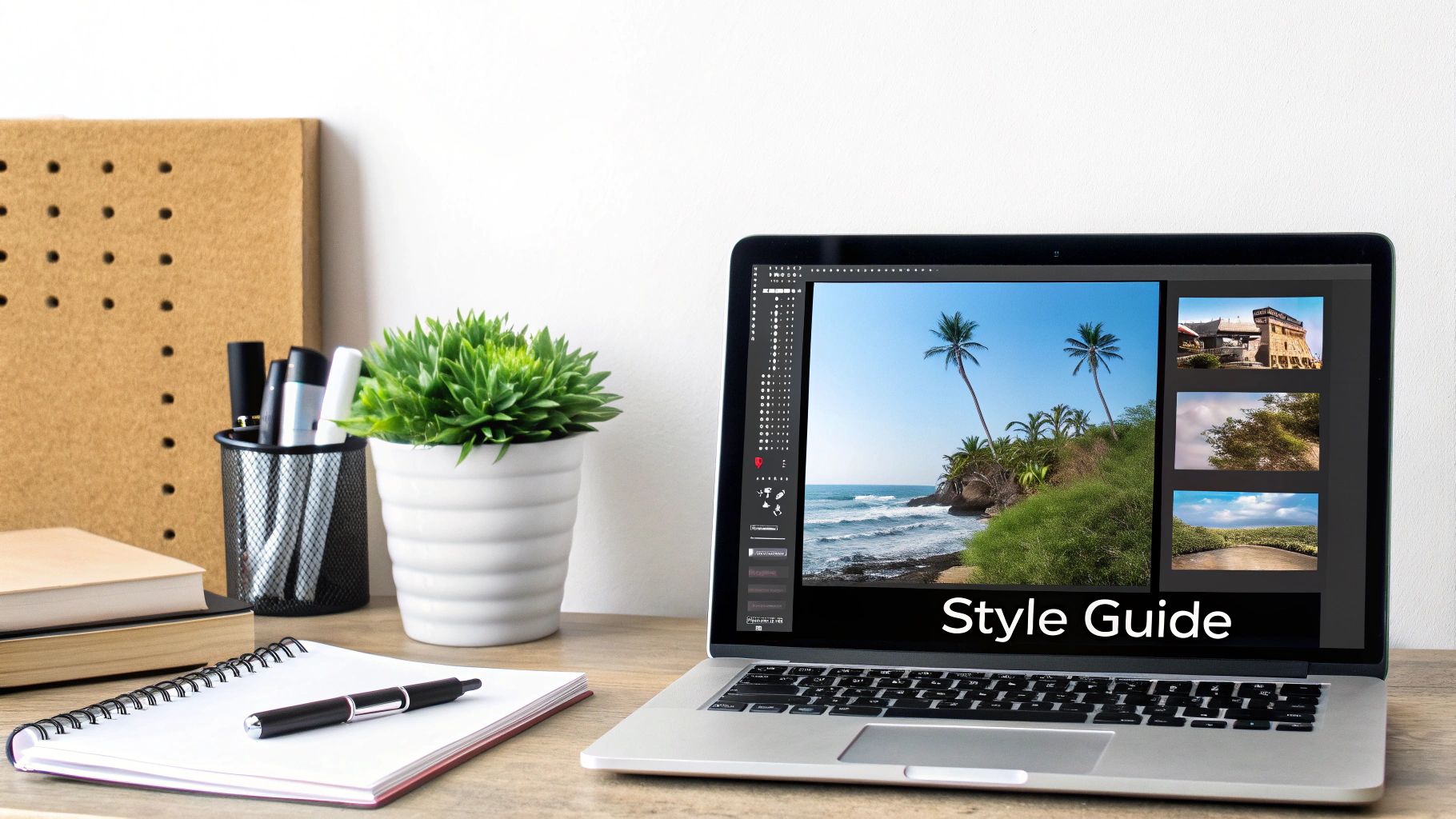
Ready to dive in and make your own stylized images? The good news is, getting amazing results from style transfer AI has more to do with your creative vision than any deep technical knowledge. Think of it as an art form in itself.
This guide will walk you through a simple workflow to help you make smart choices and create visuals that look polished and purposeful.
Choosing Your Inputs
Everything starts with your source images—the "content" and the "style." This is single-handedly the most important step. A great pairing is a content image with a strong, clear subject and a style image that’s bursting with interesting textures and colors.
Think about what job you're giving each image:
-
Content Image: This is your blueprint. Pick a photo with a really well-defined subject. Pictures with strong silhouettes and good contrast tend to work much better than busy, cluttered scenes because they give the AI a solid structure to build upon.
-
Style Image: This is your paint palette. Look for art that has a distinct and consistent visual language. Abstract paintings, intricate patterns, or pieces with bold, visible brushwork are fantastic choices. They give the AI a clear aesthetic to mimic.
Once you’ve picked your pair, the real fun begins. Modern tools, like those you'll find on the Auralume AI platform, let you dial in exactly how the style gets applied. The most critical setting you'll play with is the style weight.
Think of style weight as a volume knob for the artistic effect. A low setting just whispers the new style onto your photo. A high setting shouts it, which can sometimes overwhelm the original picture.
Getting the balance right is all about experimentation. Don't be afraid to try a few different settings.
Likewise, if you're using text prompts to guide the AI, specificity is your best friend. Instead of a generic prompt like "Van Gogh style," get descriptive. Try something like, "Apply the thick, swirling impasto brushstrokes and the vibrant yellow and deep blue palette of Starry Night." That kind of detail gives the AI much clearer instructions, which always leads to a more refined and compelling result.
Got Questions About AI Style Transfer? We've Got Answers
Diving into AI style transfer can feel a little complex at first, but it's simpler than you think. Let's tackle some of the most common questions people have when they start exploring this incredible creative tool.
Style Transfer vs. Photo Filters: What's the Real Difference?
It’s easy to confuse style transfer with a simple photo filter, like the ones you find on Instagram, but they operate on completely different levels.
A standard filter is just a uniform overlay. It applies a fixed set of changes—like adjusting contrast, saturation, or adding a color tint—across the entire picture. Think of it as putting a colored piece of glass over your photo.
AI style transfer, on the other hand, is a much deeper process. The AI doesn't just overlay colors; it actually studies the stylistic elements of one image (like the brushstrokes of a painting) and then meticulously reimagines your content photo using those very elements. It’s not a filter; it’s a complete artistic re-rendering.
Can I Use My Own Images as the Content and Style?
Absolutely! This is where the real creative magic happens. Nearly all style transfer tools are built around the idea of you bringing your own vision to the table.
You can upload a photo you took as the "content" and then pair it with any "style" image you want. This could be a timeless painting, a cool graphic design you found, a photo of a textured fabric, or even another one of your own photos that has a specific mood you love. This flexibility is what lets you forge a truly unique artistic direction.
The power of style transfer lies in its ability to fuse two completely different visual worlds. Imagine taking a sharp, modern photo of a city skyline and blending it with the chaotic, raw textures of an abstract expressionist painting. The result is something entirely new and unexpected.
What About the Ethics of Using an Artist's Style?
This is a critical and ongoing conversation in the creative community. Using the signature style of a living, working artist for your own commercial projects without their consent is a major ethical gray area and can even veer into copyright infringement.
Things are clearer with historical artists. The works of artists like Van Gogh or Monet are in the public domain, meaning their styles are free for anyone to use. The new image you generate is generally considered a transformative work.
Even so, for any commercial use, your safest bet is to stick with public domain styles or use styles you have explicit permission for. And always, always check the terms of service of the AI platform you're using.
Ready to create something visually stunning with Auralume AI? Our platform puts the best style transfer and video generation models right at your fingertips, making it incredibly simple to bring your creative concepts to life. Start creating today at auralumeai.com.