
The 12 Best Free AI Image Generator Tools for 2026
The world of AI image generation has exploded, offering creators powerful tools to turn text into stunning visuals in seconds. But with so many options, finding the right one can be overwhelming. Many 'free' tools come with hidden credit limits, confusing licenses, and inconsistent output quality, making it difficult to find a reliable platform. This guide cuts through the noise to help you find the best free AI image generator for your specific creative needs.
We've tested and ranked the 12 leading platforms available today, focusing on what truly matters: high-quality image output, generous free tiers, practical features, and clear usage rights. Whether you're a marketer designing social media graphics, an artist exploring new styles, or a content creator prototyping concepts, this curated list will help you find the perfect tool without spending a dime. Each entry includes direct links, screenshots of the interface, and sample outputs so you can see exactly what to expect before you sign up.
This comprehensive resource explores the unique strengths of each generator. You'll discover the seamless ecosystem integration of Adobe Firefly, the powerful fine-tuned models of Leonardo.Ai, and the advanced typographic capabilities of Ideogram. We even cover all-in-one platforms like Auralume AI that support entire creative workflows from image generation to video animation. While you explore the powerful capabilities of these tools, it's equally important to understand the growing field of detecting AI generated images for verification and critical assessment. Let's dive in and find the right AI image generator to bring your ideas to life.
1. Auralume AI
Auralume AI secures its top spot by offering an integrated, all-in-one creative suite that extends far beyond static images. While it functions as a powerful free AI image generator, its core strength lies in its ability to seamlessly transform text, ideas, and still images into cinematic videos. This makes it an exceptional choice for creators who need a unified workflow, from initial concept art to final animated content, without juggling multiple platforms.
The platform’s built-in Prompt Wizard is a significant differentiator, acting as an intelligent assistant that auto-optimizes user inputs. This feature effectively removes the steep learning curve associated with prompt engineering, making it accessible for beginners to achieve professional-level results quickly. For advanced users, Auralume aggregates the world’s leading AI models (including Google Veo, Sora, and Pika), allowing you to select the best engine for a specific aesthetic, whether it's photorealistic motion or stylized animation.
Key Features & User Experience
Auralume is designed for rapid, end-to-end production. Social media marketers can generate a product image and animate it for an ad in minutes, while illustrators can bring their static art to life with compelling motion.
- Integrated Toolkit: Includes AI image generation, image-to-video, text-to-video, and both image and video upscalers.
- Model Diversity: Access a wide range of top-tier AI models, giving you unparalleled creative flexibility to match the right style to your project.
- User-Friendly Interface: The Prompt Wizard and clean UI make it one of the easiest platforms to start with, ideal for those new to AI generation.
Pricing and Access
Auralume AI operates on a flexible credit-based system. While not entirely free forever, new users often get introductory credits to test the platform.
- Pay-as-you-go: Purchase credits that never expire (e.g., 500 for $10).
- Subscriptions: Monthly plans like Starter and Pro offer more credits and features like priority processing speed.
- Privacy Note: Generations are public by default on lower tiers; the Pro plan includes a "Stealth Mode" for private projects.
For anyone looking for the best free AI image generator that also opens the door to advanced video creation and workflow efficiency, Auralume AI is a comprehensive and forward-thinking choice.
Website: https://auralumeai.com
2. Adobe Firefly
Adobe Firefly is the creative giant's answer to generative AI, positioning itself as a commercially safe and deeply integrated tool for creators. Rather than just a standalone generator, Firefly is an ecosystem woven into Creative Cloud apps like Photoshop and Adobe Express. This integration is its key differentiator, allowing users to generate content directly within their existing design workflows.
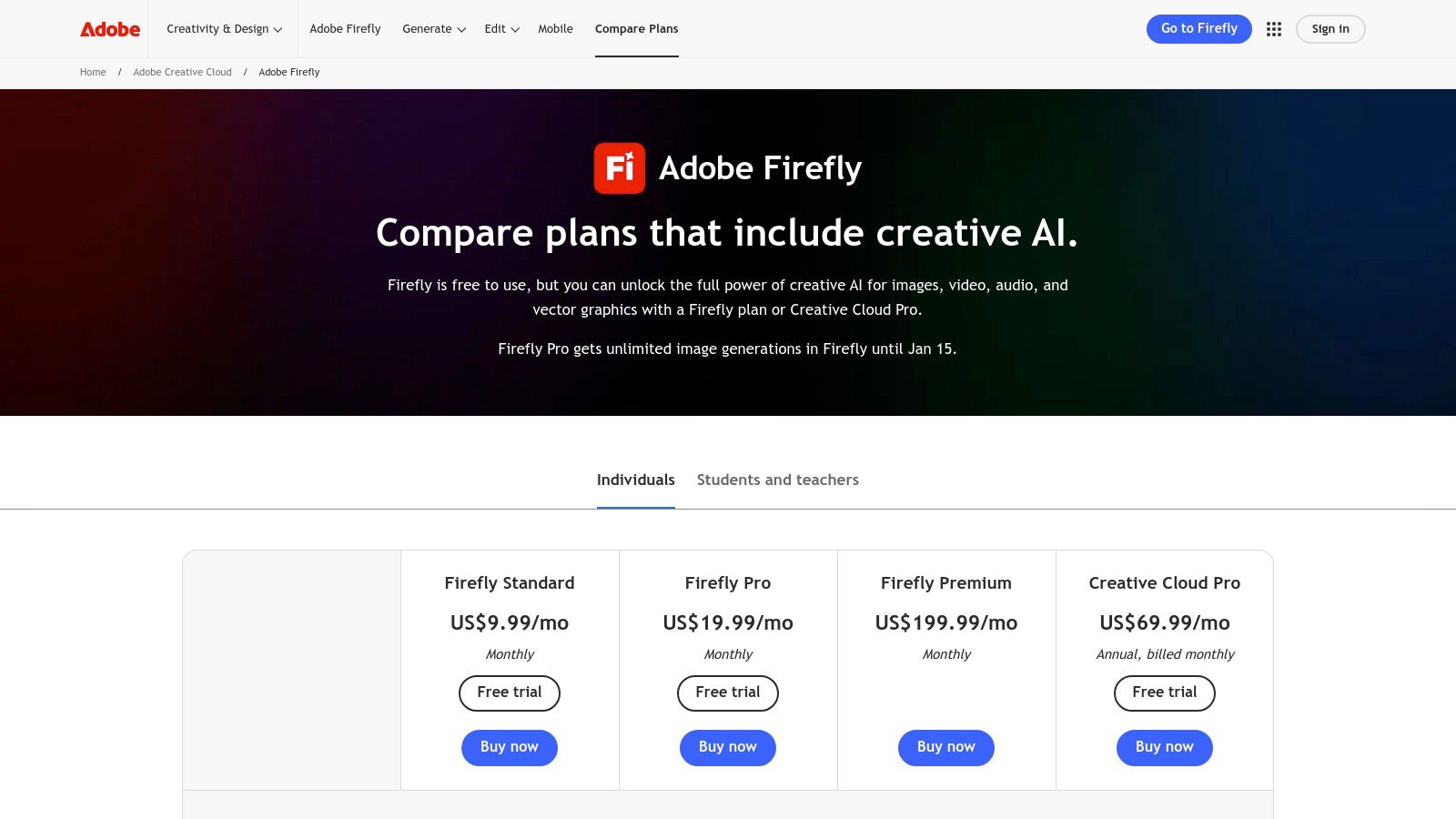
The free plan offers 25 generative credits per month, which are used for actions like text-to-image generation and the powerful Generative Fill feature. This makes it a contender for the best free AI image generator for those already in the Adobe ecosystem or those who need high-quality, polished results for professional projects.
Key Features and Usage
- Generative Fill: Seamlessly add, remove, or extend content in your existing images. This is perfect for marketers editing product shots or designers expanding backgrounds.
- Creative Cloud Integration: Firefly’s true power is unlocked within Photoshop. You can generate elements on new layers, making non-destructive edits and blending AI content with manual design work effortlessly.
- Commercially Safe Model: Adobe trained Firefly exclusively on Adobe Stock images and public domain content, mitigating many of the copyright concerns associated with other AI models.
Limitations and Pricing
The main limitation is the credit system. While the 25 free monthly credits are a great starting point, active users will likely need to upgrade. Paid plans start at around $4.99/month, offering more credits and removing watermarks. The credit accounting can feel complex as it's shared across different Adobe apps and features.
Website: https://www.adobe.com/products/firefly/plans.html
3. Microsoft Designer – Image Creator
Microsoft Designer brings the power of DALL·E 3 directly into a user-friendly design application, making it a strong contender for those seeking an integrated creative workflow. Instead of being just a standalone generator, it combines AI image creation with tools for creating social media posts, presentations, and other quick designs. This approach positions it as a practical tool for marketers and casual users who need to go from idea to finished graphic swiftly.
The free plan generously offers daily "boosts" (credits) for faster image generation, which is a key advantage over monthly credit systems. Once boosts are used, generation is slower but still free. This makes it an excellent choice for the best free AI image generator for users who need consistent, daily access to high-quality AI visuals without hitting a hard paywall. Its integration with the wider Microsoft ecosystem is a significant plus.
Key Features and Usage
- DALL·E 3 Integration: Users get access to one of the most advanced text-to-image models available, capable of understanding complex prompts and rendering text accurately.
- Design Templates and Tools: Immediately place your generated image into a social media template, add text, or use features like background removal and blur to create a polished final product.
- Microsoft 365 and Copilot: Image Creator is woven into Microsoft 365 apps like Word and PowerPoint via Copilot, allowing you to generate visuals directly within your documents and presentations.
Limitations and Pricing
The primary limitation is the boost system; while generation remains free, it becomes noticeably slower after your daily credits are spent. The guidance on commercial use can also be less straightforward than competitors like Adobe Firefly, requiring users to check the terms carefully. While the core features are free with a Microsoft account, more boosts are bundled with paid Microsoft 365 subscriptions.
Website: https://designer.microsoft.com/image-creator
4. Leonardo.Ai
Leonardo.Ai is a powerful, creator-focused platform that offers a suite of advanced tools beyond simple text-to-image generation. It has rapidly gained popularity among designers and artists for its high-quality proprietary models, extensive customization options, and a strong community focus. The platform is designed for users who want granular control over their creations, from training custom models to fine-tuning images in an integrated canvas editor.
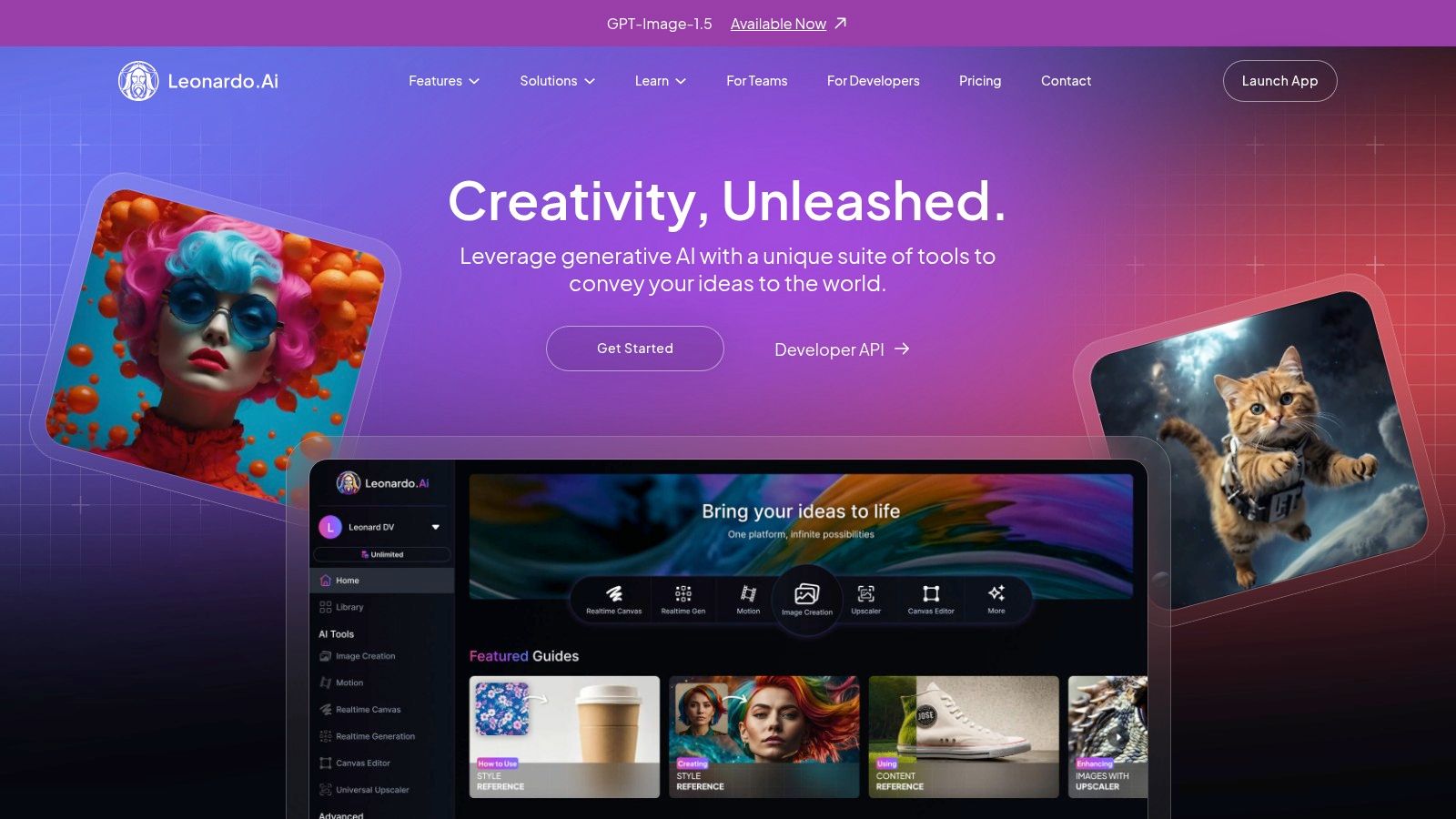
Its generous free tier, which provides a daily allotment of 150 tokens, makes it a top contender for the best free AI image generator for those needing consistent access and advanced features without an initial subscription. This token system allows for significant daily experimentation with its diverse toolset.
Key Features and Usage
- High-Quality Proprietary Models: Access to exclusive models like Phoenix for speed and coherence, and PhotoReal for hyper-realistic imagery, gives users a wide stylistic range.
- AI Canvas Editor: This feature goes beyond basic generation, allowing you to upscale, unzoom, and edit images with inpainting and outpainting tools in a single workspace. It’s ideal for expanding backgrounds or refining specific details.
- Custom Model Training: A standout feature where you can upload your own images to train a custom model. This is perfect for maintaining a consistent style, character, or aesthetic across multiple generations.
- Community-Driven Platform: Users can browse, use, and get inspired by a feed of community creations and prompts, as well as share and utilize models trained by other users.
Limitations and Pricing
The primary limitation of the free plan is that all generated images are public. Users must upgrade to a paid plan for private generations. The daily token system resets every 24 hours and unused tokens do not roll over. While 150 tokens are generous, advanced features like model training consume them more quickly. Paid plans start at $10/month, offering more tokens, private generations, and access to premium features.
Website: https://leonardo.ai/
5. Ideogram
Ideogram has carved out a unique niche by mastering one of the biggest challenges in AI image generation: typography. While many generators struggle to render legible and coherent text, Ideogram excels, making it an exceptional tool for creating logos, posters, signs, and memes. Its ability to reliably integrate text into images gives it a distinct advantage for specific creative and marketing tasks.
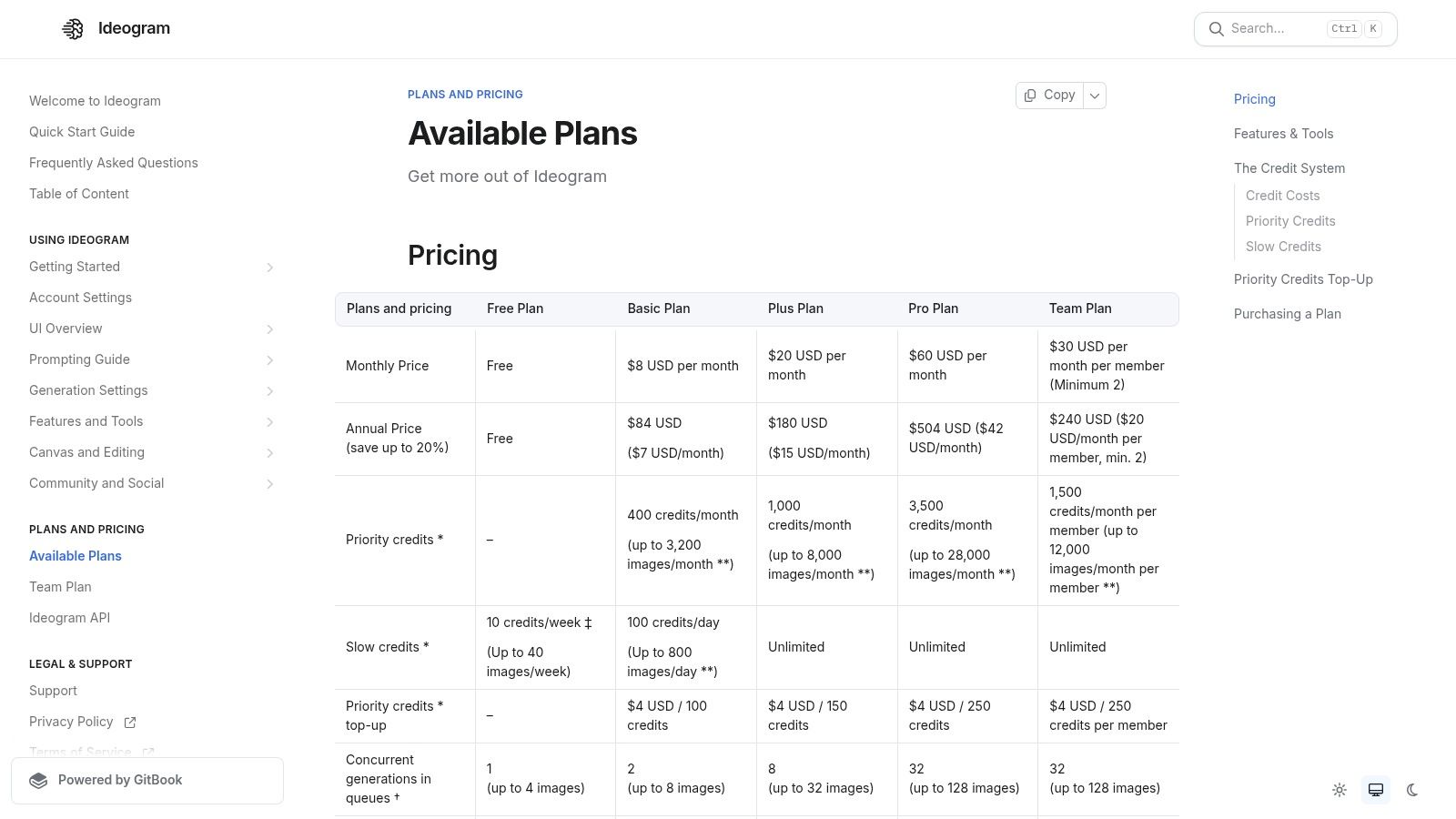
The platform offers a free plan with 25 daily prompts (100 images), which is quite generous, although generations can be slow during peak times. This makes it a top contender for the best free AI image generator for anyone needing to combine words and visuals seamlessly, such as social media managers, graphic designers, or small business owners creating branding assets.
Key Features and Usage
- Reliable Text Rendering: Its standout feature is its "Magic Prompt" function that enhances your ideas and excels at producing images with accurate, stylized text. This is perfect for generating a logo concept with a company name or a promotional poster with a clear call to action.
- Remix and Style Tags: Users can easily remix creations from the community, providing a great starting point for inspiration. Simple style tags like "typography," "poster," and "3d render" allow for quick and effective artistic direction.
- Multiple Aspect Ratios: The platform supports various aspect ratios, making it easy to generate content specifically tailored for different social media platforms or design formats without extra editing.
Limitations and Pricing
The free plan's primary limitation is the slower generation speed and public visibility of all created images. Credits are consumed quickly when using higher-quality rendering options. For faster processing, private generations, and more monthly credits, paid plans start at $7/month. The free tier is excellent for experimentation, but frequent users will benefit from a subscription.
Website: https://docs.ideogram.ai/plans-and-pricing/plans-and-pricing
6. Playground (Playground AI)
Playground is a powerful, browser-based AI creation studio that acts as a hub for multiple high-quality image models. Instead of locking you into a single proprietary model, Playground offers access to its own Playground v3 alongside others like OpenAI's DALL-E 3 (via the 4o API), providing a versatile sandbox for creative exploration. Its unique canvas-based interface makes it feel more like a design tool than a simple generator.
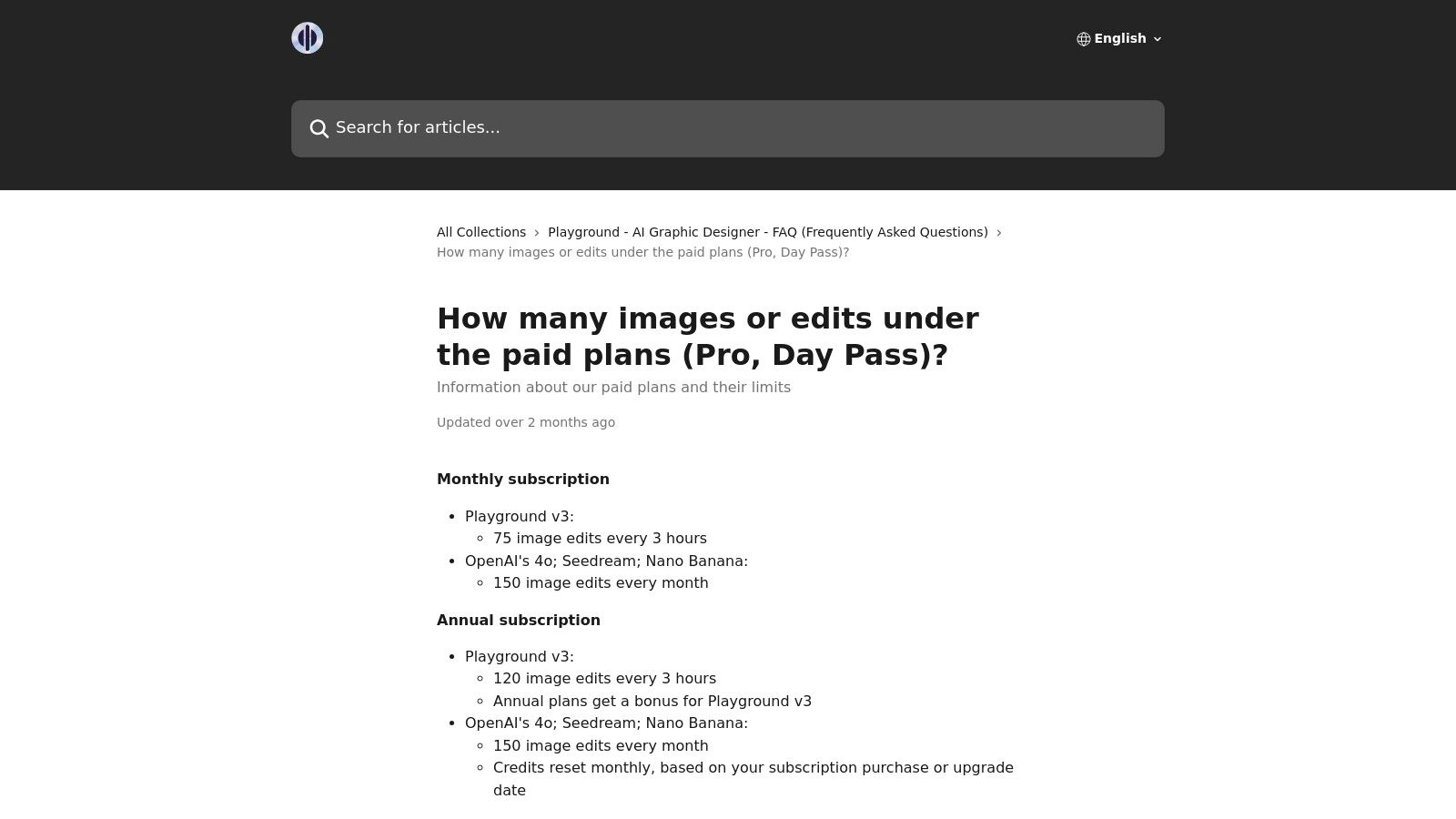
The platform’s free offering is generous, giving users daily quotas for each supported model, making it a strong contender for the best free AI image generator for those who want to experiment with different AI styles. This multi-model approach allows you to find the perfect engine for your specific creative vision, all within one unified workflow.
Key Features and Usage
- Multi-Model Access: Freely switch between different generation models like Playground v3 and DALL-E 3 to compare outputs and leverage the unique strengths of each.
- Canvas-Based Editing: Work on an infinite canvas where you can generate images, extend them with outpainting, and refine specific areas with inpainting, offering a fluid and iterative creative process.
- Remix and Reference: Use existing images as a strong stylistic or structural reference for new generations, giving you more granular control over the final output.
Limitations and Pricing
The main limitation is the model-specific quota system on the free plan, which can be confusing as each model has its own daily limit. While the free access is robust, high-volume users will need more. Playground offers flexible paid options, including a monthly Pro plan (around $15/month) for higher limits and a unique "Day Pass" for short-term, intensive projects without a subscription.
7. NightCafe Creator
NightCafe Creator is one of the more established names in AI art generation, fostering a vibrant community around a user-friendly and accessible platform. It stands out by gamifying the creative process with daily challenges, badges, and a social feed where users can share and discover creations. This community-centric approach makes it feel less like a utility and more like a creative social network.
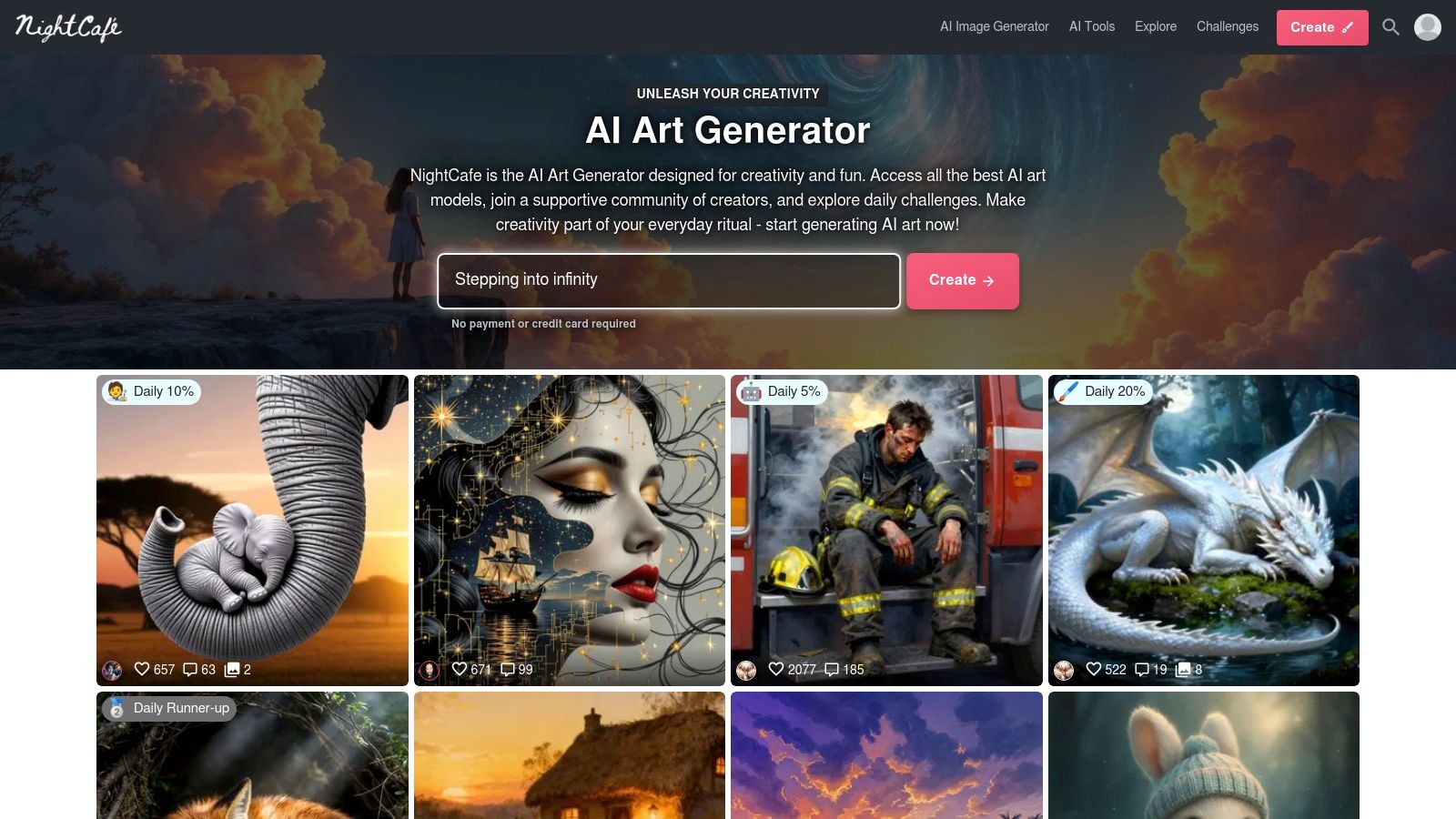
The platform offers a daily drip of free credits, which encourages regular engagement. While the free tier is limited, the recurring credits and opportunities to earn more through community participation make it a strong contender for the best free AI image generator for hobbyists and those who enjoy a social, gamified experience.
Key Features and Usage
- Multiple Models & Modes: Access to various models like SDXL, Stable Diffusion 2.1, and DALL-E 2, along with different modes like "Style Transfer," provides immense creative flexibility.
- Community Engagement: Participate in daily challenges, vote on other users' art, and earn badges and extra credits, fostering a sense of community and friendly competition.
- Batch Creation & Upscaling: Generate multiple images at once to explore variations of a prompt, and use credits to upscale your favorite results to higher resolutions.
- Mobile Apps: Dedicated apps for both iOS and Android allow for art creation on the go, making it one of the most accessible platforms available.
Limitations and Pricing
The primary limitation of the free plan is the slow generation speed and the fact that it is ad-supported. Advanced models and features like upscaling can consume the daily credit allowance very quickly, pushing users toward purchasing credit packs or subscribing. Paid plans start with a Pro subscription that offers more credits which conveniently roll over each month.
Website: https://nightcafe.studio
8. getimg.ai
getimg.ai stands out as a versatile and scalable platform designed for users who want access to a wide variety of AI models in one place. It serves as an aggregator, providing access to numerous first- and third-party models for both image and video generation. This multi-model approach makes it a powerful hub for experimentation and high-volume production, appealing to individual creators and larger teams alike.
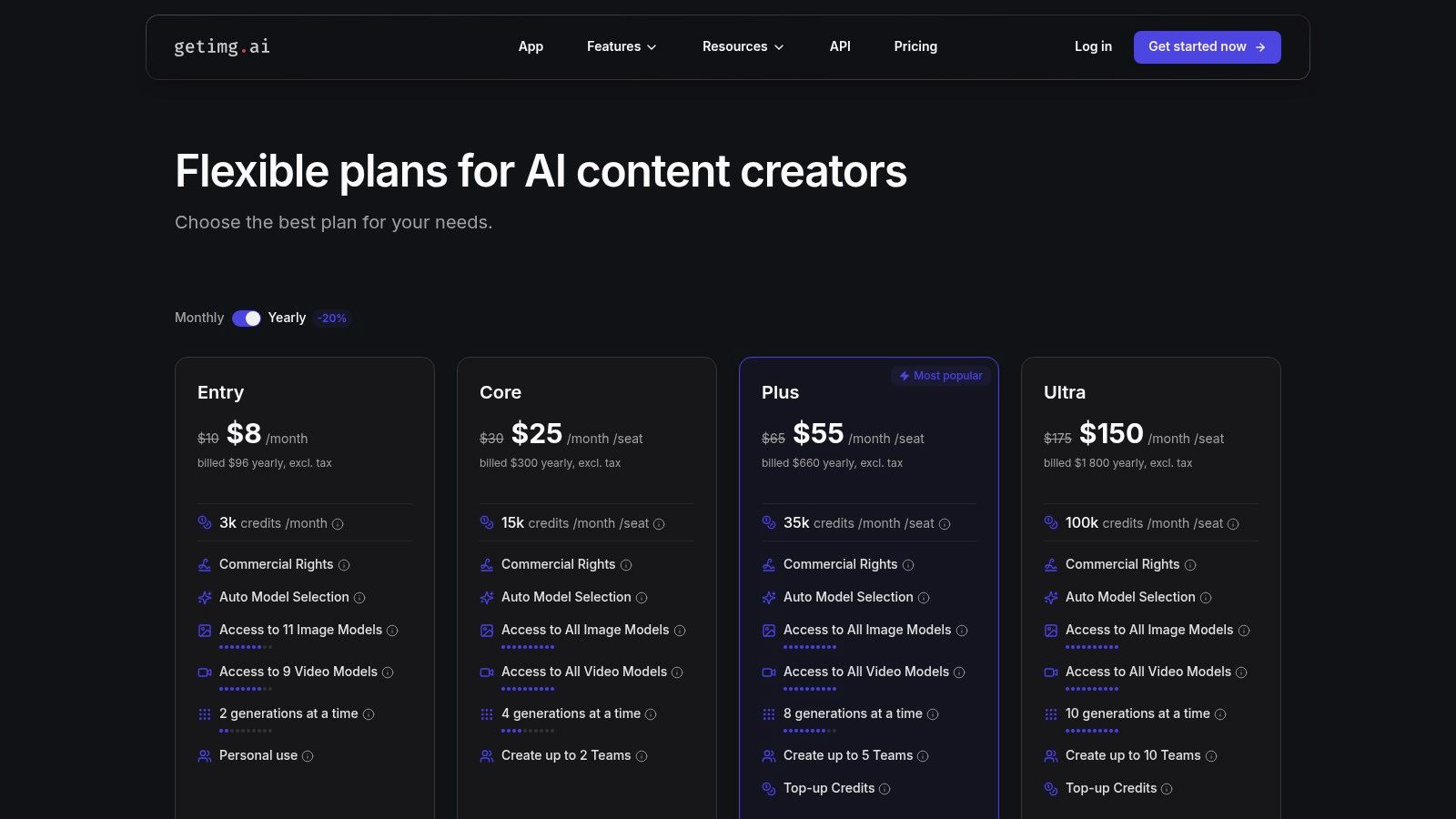
The free plan offers 100 credits per month, allowing users to test a range of its features and models. With its transparent credit system and access to an API, getimg.ai is a solid candidate for the best free AI image generator for developers or teams needing a flexible, centralized tool that can grow with their needs.
Key Features and Usage
- Multi-Model Access: Instead of being locked into one proprietary model, users can choose from dozens of models like Stable Diffusion variants, Openjourney, and more, each suited for different styles and tasks.
- Team Workspaces: The platform is built with collaboration in mind, offering features like team workspaces and concurrent generations on paid plans, which is ideal for agencies and creative teams.
- API Availability: For those looking to integrate AI image generation into their own applications or workflows, getimg.ai provides a well-documented API, making it a developer-friendly option.
Limitations and Pricing
The primary limitation of the free tier is the monthly credit cap and a short seven-day image history retention. Power users will quickly find the 100 credits restrictive. Paid plans are structured to offer better value at higher tiers, starting from $12/month, unlocking more models, faster generation speeds, and features like private generation.
Website: https://getimg.ai/pricing
9. Picsart AI Image Generator
Picsart brings AI image generation into its wildly popular mobile and web-based photo editing suite. This integration is its core strength, allowing users to create an image from a text prompt and immediately jump into post-production. It combines a capable generator with a vast library of stickers, fonts, templates, and retouching tools, making it a one-stop shop for social media content.
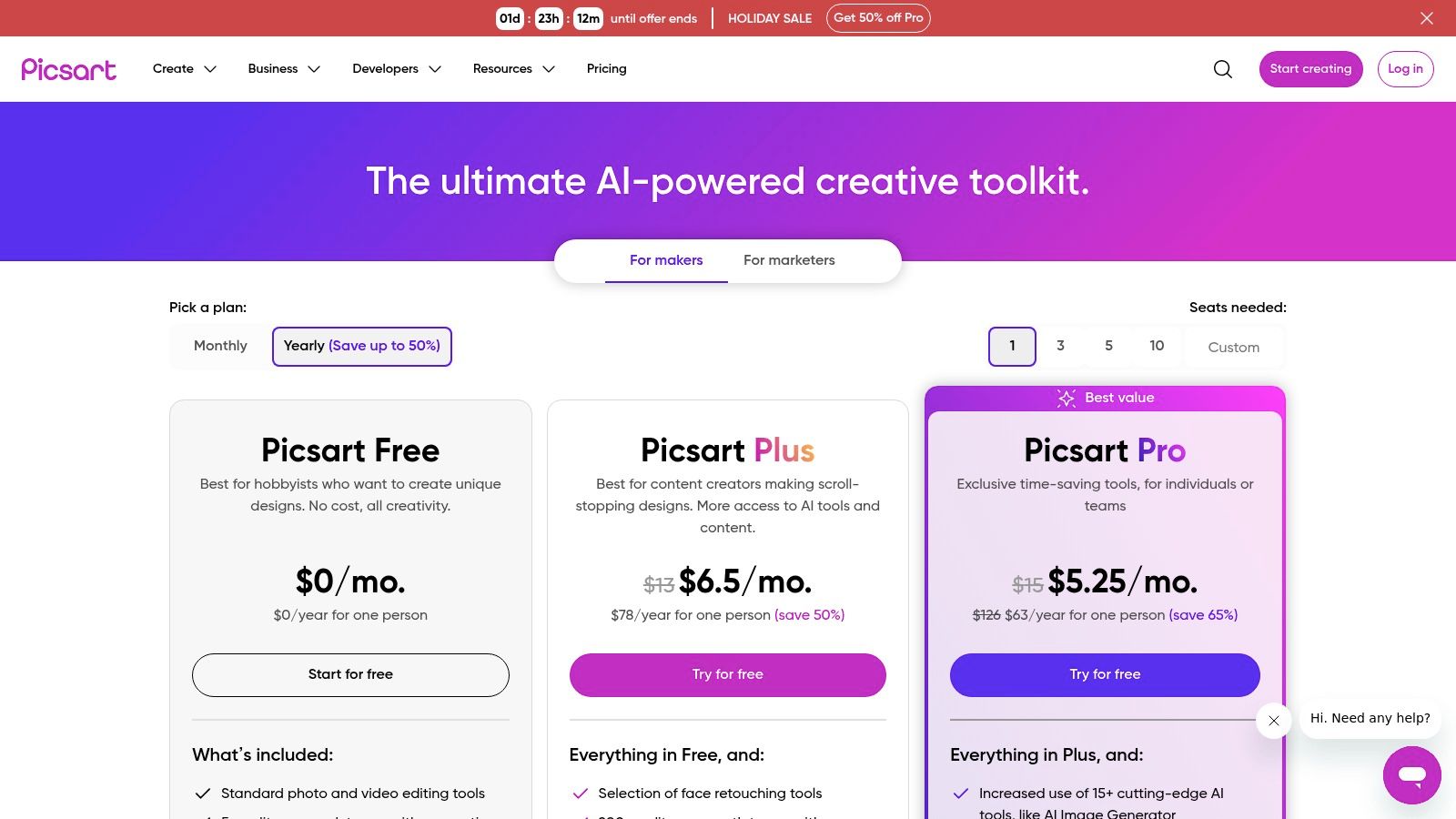
The free plan offers a limited number of AI creations, making it a solid choice for casual users or those who need to quickly produce social graphics. This positions Picsart as a contender for the best free AI image generator for on-the-go editing and creators who value convenience over advanced AI model control.
Key Features and Usage
- All-in-One Editor: Generate an image and instantly add text, apply filters, use stickers, or place it into a social media template without leaving the app. This is ideal for marketers creating quick promotional posts.
- Mobile-First Design: With a powerful mobile app, Picsart is perfect for creating and editing content directly from your phone, streamlining the workflow for influencers and social media managers.
- Comprehensive Toolset: Beyond text-to-image, the platform includes AI-powered tools like background removers, enhancers, and object replacement, all within the same interface.
Limitations and Pricing
The primary drawback of the free tier is the limited number of AI credits, which can be used up quickly. Heavy AI users will find the free plan restrictive. Many of the more advanced editing tools and assets are also locked behind a paywall. Paid plans start at around $5/month, which increases credit allowances and unlocks the full suite of creative tools.
Website: https://picsart.com/pricing/
10. Fotor AI Image Generator
Fotor positions itself as an all-in-one visual creation platform, blending a user-friendly photo editor with a capable AI image generator. It’s designed for users who want to generate an image and immediately use it in a design, social media post, or quick edit without switching applications. This integration makes it a practical choice for marketers, social media managers, and casual creators who need a fast, streamlined workflow.
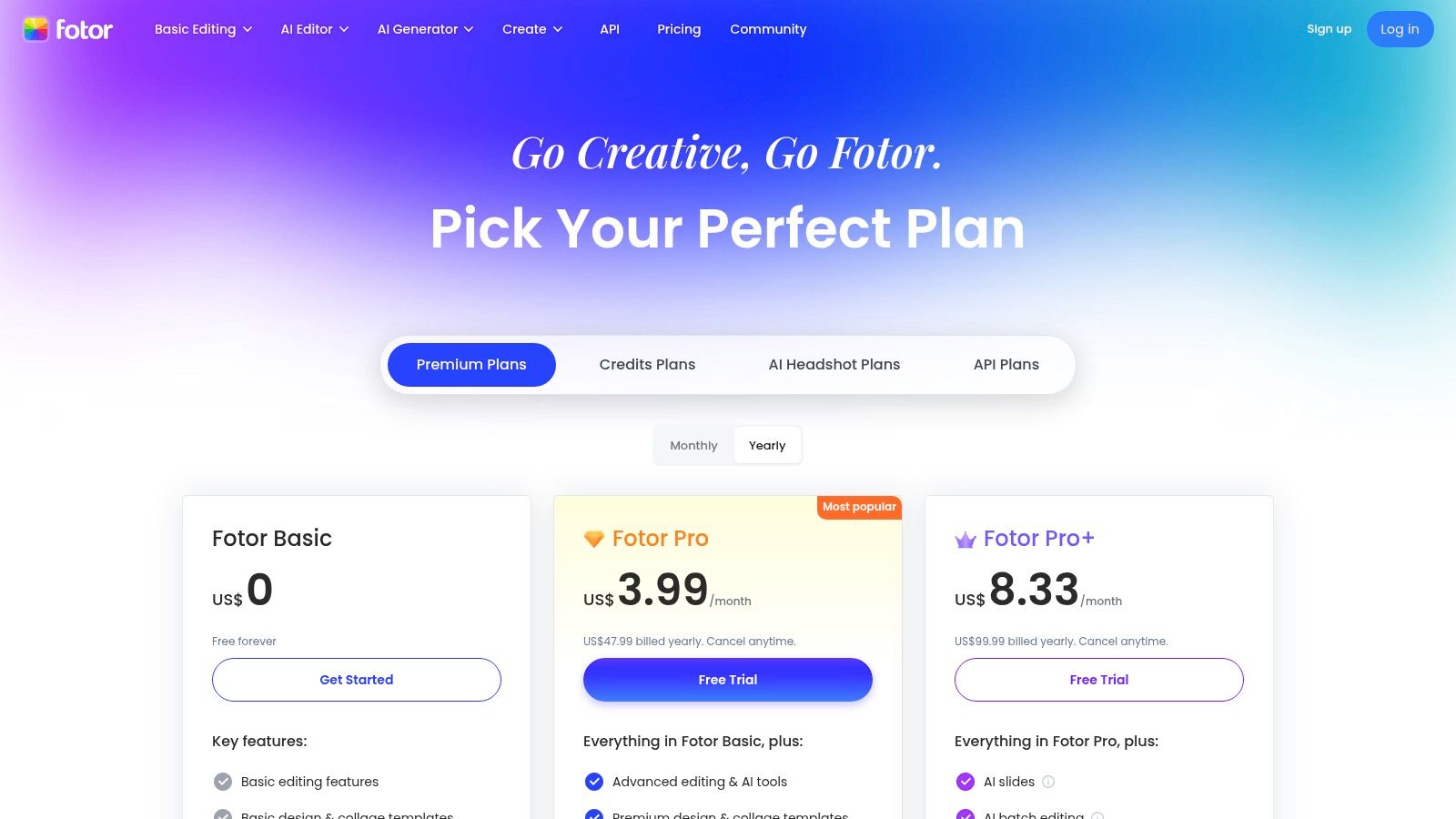
The Basic free plan provides a handful of credits to test its suite of AI tools. This makes it a contender for the best free AI image generator for those who need not just generation but a full suite of editing and design tools in one place, including templates and batch processing for quick design tasks.
Key Features and Usage
- Integrated Editing Suite: Fotor's strength is its combination of generation with powerful editing tools. You can generate an image and then immediately use the AI upscaler, background remover, or portrait touch-up features.
- Templates and Batch Editing: Go from generation to a finished design quickly using built-in templates. This is ideal for creating social media posts or marketing assets without needing separate design software.
- Broad AI Toolset: The credit system is shared across multiple AI functions, including object replacement, photo enhancement, and artistic effects, offering a versatile creative toolkit.
Limitations and Pricing
The primary limitation of the free tier is the small number of credits and the potential for watermarks on generated images. The user interface often prompts upgrades to access advanced features, which can interrupt a free user's workflow. Paid plans (Pro and Pro+) offer significantly more monthly credits and unlock the full feature set, starting from a competitive price point for users who need the platform's full capabilities.
Website: https://www.fotor.com/pricing/
11. Clipdrop (by Stability AI)
Clipdrop, developed by Stability AI, is less of a single generator and more of a comprehensive suite of AI-powered visual tools. It leverages the powerful Stable Diffusion XL (SDXL) model for text-to-image generation but distinguishes itself with a vast array of utilities for editing and enhancing images. This makes it an incredibly versatile platform for creators who need to not only generate but also refine and manipulate visuals.
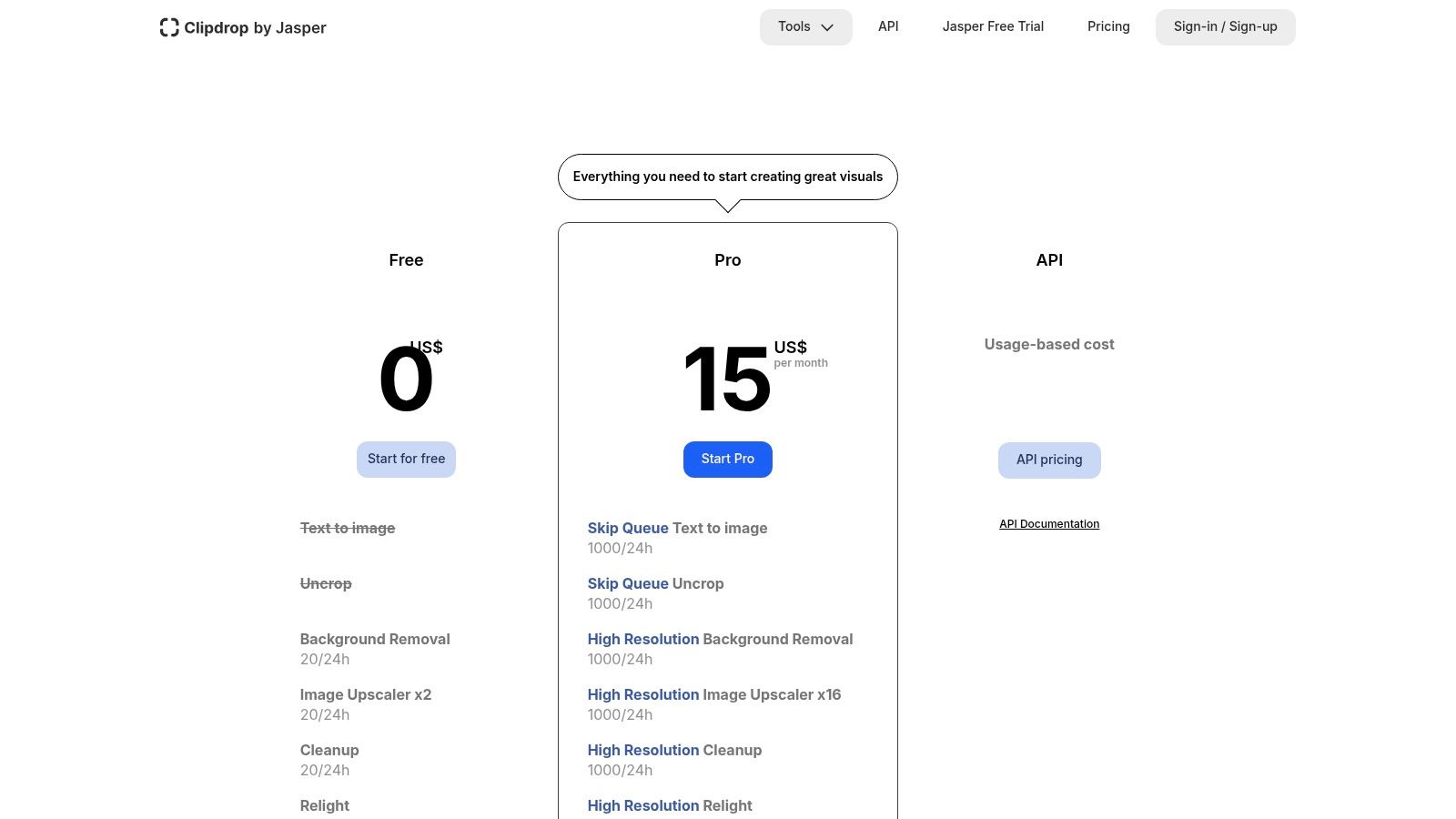
The free tier is generous, offering a specific number of free uses for most of its tools, which reset daily. This allows users to consistently access its features, solidifying its place as a top contender for the best free AI image generator for those seeking a powerful, all-in-one editing and generation toolbox. It's especially useful for developers, thanks to its robust and well-documented API.
Key Features and Usage
- Utility-Focused Toolset: Beyond generation, Clipdrop offers essential tools like background removal, object cleanup, image upscaling (up to 16x), and "uncropping" to extend image boundaries.
- SDXL Image Generation: Access Stability AI's flagship model to create high-quality, detailed images from text prompts with various stylistic controls.
- Developer-Friendly API: The platform provides an extensive API with free starting credits and pay-as-you-go pricing, making it easy to integrate AI image processing into other applications.
Limitations and Pricing
The primary limitations of the free plan are the watermarks on generated images and the cap on the number of daily actions. The sheer number of different tools can also present a slight learning curve compared to more straightforward generators. Upgrading to the Pro plan for around $9/month removes watermarks, increases usage limits, and provides faster processing queues.
Website: https://clipdrop.co/en-US/pricing
12. Craiyon (formerly DALL·E Mini)
Craiyon, originally known as DALL·E Mini, is one of the most accessible and straightforward AI image generators available. Its primary appeal is its simplicity and zero-barrier entry; you can start creating images directly from the homepage without needing an account. It generates a grid of nine image variations for every prompt, making it a fantastic tool for rapid brainstorming, creating memes, or simply exploring creative ideas without any commitment.
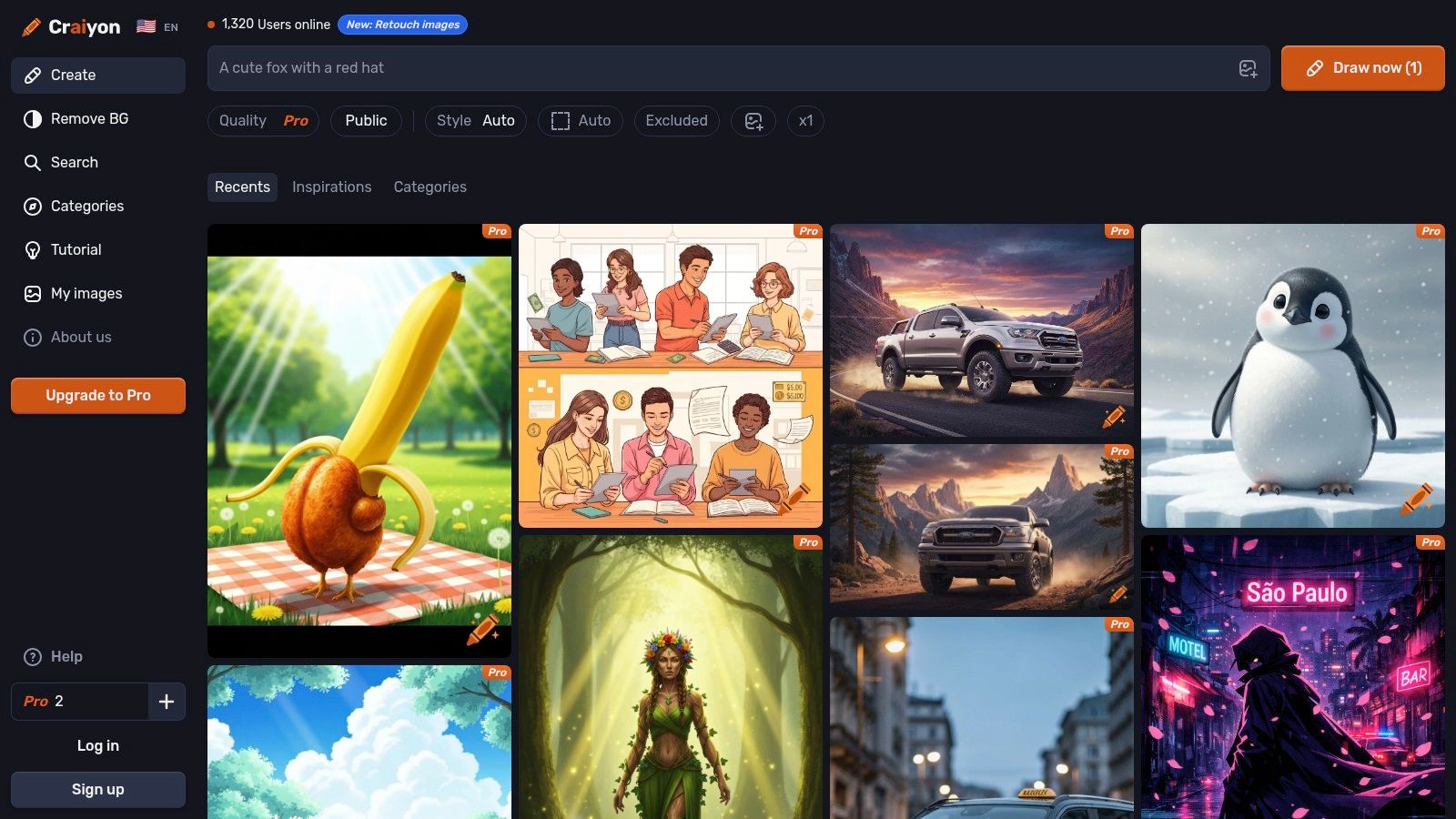
The completely free-to-use model has cemented its place as a go-to for casual users and beginners. While its output quality may not match the hyper-realism of more advanced models, its speed and ease of use make it a strong contender for the best free AI image generator for ideation and educational purposes. It's the perfect platform to learn the basics of prompt engineering.
Key Features and Usage
- No Account Required: Simply visit the website and start typing your prompt. This immediate access is perfect for quick experiments or one-off image needs.
- Nine Image Variations: Instead of a single output, Craiyon provides a 3x3 grid of images, offering multiple interpretations of your prompt to choose from or refine.
- Negative Prompts and Styles: Even on the free plan, you can add negative prompts to exclude elements and select basic styles like "Art," "Photo," or "Drawing" to guide the output.
Limitations and Pricing
The main limitation of the free version is the lower image fidelity and the presence of a watermark. Generations can also be slower during peak times, and ads are present on the site. For those needing more, Craiyon offers paid plans starting around $5/month, which remove ads and watermarks, increase generation speed, and provide higher-quality outputs.
Website: https://www.craiyon.com
Top 12 Free AI Image Generators — Quick Comparison
| Product | Key features | Quality (★) | Pricing (💰) | Who & Why (👥 ✨) |
|---|---|---|---|---|
| Auralume AI 🏆 | Text/image → cinematic video; multi-model (Veo, Sora, Pika, etc.); Prompt Wizard; image/video upscalers | ★★★★☆ — fast, model-dependent | 💰 Pay-as-you-go (500c = $10); Starter ~$31/mo; Pro ~$79/mo; credits never expire | 👥 Social creators, agencies, filmmakers; ✨ Model aggregator + Prompt Wizard + end-to-end upscaling |
| Adobe Firefly | Text-to-image, Generative Fill, Creative Cloud integrations | ★★★★☆ — polished editor & controls | 💰 Free start; paid tiers add large monthly credit pools & business licensing | 👥 Designers, Adobe users; ✨ Deep Creative Cloud & licensing integration |
| Microsoft Designer – Image Creator | DALL·E-powered text-to-image, templates, M365/Copilot integration | ★★★☆☆ — simple, speedy | 💰 Free tier with monthly credits; expanded with Microsoft 365 | 👥 Office users, quick social creators; ✨ Seamless M365/Copilot workflow |
| Leonardo.Ai | Multiple high-quality models, AI Canvas, upscaling, model training | ★★★★☆ — high-fidelity results | 💰 Generous free tier; paid tiers unlock pro models/features | 👥 Designers, concept artists; ✨ Model training & strong community templates |
| Ideogram | Excellent text-in-image (logos/posters), quality tiers, remix/upscale | ★★★☆☆ — top text fidelity | 💰 Free weekly credits; paid tiers for priority/credits | 👥 Brand designers, typographers; ✨ Best-in-class typography in generated images |
| Playground (Playground AI) | Multi-model picker, canvas editing, Day Pass & pay-as-you-go | ★★★☆☆ — flexible, model-dependent | 💰 Day Pass & à‑la‑carte credits for short projects | 👥 Experimenters, freelancers; ✨ Per-model quotas + Day Pass option |
| NightCafe Creator | Daily free credits, batch gen, mobile apps, social challenges | ★★★☆☆ — approachable, discovery-focused | 💰 Daily free credits; subscriptions & credit packs | 👥 Casual creators, hobbyists; ✨ Daily credit drip + community challenges |
| getimg.ai | Image & video multi-models, team workspaces, API, concurrent runs | ★★★★☆ — scalable, team-friendly | 💰 Transparent credit tables; scalable paid tiers | 👥 Teams, devs & agencies; ✨ API + team workspaces + rapid model additions |
| Picsart AI Image Generator | Text-to-image inside full editor; stickers, fonts, templates, mobile apps | ★★★☆☆ — mobile-first editing workflow | 💰 Free weekly AI credits; paid tiers increase allowances | 👥 Social marketers, mobile creators; ✨ All-in-one editor + generation |
| Fotor AI Image Generator | Text-to-image, upscaler, background tools, batch templates | ★★★☆☆ — consumer-friendly tools | 💰 Basic free; Pro/Pro+ add monthly credits & features | 👥 Casual designers & marketers; ✨ Batch editing + portrait tools |
| Clipdrop (Stability) | SDXL text-to-image, background removal, relight, x16 upscaler, API | ★★★★☆ — utility-heavy, high-res tools | 💰 Free dev credits; pay-as-you-go and subscription plans | 👥 Creators & developers; ✨ Strong post-processing toolkit + developer API |
| Craiyon (DALL·E Mini) | No-login, 9 variations per prompt, very simple UI | ★★☆☆☆ — low fidelity but fast ideation | 💰 Free base; optional Pro to remove watermark/improve quality | 👥 Casual users, educators; ✨ Zero-barrier, instant brainstorming tool |
Your Next Creative Chapter Starts Here
The journey through the world of AI image generation reveals a powerful and democratizing shift in digital creativity. No longer confined to the realms of technical specialists or those with expensive software subscriptions, the ability to bring complex visual ideas to life is now accessible to everyone. We've explored a dozen of the most capable and compelling tools available today, each with its own unique strengths, from the photorealistic precision of Playground to the artistic community and fine-tuning capabilities of Leonardo.Ai.
The central takeaway is that there is no single, definitive best free AI image generator. Instead, the ideal choice is a direct reflection of your specific creative goals and workflow needs. What works brilliantly for a social media marketer needing quick, commercially safe product mockups might not suit a digital artist who requires granular control over composition and style.
How to Choose Your Go-To Generator
To find your perfect match, move beyond feature lists and start experimenting. Use this guide as your starting point to select two or three platforms that resonate with your projects.
Consider these key questions to narrow down your selection:
- What is my primary use case? Are you creating realistic photos (Playground, getimg.ai), artistic illustrations (Leonardo.Ai, NightCafe), or brand-safe marketing assets (Adobe Firefly, Microsoft Designer)?
- How important is commercial use? If you plan to use your creations for business, platforms with clear commercial licenses like Adobe Firefly, Ideogram, or Leonardo.Ai's paid tiers are essential.
- Do I need advanced features? If you require capabilities like inpainting, outpainting, or custom model training, a more robust tool like getimg.ai or Leonardo.Ai is your best bet.
- Is ease of use a priority? For beginners or those needing quick results, user-friendly interfaces like those found on Picsart or Craiyon offer a gentle learning curve.
From Generation to Monetization and Motion
Your creative process doesn't have to end with a static image. For many content creators, designers, and entrepreneurs, these AI-generated visuals are just the first step. They can become foundational assets for larger projects, from social media campaigns and YouTube thumbnails to digital art prints. Beyond just generating images for fun, many creators are looking to turn their artistic endeavors into income. Discover a complete blueprint to create and sell digital products, including your AI-generated art.
Furthermore, the most forward-thinking workflows integrate image generation directly with other creative outputs, like video. Platforms like Auralume AI are pioneering this all-in-one approach, allowing you to not only generate a stunning image but also seamlessly transition it into a dynamic, cinematic video clip. This integration is a game-changer for marketers and storytellers who need to produce high-quality multimedia content efficiently.
The most exciting part of this technological revolution is that it's still just beginning. The tools we've covered are constantly evolving, becoming more powerful, intuitive, and integrated into our daily creative routines. The power to visualize, create, and share your unique vision has never been more immediate. The only remaining variable is your imagination. Step in, start prompting, and see what you can create.
Ready to move beyond static images and bring your creations to life? Auralume AI offers a unified creative suite where you can generate stunning visuals and instantly transform them into captivating videos with AI-powered animation. Stop juggling multiple tools and start creating cinematic content seamlessly by trying Auralume AI today.