

8 Essential Examples of Establishing Shots You Should Know in 2026
The establishing shot is more than just a pretty picture of a building or landscape; it's the foundational grammar of visual storytelling. It's the handshake that introduces your viewer to a new world, orienting them in space, time, and mood before the first line of dialogue is spoken. A great establishing shot provides critical context, preventing audience confusion and immersing them directly into the narrative.
From the sprawling cityscapes of blockbuster films to the cozy kitchen setups of viral cooking videos, this technique is universally essential for effective communication. Understanding its variations is key to elevating your visual work from amateur to professional. This guide breaks down 8 critical examples of establishing shots, analyzing why they work and providing actionable strategies to recreate them for your own projects, even without a Hollywood budget.
We will explore how to master everything from classic aerial views to dynamic tracking shots. You'll also see how modern tools, including AI video platforms like Auralume AI, are democratizing access to these powerful cinematic techniques. This allows any creator, from a social media marketer to a filmmaker, to set the perfect scene instantly and captivate their audience from the very first frame.
1. Aerial/Drone Establishing Shot
An aerial or drone establishing shot uses a high-altitude perspective, often with sweeping camera movement, to reveal the vastness and geography of a location. This technique is one of the most powerful examples of establishing shots because it instantly provides context, scale, and the relationship between different elements within the environment. It sets a grand, cinematic tone, making it ideal for opening scenes that need to make a strong first impression.
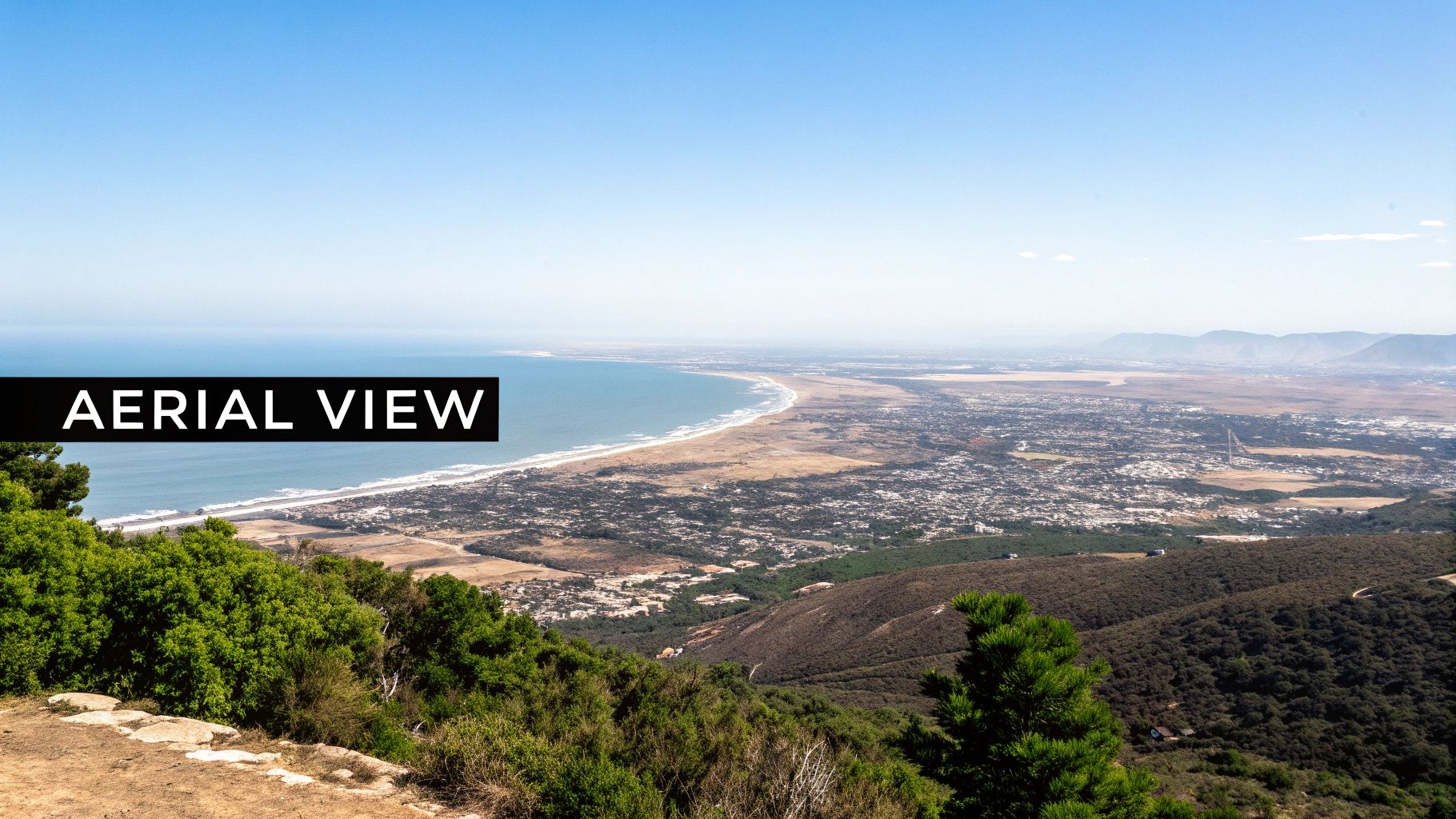
This method is prevalent in high-budget productions like Game of Thrones, where it’s used to introduce sprawling kingdoms, and in films like Skyfall, which uses aerial views to establish Bond’s exotic destinations.
Why It Works
An aerial shot immediately answers the viewer's subconscious questions about "where are we?" and "what is the scale of this world?". It establishes a sense of place and can also set a specific mood, whether it's the isolation of a remote landscape or the bustling energy of a city. For more on utilizing airborne perspectives to set your scene, delve into the world of drone photography and aerial imaging.
How to Recreate This Shot
-
Practical Cinematography: Use a drone with a high-resolution camera. Plan your flight path carefully, considering lighting (golden hour is often best) and smooth, deliberate movements. A slow, forward push or a reveal over a landmark are classic, effective choices.
-
AI-Powered Generation: For creators without access to drones, AI video tools are a game-changer. You can generate stunning aerial footage with highly specific prompts.
Example Prompt for AI: "Cinematic 4K drone shot, flying slowly forward over a misty Scottish highland valley at sunrise, golden light hitting the green hills, a winding river below, hyper-realistic, epic scale."
-
Key Tactic: Whether shooting practically or using AI, match the movement to your narrative's pace. A fast, dynamic swooping shot creates energy and excitement, while a slow, majestic glide builds anticipation and awe. You can generate your own custom aerial shots with Auralume AI to perfectly match your project's tone.
2. Wide Static Shot / Master Shot
A wide static shot, often called a master shot, is a foundational filmmaking technique that uses a stationary, wide-angle frame to capture an entire scene. It shows all the key subjects and their spatial relationships within the environment. This shot remains motionless, giving the audience time to absorb the location's details, the characters' positions, and the overall context without the distraction of camera movement. It acts as an anchor for the scene, providing a geographical reference for all subsequent closer shots.
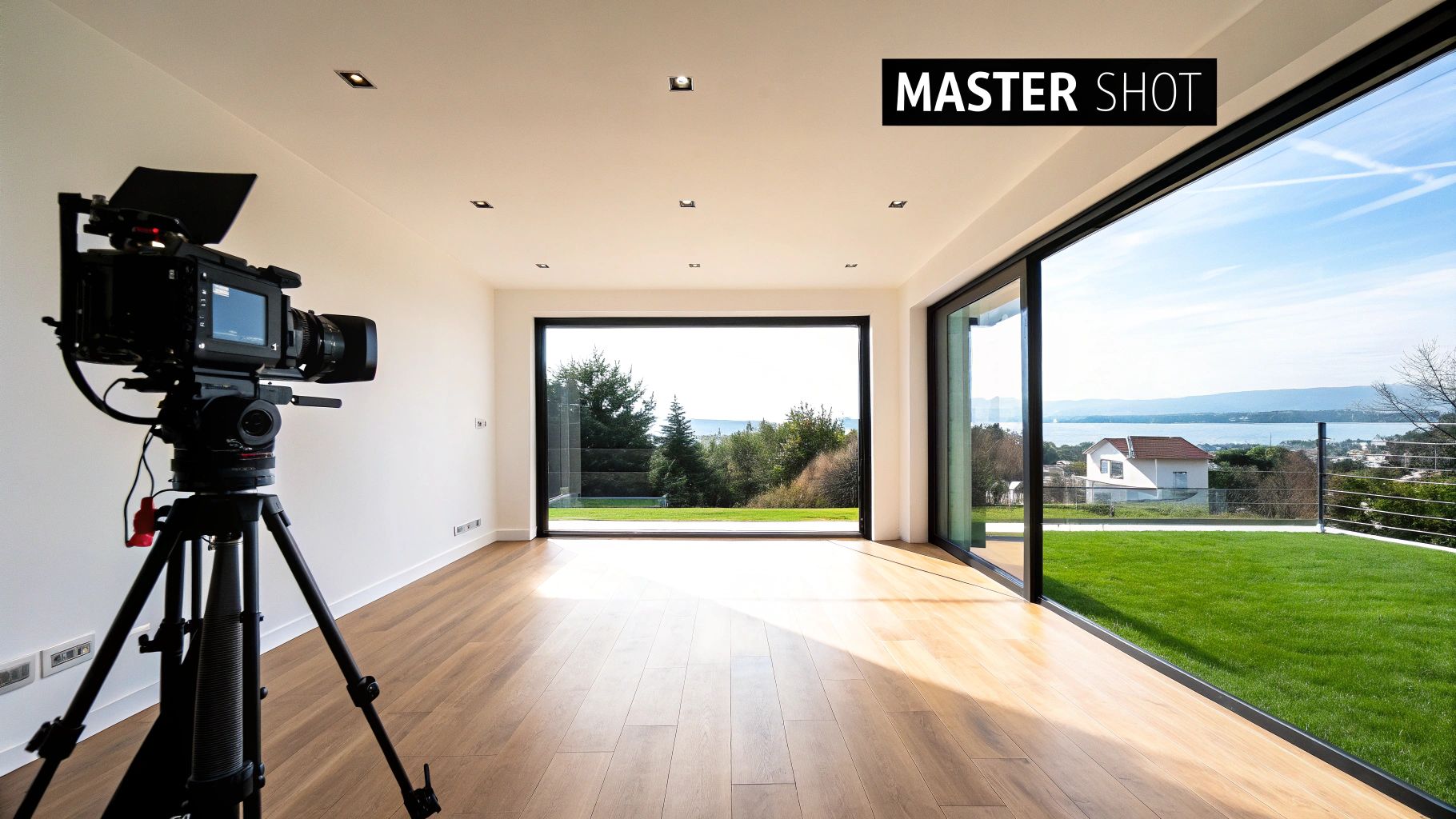
This method is a signature of directors like Wes Anderson, who uses meticulously symmetrical and centered compositions to establish his unique worlds. It's also a staple in sitcoms to introduce familiar settings like a home or workplace, and in educational videos to show the entire classroom or workspace setup.
Why It Works
The wide static shot offers clarity and objectivity. By presenting the entire scene at once, it grounds the viewer and establishes a clear sense of geography that makes subsequent cuts to medium shots or close-ups feel seamless and intuitive. It's an efficient storytelling tool that conveys a wealth of information about the setting and the characters' relationships within it, often before a single word of dialogue is spoken.
How to Recreate This Shot
-
Practical Cinematography: Use a wide-angle lens (e.g., 24mm or 35mm) on a tripod to ensure stability. Carefully compose your shot, paying attention to the rule of thirds or using symmetry for a stylized effect. Position your camera to capture all essential action and environmental details.
-
AI-Powered Generation: AI tools excel at creating precise compositions. You can define every element, from camera placement to character positioning, for a perfectly controlled master shot.
Example Prompt for AI: "Cinematic wide static master shot, eye-level, of a minimalist Scandinavian living room, two people sitting on a grey sofa in the center, large window on the left showing a snowy landscape, warm interior lighting, symmetrical composition, hyper-realistic, 4K."
-
Key Tactic: Use the environment to tell the story. A cluttered room suggests chaos, while a sparse, organized one implies control. Every object in the frame should serve a purpose. For creators looking to master this compositional control, you can explore AI-powered master shots with Auralume AI to build your scene exactly as you envision it.
3. Push-In / Crane Shot
A push-in or crane shot is a dynamic technique that starts with a wide environmental view and physically moves the camera closer to a specific person, object, or point of interest. This movement acts as a narrative guide, transitioning the viewer's focus from the general context of the scene to a crucial detail. It is one of the most effective examples of establishing shots for building anticipation and directing attention.
This method is famously used in horror and thriller genres, like in the opening of Jaws where the camera pushes in toward the beach, signaling that this idyllic location is where the danger lies. It’s also common in documentaries to introduce an interview subject within their environment.
Why It Works
A push-in shot creates a sense of progression and importance. By actively moving the frame, the filmmaker tells the audience, "Pay attention to this." It smoothly connects the macro (the setting) with the micro (the character or plot point), creating a seamless transition from broad context to specific focus without a jarring cut. This movement can build tension, reveal information, or create an emotional connection.
How to Recreate This Shot
-
Practical Cinematography: Use a camera on a dolly, slider, or crane. The key is smooth, controlled movement. Plan your start and end frames precisely. The speed of the push-in dictates the mood: a slow push builds suspense, while a faster one can create a sense of urgency or surprise.
-
AI-Powered Generation: AI video tools excel at creating complex camera movements that would otherwise require expensive equipment. You can precisely control the starting point, ending point, and speed of the motion.
Example Prompt for AI: "Cinematic establishing shot of a bustling cyberpunk city street at night, neon signs reflecting on wet pavement. Slowly push in towards a specific noodle stand where a mysterious figure sits alone, ultra-detailed, 8K, Blade Runner aesthetic."
-
Key Tactic: Define your destination. The power of the push-in comes from its destination. Know exactly what you want the audience to focus on at the end of the movement. This focal point is the narrative payoff for the shot. You can master the art of the AI-powered Push-In / Crane Shot with Auralume AI to create compelling visual stories.
4. POV (Point of View) / Character Perspective Shot
A Point of View (POV) establishing shot frames the scene from a character's direct visual perspective. This subjective camera angle shows the audience exactly what a character sees as they enter or observe a new environment. This technique is one of the most immersive examples of establishing shots because it instantly forges a connection between the viewer and the character, simultaneously revealing the location and the character's reaction to it. It drops the audience directly into the narrative, making it exceptionally effective for tutorials, first-person stories, and found-footage horror.
This method is the backbone of the found-footage genre, seen in films like The Blair Witch Project and Paranormal Activity, where it establishes a terrifying sense of realism. It’s also prevalent in YouTube unboxing videos and video game cutscenes, where viewer immersion is paramount.
Why It Works
A POV shot eliminates the distance between the audience and the screen, forcing the viewer to experience the setting through a character's eyes. This immediately establishes context, emotional state, and location all at once. It answers "where are we?" from a personal, subjective angle, making the reveal feel more intimate and engaging, whether it's a detective surveying a crime scene or a student watching a tutorial.
How to Recreate This Shot
-
Practical Cinematography: Use a head-mounted camera rig (like a GoPro) or a handheld camera held at eye level. Incorporate naturalistic movements like slight head turns and jitters to sell the effect. Including foreground elements, like the character's hands or the edge of a helmet, enhances the immersive quality.
-
AI-Powered Generation: AI tools excel at creating precise POV shots that are difficult to film. You can define the exact perspective, what the character is doing, and the environment they are seeing.
Example Prompt for AI: "POV shot from the perspective of a person unboxing a new laptop, hands visible in the foreground, looking down at the sleek device on a wooden table, soft natural light from a window, cinematic, 4K, shallow depth of field."
-
Key Tactic: Define the character's height and eye line. A shot from a child's perspective looking up creates a sense of awe or intimidation, while a shot looking down from a tall character's view can convey authority or observation. This subtle detail radically changes the scene's emotional tone. You can generate your own custom POV shots with Auralume AI to build powerful character-driven narratives.
5. Tracking Shot / Lateral Camera Movement
A tracking shot, also known as a lateral camera movement, travels horizontally across a scene to reveal different aspects of the environment. This technique maintains a consistent distance from its subjects, smoothly unveiling spatial relationships and multiple points of interest without jarring cuts. It’s an effective way to introduce a location's layout, depth, and key elements in one fluid motion.
This method is famously used in films like Alfonso Cuarón's Children of Men to create immersive, continuous action sequences. It’s also a staple in modern real estate videos to tour properties, in cooking shows to establish a kitchen setup, and in news broadcasts to reveal the studio desk and set.
Why It Works
A tracking shot guides the viewer’s eye across a space, making it an excellent narrative tool for introducing a setting. It answers the "where are we?" question by providing a tour, revealing characters, props, and environmental details along its path. This horizontal movement creates a sense of exploration and can build anticipation for what will be revealed next, making it a powerful example of an establishing shot that combines information with forward momentum.
How to Recreate This Shot
-
Practical Cinematography: Use a dolly, slider, or gimbal to ensure perfectly smooth horizontal motion. Keep the camera parallel to the scene you are revealing. This technique is ideal for showcasing a product lineup or guiding viewers through an interior space.
-
AI-Powered Generation: AI tools excel at creating flawless tracking shots. You can specify the exact elements you want the camera to pass, the direction of movement, and the overall mood.
Example Prompt for AI: "Cinematic tracking shot, moving smoothly from left to right across a bustling Parisian cafe interior, revealing people talking at tables, a barista behind the counter, and sunlight streaming through the windows, warm and inviting atmosphere, 4K, realistic."
-
Key Tactic: Control the speed of your track to match the content's tone. A slow, deliberate track works perfectly for luxury products or serene architectural reveals. A faster track can inject energy and urgency, suitable for establishing a busy market or an action-packed environment.
6. Time-Lapse / Compressed Time Establishing Shot
A time-lapse establishing shot condenses a long period into just a few seconds, creating a dynamic and informative opening. This technique is one of the most efficient examples of establishing shots for showing not just where we are, but also when, by revealing changes in lighting, weather, or the ebb and flow of activity over time. It’s perfect for illustrating processes, transformations, or the passage of time in a visually compelling way.
This method is famously used in nature documentaries to show flowers blooming or stars moving across the sky. It's also a staple in shows like Netflix's House of Cards, which often used time-lapses of Washington D.C. to signify the relentless pace of politics and the transition between days.
Why It Works
A time-lapse shot adds a layer of narrative context beyond simple geography. It can show the setup of an event, the construction of a building, or the changing moods of a city from day to night, establishing a sense of progression and energy. This technique efficiently conveys that time is a critical element in the upcoming scene.
How to Recreate This Shot
-
Practical Cinematography: Mount a camera on a sturdy tripod and set it to take photos at specific intervals (e.g., one photo every 10 seconds). Later, compile these images into a video sequence. For smooth motion, use a motorized slider to add subtle panning or tilting during the time-lapse.
-
AI-Powered Generation: AI tools can create flawless time-lapse sequences without the need for hours of shooting. You can precisely control the environment, lighting, and subject matter to generate the perfect establishing shot.
Example Prompt for AI: "Cinematic 4K time-lapse, showing a busy New York City intersection transitioning from a sunny afternoon to a rainy night, yellow cabs creating light trails, reflections on wet pavement, hyper-realistic, 24 hours compressed to 10 seconds."
-
Key Tactic: Clearly define the start and end points of your time-lapse. Whether it's a clean construction site becoming a finished building or an empty sky filling with stars, this transformation is the core of your shot's story. Use the Auralume AI video generator to create custom time-lapse effects that serve your narrative.
7. Split-Screen / Multi-Angle Establishing Shot
A split-screen or multi-angle establishing shot divides the frame to show multiple perspectives or locations simultaneously. This technique is a powerful modern storytelling tool, efficiently conveying complex relationships, comparisons, or parallel actions in a single, dynamic composition. It establishes not just a physical location but also a conceptual or temporal relationship between the displayed scenes.
This method is highly popular in social media content, such as before-and-after transformations or "Instagram vs. Reality" videos. It's also used effectively in films like (500) Days of Summer to contrast expectations with reality, and in news broadcasts to show reporters in different locations at once.
Why It Works
The split-screen instantly creates a narrative comparison or connection for the viewer. It forces the audience to process multiple streams of information, which can generate intrigue, irony, or a deeper understanding of the environment and the events happening within it. This is one of the most efficient examples of establishing shots for showing cause and effect or parallel developments without cutting back and forth.
How to Recreate This Shot
-
Practical Cinematography: Film your scenes separately with the final split-screen composition in mind. Use a tripod to ensure stability and consistent framing. During editing, place the clips side-by-side, ensuring key actions are synchronized to create a cohesive and impactful visual narrative.
-
AI-Powered Generation: You can use AI to create perfectly matched scenes for a split-screen effect. Generate each panel with prompts that share a core theme but vary one key element, creating a powerful visual comparison.
Example Prompt for AI (Panel 1): "A bustling, vibrant city street during a summer festival, crowded with people, colorful decorations, cinematic, 4K." Example Prompt for AI (Panel 2): "The exact same city street, but completely empty and silent at dawn, dew on the cobblestones, soft morning light, melancholy mood, cinematic, 4K."
-
Key Tactic: Use the split-screen to tell a micro-story. The power isn't just in showing two things at once; it's in what the comparison reveals. Whether it's a contrast, a parallel journey, or a cause-and-effect relationship, ensure the two frames work together to create a meaning greater than the sum of their parts.
8. Reveal Shot / Obstacle Unmasking Establishing Shot
A reveal shot, also known as obstacle unmasking, is a dynamic establishing shot where a foreground element initially hides the main location. The scene is then unveiled as the obstacle moves or the camera pans around it. This technique creates visual surprise and guides viewer anticipation, turning the act of location establishment into a moment of discovery rather than a simple presentation.
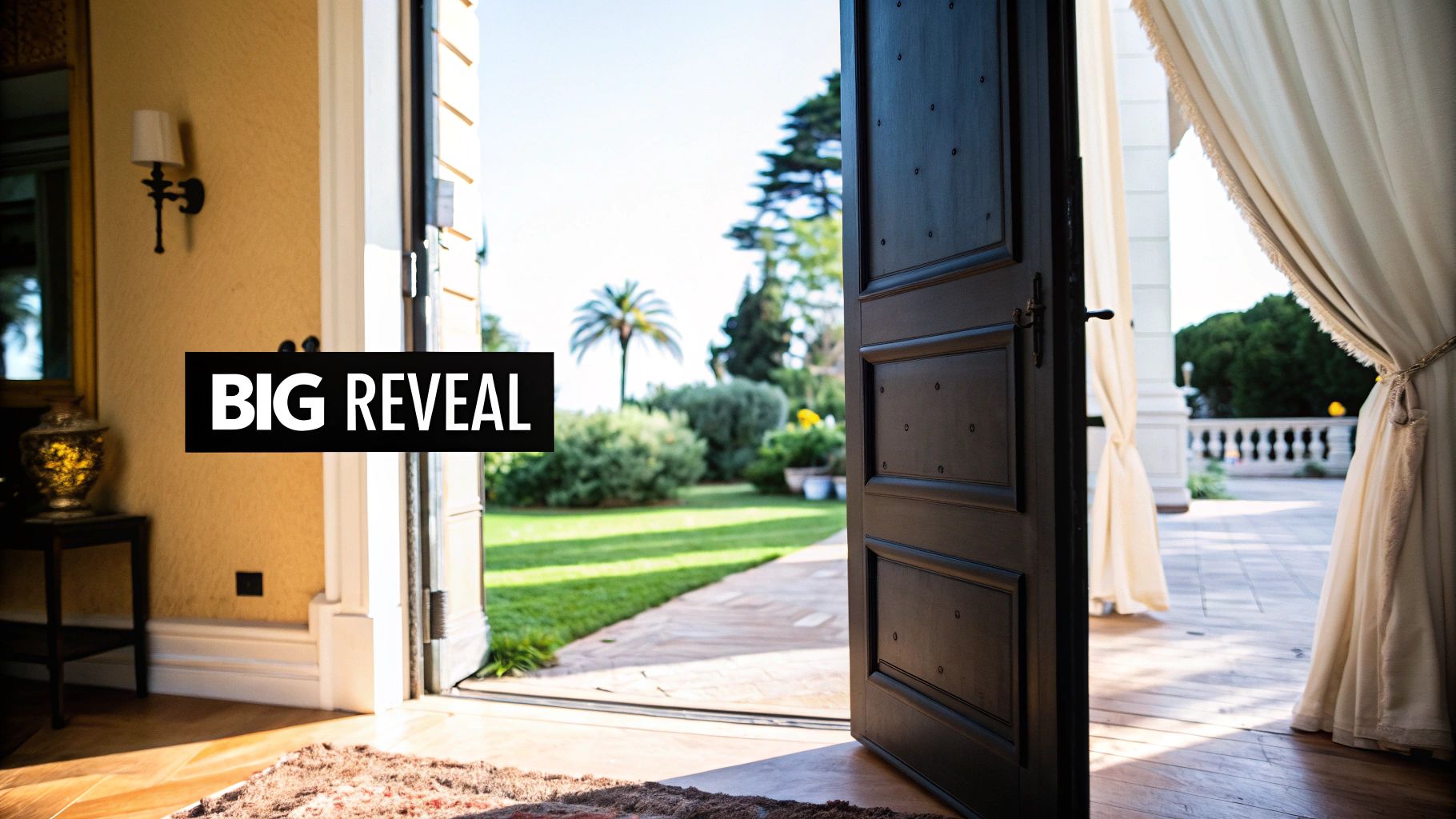
This method is frequently used in luxury brand advertising to unveil a premium product, in home improvement shows for the final dramatic reveal, and is a signature of directors like Spike Lee who use it to layer visual storytelling. It adds an engaging, interactive quality to the scene.
Why It Works
The reveal shot builds suspense and curiosity, actively engaging the audience by making them wonder what lies behind the obstruction. By controlling the speed and nature of the reveal, a filmmaker can manage the scene's emotional impact, whether it's a slow, dramatic unveiling or a fast, surprising one. This technique is one of the more artful examples of establishing shots because it directs the viewer's gaze and creates a satisfying payoff.
How to Recreate This Shot
-
Practical Cinematography: Frame your shot so a natural foreground element like a door, a curtain, another character, or a corner of a building partially or fully obscures the background. Coordinate the camera movement (a pan, tilt, or dolly) with the movement of the obstruction for a seamless and powerful reveal.
-
AI-Powered Generation: This technique is easily replicated with AI video tools by structuring your prompt in two parts: the initial obstruction and the final revealed scene.
Example Prompt for AI: "Shot from inside a dark tent, the zipper is slowly pulled down to reveal a breathtaking view of the Himalayan mountains at sunrise, sharp focus on the epic, snow-capped peaks, cinematic 8K."
-
Key Tactic: Match the reveal's speed to the desired emotion. A fast reveal creates surprise or shock, perfect for action or comedy. A slow, deliberate reveal builds suspense and awe, ideal for dramatic moments or showcasing a beautiful landscape. You can generate your own custom reveal shots with Auralume AI to set the perfect mood for your story.
8-Point Establishing Shot Comparison
| Technique | Implementation Complexity 🔄 | Resource Requirements ⚡ | Expected Outcomes ⭐📊 | Ideal Use Cases 💡 | Key Advantages ⭐ |
|---|---|---|---|---|---|
| Aerial / Drone Establishing Shot | High — altitude control, smooth motion, geolocation accuracy | High — drone/helicopter or advanced AI + location imagery/permits | High impact; grand scale & clear spatial context — ⭐⭐⭐ | Openers, travel promos, real estate, cinematic sequences | Grabs attention; conveys geography and production polish |
| Wide Static Shot / Master Shot | Low — stationary framing, simple composition | Low — tripod/static camera or AI render; fast generation | Clear spatial layout and baseline continuity — ⭐⭐ | Dialogue scenes, product reveals, educational intros | Reliable anchor for editing; consistent and easy to produce |
| Push-In / Crane Shot | Medium–High — smooth controlled movement; focal planning | Medium — crane/dolly or AI motion smoothing; precise prompts | Emotional focus while retaining context; cinematic reveal — ⭐⭐⭐ | Product reveals, character introductions, dramatic beats | Directs attention naturally; builds tension and emphasis |
| POV / Character Perspective Shot | Medium — consistent eye-level and foreground elements | Low–Medium — wearable cam or AI with perspective constraints | Strong immersion and identification; subjective context — ⭐⭐ | Tutorials, first‑person narratives, influencer/VR content | High viewer connection; emphasizes character agency |
| Tracking Shot / Lateral Movement | Medium — path planning, steady lateral motion | Medium — dolly/gimbal or AI tracking; smooth motion needed | Dynamic exploration; reveals relationships across space — ⭐⭐ | Real estate tours, showroom demos, facility walkthroughs | Shows multiple elements progressively; polished motion |
| Time‑Lapse / Compressed Time Shot | Medium — define start/end states and compression rate | Low–Medium — interval capture or AI compositing; multiple passes | Efficiently communicates passage of time and change — ⭐⭐ | Process videos, transformations, day‑in‑the‑life and events | Conveys change rhythmically; dynamic pacing in seconds |
| Split‑Screen / Multi‑Angle Shot | Medium — compositing and synchronized timing | Medium — multiple captures + editing/compositing work | High information density; parallel comparisons — ⭐⭐ | Comparisons, tutorials, parallel narratives, social media | Shows multiple perspectives simultaneously; efficient comparisons |
| Reveal Shot / Obstacle Unmasking | Medium — timing and rationale for obstruction | Low–Medium — blocking or AI reveal effects; precise timing | Surprise-driven engagement; discovery feeling — ⭐⭐ | Product unboxings, home reveals, dramatic introductions | Creates discovery and anticipation; naturally highlights subject |
From Concept to Context: Your Next Steps in Visual Storytelling
The journey through these diverse examples of establishing shots reveals a fundamental truth of visual communication: the first frame matters immensely. It’s your audience's handshake with the world you've built. We've seen how an Aerial Shot can convey epic scale, how a POV Shot creates instant intimacy, and how a clever Reveal can build powerful suspense. Each technique serves a unique narrative function, transforming a simple scene-setter into a strategic storytelling tool.
The core principle that connects all these powerful examples is intentionality. Your establishing shot isn't just a requirement to be checked off a list; it is your first and best opportunity to define tone, establish stakes, and guide audience expectations. The question should never be if you need an establishing shot, but rather, which type of establishing shot will most effectively serve the emotional and narrative goals of your scene.
Key Takeaways for Immediate Application
Moving forward, focus on these critical strategic insights:
- Match the Shot to the Story: A fast-paced, action-oriented social media ad might benefit from a dynamic Tracking Shot, while a contemplative short film could use a slow, atmospheric Push-In. Always align your technical choice with your creative purpose.
- Perspective is Everything: Don't default to a generic wide shot. Consider whose perspective you want the audience to inhabit. A character’s POV is deeply personal, while a high-angle drone shot creates a feeling of omniscience or detachment.
- Subvert Expectations: As seen with the Reveal Shot, you can use the audience's familiarity with establishing shots to create surprise. By hiding key information at the start, you immediately generate curiosity and engagement.
Putting Theory into Practice
Mastering these concepts is no longer limited by budgets or equipment. The democratization of creative technology means cinematic storytelling is within everyone's reach. For instance, creating a stunning time-lapse of a bustling city or a flawless aerial sweep over a mountain range can now be accomplished in minutes using AI. To put these visual storytelling concepts into practice, exploring various video maker tools can be your next step in bringing complex ideas to life efficiently.
By understanding the "why" behind each of these examples of establishing shots, you elevate your work from merely showing a location to truly immersing your audience in a world. You’re not just a creator; you’re a visual architect, and your establishing shot is the blueprint for the entire experience. Use these techniques as a launchpad for your own creativity, and watch as your ability to captivate an audience from the very first frame transforms your content.
Ready to create your own cinematic establishing shots without a camera crew? Auralume AI empowers you to generate stunning, high-quality video clips from simple text prompts. Turn your creative vision into reality and start producing professional-grade establishing shots for your projects today. Visit Auralume AI to begin.